
Home / Features / Inventory & Stock Control / Batch Tracking
Inventory & Stock Control
Keep the batch with the stock.
Track products by batch or lot so you can see which group came in, where it went and what is still on hand.
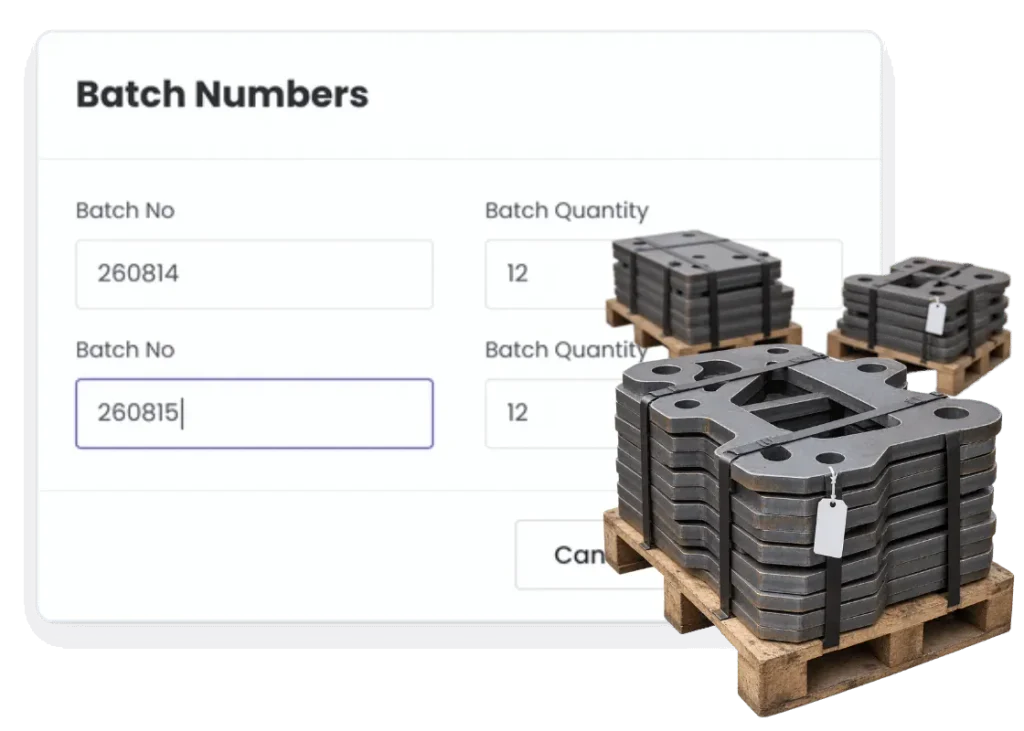
Overview
Sometimes the question is not which item. It is which batch.
Materials or components can arrive in groups that need to stay traceable together. Same supplier run. Same lot. Same expiry or compliance history.
Batch tracking keeps that group identity as stock moves so you are not trying to reconstruct it later.
What’s inside
What you get
01
Batch / lot identity
Keep groups of stock separate in the record.
02
Batch receipts
Capture the lot when stock arrives.
03
Batch quantities
See what remains from each batch.
04
Project usage
Keep the batch with the job that used it.
05
Sales history
Know which batch was sold.
06
Traceability
Follow the movement of a batch through the business.
How it works
How it works
01
Set the product to track batches
02
Receive the stock by batch
03
Keep batch quantities visible
04
Use or sell from the batch
05
Keep the history
Capabilities
What it does
Capability
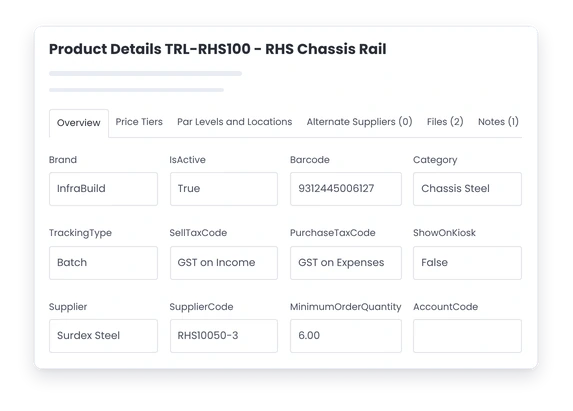
Batch / lot identity
Keep groups of stock separate in the record.
Capability
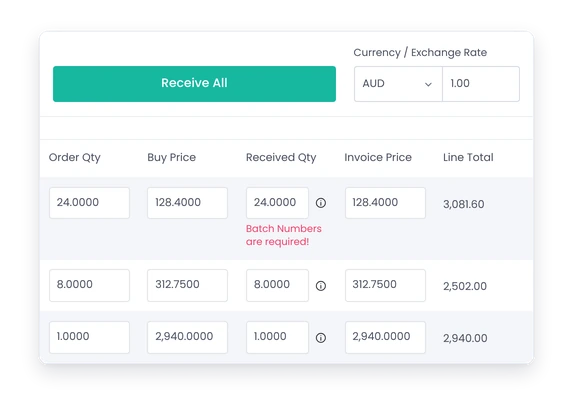
Batch receipts
Capture the lot when stock arrives.
Capability
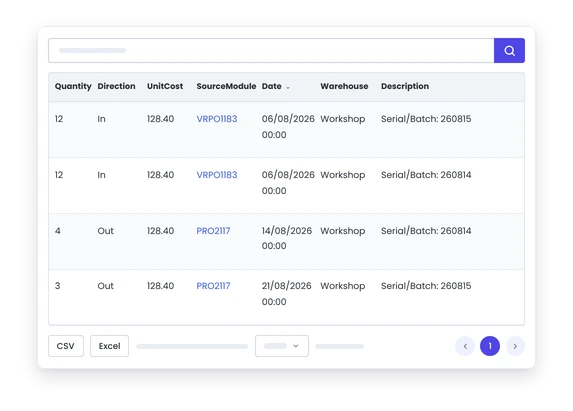
Batch quantities
See what remains from each batch.
Project usage
Keep the batch with the job that used it.
Sales history
Know which batch was sold.
Traceability
Follow the movement of a batch through the business.
What you get out of it
What changes
Keep lot-level traceability
Know which group of stock moved where.
Make supplier issues easier to contain
Identify the jobs or sales that used an affected batch.
Keep project records stronger
Tie batch-controlled material back to the work.
Manage stock rotation better
Know what batches are still on hand and which are older.
-
Discovered their contract work wasn’t profitable.
We didn’t wanna pay 100 grand upfront for a program – but then we found WorkGuru.
Nick Mazzella, Administrator, Frontline Trays & Trailers
Fit
Will it work the way we do things?
“Most of our stock does not need batch control.”
Good. Use it only for the products where the lot actually matters.
“The supplier paperwork already has the batch.”
Capture it in the operational record if you need to know where that batch went after receipt.
“We have never had a recall.”
You may still need traceability for quality, warranty or customer requirements.
“This sounds like too much admin.”
Keep batch tracking limited to the products where the traceability is worth the effort.
By trade
Where this gets used
Works with
Connected features
Stock Control
Keep batch quantities within inventory.
Stock on Projects
Record the batch the job actually used.
FIFO Tracking
Use batch age where stock rotation matters.
Counter Sales
Keep batch identity on direct sales.
Product Management
Set which products need batch control.
FAQs
Batch Tracking questions
What is batch tracking in inventory software?
It keeps a lot or batch identifier with a group of products as they are received, held, used or sold.
Can batches be linked to individual projects?
Yes. Batch-controlled stock can stay with the project that actually consumed it.
How does batch tracking help with recalls?
It helps identify where an affected lot went instead of treating every unit of the product as potentially affected.
Do all stock items need batch tracking?
No. Use it only for products where lot-level traceability is useful or required.
Can batch tracking work with FIFO stock rotation?
Yes. Batch age and receipt order can support using older stock before newer stock where that matters.
What is the difference between batch and serial tracking?
Batch tracking follows a group of items; serial tracking follows one individual item.
Keep the lot number after the box is gone.
Show us the products where batch history matters and we will show you how that traceability can stay with the stock.