
Operational outcome
See what is happening on the floor
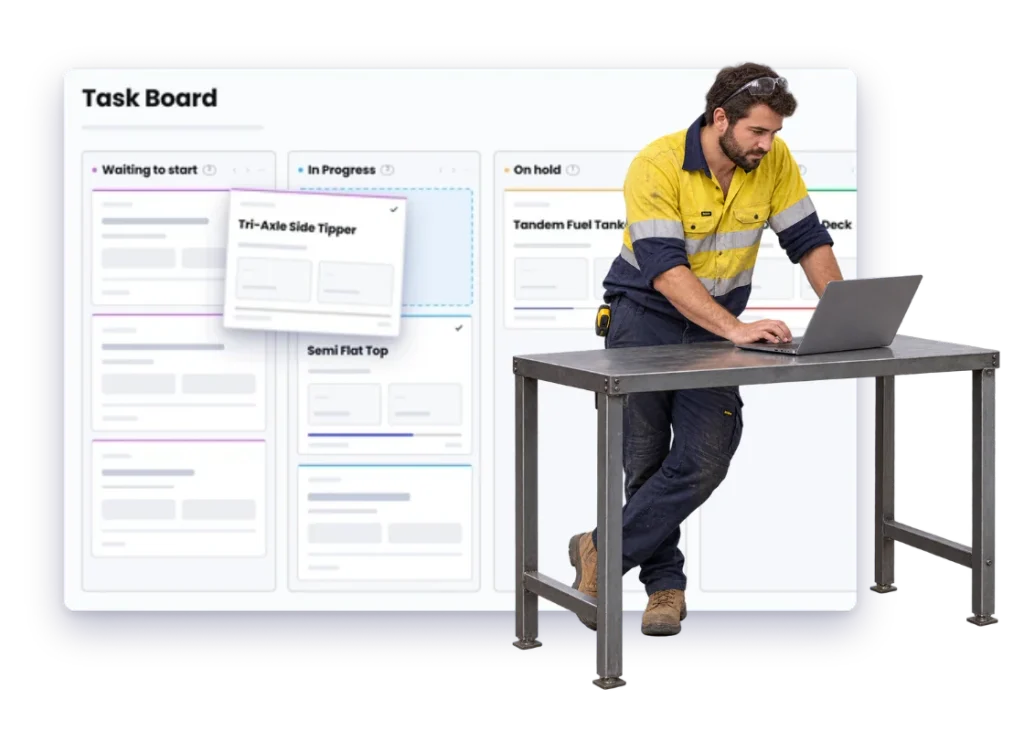
See what is on the floor, what is waiting, and where work is starting to pile up across the workshop.
Without it
A busy workshop can still have jobs going nowhere.
People can be flat out while work sits between areas, waits on material or gets buried behind whatever landed most recently.
Everything looks busy from the doorway.
That does not tell you which jobs are moving and which ones have been waiting for two days.
Work piles up in one part of the shop.
Another area may have room, but the bottleneck is already deciding what the whole workshop can finish.
Jobs sit between one handover and the next.
The work is ready, but the next person does not know it is theirs yet.
Waiting jobs take up the same mental space.
A job waiting on parts can hide the work that is actually ready to move.
A rush job cuts across everything else.
The urgent work gets done, but nobody has a clear picture of what it pushed back.
The answer lives in the workshop manager’s head.
That works until someone else needs the same picture or the plan changes while they are away.
What good looks like
You can see what work is sitting where and what needs to move next without doing a lap of the workshop.
With it
See the floor the way the team talks about it.
Workshop visibility gets useful when the view matches the real shop: the jobs, tasks, people and work areas that are actually moving. You want to see where work is sitting and what needs attention next.
What is actually on the floor?
See current and upcoming work without walking the shop.
Where is this job sitting?
See the part of the workshop that currently has the work.
What is waiting on something?
Separate blocked work from the jobs that can keep moving.
Where is work starting to pile up?
See the area or resource becoming the next bottleneck.
What needs to move next?
Give the team a clearer handover from one piece of work to the next.
How you get there
Make the workshop easier to read.
Nothing here is a separate exercise. It is the same job record, kept current as the work moves.
01
Set up the work areas
02
Add the jobs
03
Break out the tasks
04
Put work where it belongs
05
See what is waiting
06
Move ready work
07
Handle the rush jobs
08
Keep the floor current
The parts doing the work
What delivers it
These are the features this leans on. Each has its own page if you want the detail.
Work Areas
Organise work around the places it actually gets done.
Workshop Scheduling
See what needs doing, when it needs doing, and where the team needs to be.
Proof
What it looks like in a real workshop
-
We didn’t wanna pay 100 grand upfront for a program – but then we found WorkGuru.
Nick Mazzella, Administrator, Frontline Trays & Trailers
Fit
Our workshop does not run like a factory.
It does not need to. Workshop visibility is about seeing the real flow of work in your business, even when every job is custom and the plan changes during the day.
“Our jobs jump around all the time.”
That is normal. Keep the view current with where the work actually is instead of where it was meant to be.
“We do custom work, not production runs.”
Fine. Visibility is about the jobs you have now, not forcing custom work into a repetitive production model.
“We do not have formal departments.”
Use the areas people already understand: cutting, Bay 2, paint, assembly, site or whatever fits your workshop.
“The workshop manager already knows all this.”
Probably. The useful bit is giving the rest of the business a clearer view without asking them every time.
Who feels this most
The trades that ask for this first
These are the industries where this comes up in almost every conversation. Pick the one closest to yours.
Next door
Usually asked for together
These lean on the same parts of WorkGuru, so businesses chasing one normally want the other.
Workshop Scheduling
Put work in front of the right people in the right order, and move it when things change.
Job Visibility
See where every job is up to without walking the floor or chasing someone for an update.
Labour Cost Tracking
See the hours that went on each job, and what those hours cost you.
FAQs
Workshop Visibility questions
What does workshop visibility mean in practice?
It means seeing what work is active, what is waiting, where it is sitting and what needs to move next around the shop.
Can workshop visibility work for custom manufacturing?
Yes. It follows the jobs you actually have rather than assuming custom work should all look identical.
How do Work Areas help with workshop visibility?
Work Areas organise jobs and tasks around where the work gets done, making queues easier to see.
Can I see jobs that are waiting on parts or approval?
Current job information helps separate blocked work from work that is ready to move through the workshop.
Is workshop visibility the same as scheduling?
They overlap. Visibility shows what is happening now; scheduling helps decide what should happen next and when.
Do we need a detailed production system for this?
Not necessarily. A useful workshop view can stay simple and still make jobs, queues and handovers much easier to see.
See it on one of your own jobs.
Show us how work moves around your shop and we will show you how WorkGuru can make that picture easier to see.