
Home / Industries / Machining / CNC Machine Shops
For machine shops
Job Management Software for Machine Shops
Keep machine shop jobs tied to the setup time, run time, labour, material and outside work they really use.
- Local support, based in Brisbane
- Built for machining and CNC
- No lock-in contract
The reality
The part can be simple. The time around it usually is not.
No two jobs are exactly the same, but a few problems come up again and again.
Setup takes longer than expected.
The first part is where the time goes.
A tool breaks or material moves.
Suddenly the job needs more time than the quote allowed.
One bad part means another run.
The material and machine time both count.
Outside processes set the delivery date.
Heat treatment, grinding, coating or another supplier can hold the job up.
Small batches are hard to price.
Setup time matters more when you are not making thousands.
The next quote needs the real history.
If you do not know the actual hours, you are guessing again.
How it runs
Keep the job together from start to finish.
Same job record from the first quote through to the invoice. Nothing gets re-entered and nothing gets left in someone’s head.
01
Quote it
02
Plan the job
03
Get material
04
Set up the machine
05
Run the parts
06
Handle outside processes
07
Check actual time and cost
08
Invoice it
Proof
What it looks like in a real workshop
We are adding stories from machine shops. In the meantime, see how workshops like yours run WorkGuru.
Why machine shops choose WorkGuru
Know what is going on with the job.
Job shops make money by knowing what parts really take. WorkGuru keeps the quote, labour, material, purchases and outside work with the job so you can compare the estimate with reality.
How long did setup really take?
Keep the real labour against the job.
What material did we use?
Tie stock and purchases to the part or job.
Did we have to remake anything?
Keep the extra time and cost visible.
Are we waiting on an outside process?
See what is holding delivery up.
What should we quote next time?
Use the last real job instead of memory.
The tools you will actually use
Key features machine shops use
Every one of these has its own page. Follow the link if you want the detail on how it works.
Quoting / Estimating
Put down what you expect the job to need before you start.
Jobs
Keep the important information about the job together.
Scheduling
See what is coming up, what is underway and what is waiting.
Timesheets
Get the team’s hours onto the jobs they actually worked on.
Purchasing
Keep what you buy against the job it was for.
Job Costing
See what you allowed for and what the job is actually costing.
Automations
Handle the reminders, approvals and handovers that are easy to forget when things get busy.
Reporting
Look back at jobs and see what actually happened.
Fit
Will it work for the way we do jobs?
Fair question. Every business does things a little differently. These are the questions that usually matter most.
“We already have machine software.”
Keep it. WorkGuru handles the job, labour, purchasing and commercial side around it.
“A lot of our jobs are repeat jobs.”
Great. The history makes the next quote easier.
“We also do one-offs.”
One-off jobs can carry their own hours, material and outside costs.
“We need to track setup separately.”
Structure the job with the detail you need so setup and production time do not get mixed together.
Where it pays off
What machine shops use WorkGuru to fix
Each of these is a job to be done rather than a feature. The chips show the parts of WorkGuru doing the work.
Labour Cost Tracking
See the hours that went on each job, and what those hours cost you.
Powered by:
Workshop Visibility
Know what is on the floor, what is waiting, and what is holding things up.
Powered by:
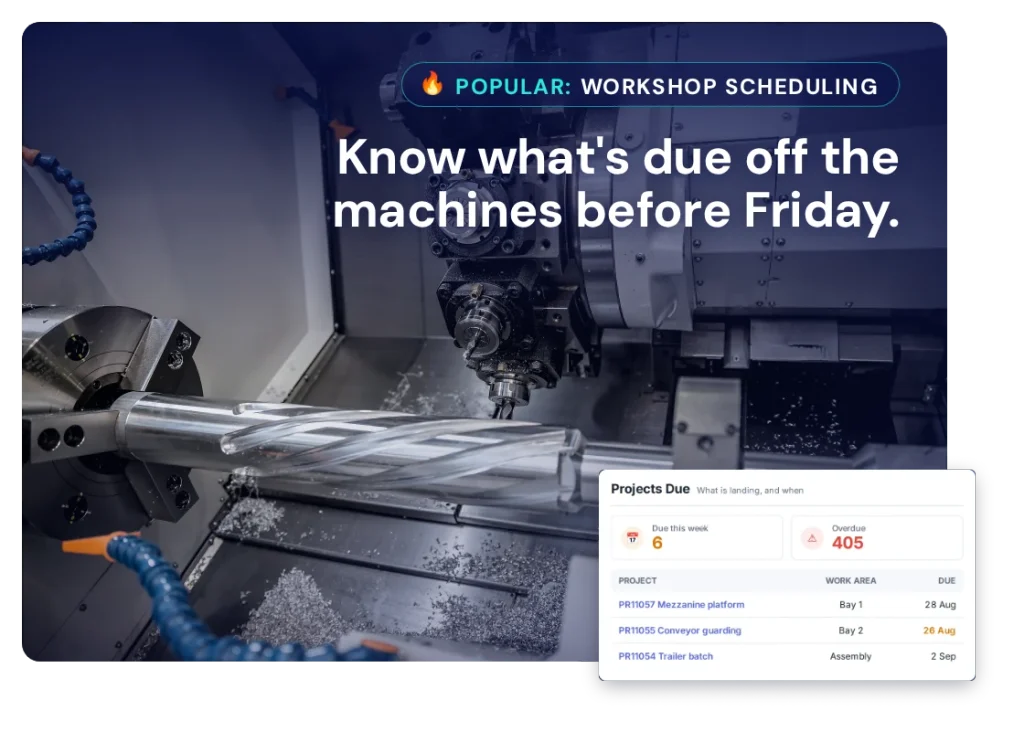
Workshop Scheduling
Put work in front of the right people in the right order, and move it when things change.
Powered by:
Inventory Control
Know what stock you are holding, what is committed to a job, and what needs ordering.
Powered by:
Quoting & Estimating
Price work off what jobs like it actually took, and get the quote back out the same day.
Powered by:
Integrations
Keep using the systems you already have.
You do not need to replace your accounting or ERP system just to get the jobs under control. WorkGuru handles the job side – quoting, scheduling, timesheets, purchasing and job costs – and connects with the other systems you use.
FAQs
Questions machine shops ask
Can we track setup time separately from run time?
Yes, by structuring the job so setup and run are separate tasks and recording time against each. This matters more in machining than almost anywhere else, because setup is where short runs lose money and it is the cost most often buried in an average hourly rate. Once setup is visible separately you can see the real economics of a fifty-off order against a five-off, and you can start quoting repeat work from what it actually took rather than from what you hoped.
A lot of our work is repeat jobs. Does that help?
Considerably. Repeat work is where job history stops being record-keeping and starts being an estimating tool. When the same part comes round again you have the real setup time, the real cycle time, the material and the outside processing from last time. Project templates let you start the new job from that structure. The gain is not just speed of quoting — it is that your quote is anchored to what the job actually took rather than to the number you guessed the first time and have been re-using ever since.
Can we plan work around specific machines?
Yes. Work Areas can represent individual machines, cells or sections of the shop, and work is scheduled against them. For a machine shop this is usually the difference between a plausible delivery promise and an optimistic one, because the constraint is rarely the shop as a whole — it is the one machine that can hold the tolerance. Seeing the queue on that machine specifically is what tells you whether next Thursday is real.
How do we handle outside processes like heat treatment, grinding and plating?
As purchases against the job. Outside work is bought work, and keeping it on the project preserves both the cost and the elapsed time. Elapsed time is the part machine shops underestimate: a part that leaves the building for heat treatment is gone for a week, and if that is not visible in the schedule the promised date was never achievable. Recording it as a project purchase keeps both facts attached to the job.
Can we track material including bar stock and offcuts?
Material bought for a specific job goes on a project purchase; material you hold goes through inventory and is issued to jobs. Where machining gets awkward is remnant management — the half-bar left over that is genuinely worth something. WorkGuru will track what you issue, but it does not model remnants as a distinct class of stock on its own.
Can we see whether a job is going to make money before it finishes?
Yes. Costs accumulate against the job as time is recorded and purchases are raised, so you are comparing the live position against the allowance rather than waiting for the post-mortem. On short-run work this is often academic — the job is done before anyone looks. On a long run it is the whole point, because the second setup going badly is a signal you can still act on.
We already have CAM and machine monitoring. Does this replace them?
No. CAM decides how the part is cut and machine monitoring tells you what the spindle is doing. WorkGuru does neither. It runs the commercial job around them: the quote, the order, the labour, the purchasing, the outside processing and the cost. If you already have good machine-level data, the value here is connecting it to the commercial outcome — knowing not just that the machine ran for six hours, but that the job it was running lost money.
Can we manage first-article and inspection requirements?
You can keep inspection records, reports and certificates with the job as documents, and structure inspection as a task so the time is recorded. What WorkGuru does not provide is a quality management module with formal ITP workflows, non-conformance tracking and controlled-document revision. Shops with AS9100 or similar obligations generally keep a dedicated quality system and use WorkGuru for the commercial and operational side.
What if the customer changes the drawing mid-run?
Record the change on the job. Revised drawings attach to the project, and the extra setup, scrapped parts and additional material go on as they occur. Drawing revisions mid-run are one of the most expensive things that happens in a machine shop and one of the least frequently recovered, usually because by invoicing time nobody can reconstruct what the change actually cost. Capturing it while it happens is what makes recovery possible.
Does this replace our accounting system?
No. WorkGuru handles the operational job — quoting, scheduling, labour, purchasing and job costing — and connects through to accounting for invoices and bills. The practical benefit for a machine shop is that your cost-per-hour stops being a figure someone calculated in a spreadsheet three years ago, because you have real hours against real jobs to derive it from. That figure drives every quote you issue, and in most shops it was set once, by someone who has since left, using an occupancy assumption that has not been true for years. An overstated rate loses you work you should have won; an understated one wins you work you should have refused. Neither failure is visible in the accounts, because the accounts only ever show the blended result of both.
See how WorkGuru would work for your machine shop.
We will show you how WorkGuru handles the jobs, and you can decide if it fits the way you work.