
Feature
Know what the job is doing to the numbers.
Keep the quote, real job costs, invoicing and payment trail close to the work so the commercial picture does not arrive weeks later.
Overview
The numbers make more sense when they stay close to the job.
A job can look busy, finished and successful while the commercial result is telling a different story.
The quote was one number. The labour ran over. Material cost more. A few extras were missed. The invoice went out late.
WorkGuru keeps the operational money around the work: what you allowed for, what the job actually used, what needs invoicing and what happened after. Your accounting or ERP system can keep doing the books.
What’s inside
Everything in Financial
Job Costing
Put the real hours, purchases, stock and changes against the job so the result is based on what happened, not what you hoped would happen.
Invoicing
Keep the hours, purchases, changes and job detail together so accounts is not rebuilding the work after everyone has moved on.
Progress Invoicing
Handle jobs that are invoiced in parts so you do not have to wait until the very end to bill work already delivered.
Reporting
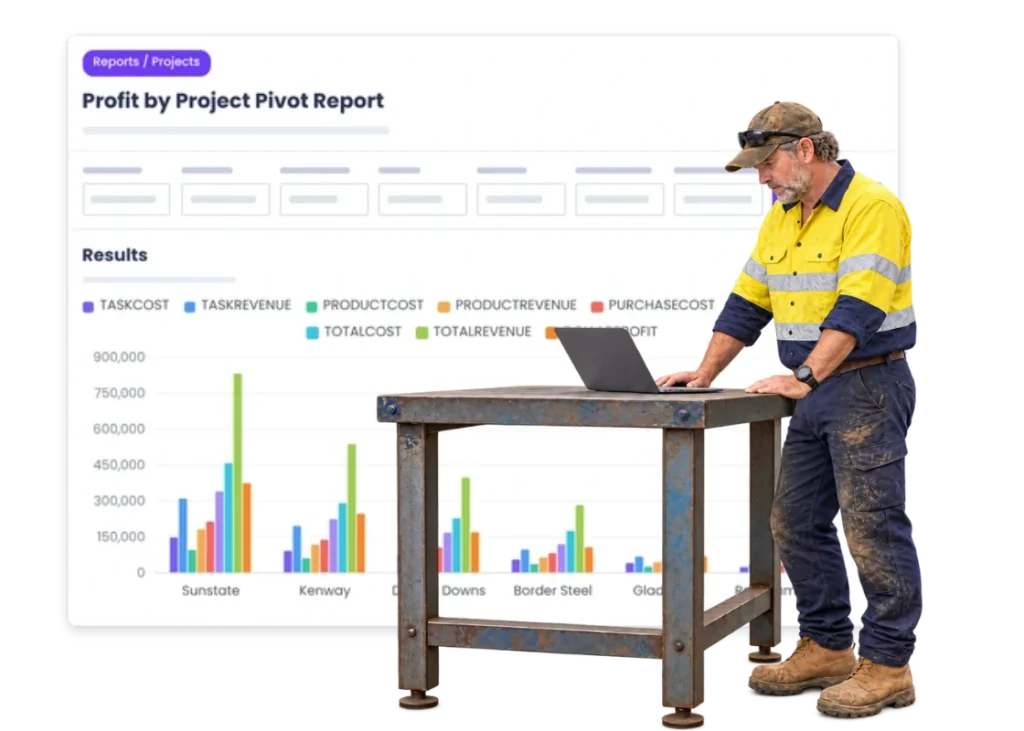
Look across jobs, costs and activity using the information your team is already putting into WorkGuru while the work happens.
Payments
Give the team a clearer trail from invoiced work to customer payment without turning the job system into a bank or accounting ledger.
GuruPay
Use GuruPay where it fits your billing workflow so the customer can move from invoice to payment with less back-and-forth.
The reality
Why you need it
The job looks fine until the costs are added up.
The real labour, purchases and stock tell a different story from the quote.
Finished work sits waiting to be invoiced.
The office is still chasing hours, purchases or changes after everyone else has moved on.
The quote and the real job live too far apart.
Nobody can easily see what changed between what you allowed for and what actually happened.
Small extras disappear into the job.
A few hours here, freight there and another purchase can turn into a decent cost blowout.
Accounts has the transaction but not the story.
Knowing a supplier bill exists is different from knowing which job needed it and why.
You learn the same lesson twice.
If the real job result never feeds the next conversation, the next quote starts from the same old assumptions.
How it works
How it works
01
Start with the quote
02
Run the work
03
Record the hours
04
Keep purchases and stock
05
Capture the extras
06
Check the job cost
07
Invoice the work
08
Review the result
What you get out of it
What changes
See cost blowouts earlier
Know when hours and purchases are starting to move away from the allowance.
Know whether the job actually paid
Bring the real labour, material and changed work back to the result.
Get finished work invoiced sooner
Do less detective work after the job is complete.
Give accounts better information
Keep the operational detail behind the transaction.
Quote future work with better history
Use what similar jobs really took.
Keep finance software doing finance
Do not rebuild accounting inside the job system.
-
Discovered their contract work wasn’t profitable.
We didn’t wanna pay 100 grand upfront for a program – but then we found WorkGuru.
Nick Mazzella, Administrator, Frontline Trays & Trailers
Fit
Will it work the way we do things?
“We already have accounting software.”
Good. Keep it. WorkGuru is for the operational job detail around the accounting transaction.
“We are not accountants.”
You do not need to be. The useful questions are simple: what did we allow, what did we use and what still needs billing?
“We cannot know every cost instantly.”
You do not need every cent in real time. You need enough of the current picture to make a sensible call.
“Some jobs are fixed price.”
Fixed price makes the real cost more important, because every extra hour and purchase still comes out of your side.
“Our jobs change too much.”
That is exactly why the commercial picture needs to move with the job instead of staying stuck at the original quote.
By trade
Where this gets used
FAQs
Financial questions
Does WorkGuru replace our accounting software?
No. WorkGuru handles operational job information and works alongside the accounting or ERP system you use.
Can WorkGuru show what a job is actually costing?
Yes. Job costing brings real labour, purchases, stock and other job costs back to the work.
Can finished jobs be invoiced from the job information?
Yes. Keeping the job current gives the office the detail needed to move finished work into invoicing.
Can we compare quoted costs with actual job costs?
Yes. The quote gives you the allowance and the job gives you the actual hours and costs to compare against it.
Can larger jobs be invoiced in more than one part?
Progress invoicing is intended for jobs that are billed in parts rather than only once at the end.
Can completed job history help us quote better next time?
Yes. Real job results give estimators better information about the labour and costs similar work actually required.
Bring us a job and the numbers behind it.
We will show you how WorkGuru keeps the commercial picture tied to the work without trying to replace your accounting system.