
Home / Features / Inventory & Stock Control / Stock Purchasing
Inventory & Stock Control
Replenish the shelf before it is empty.
See what’s run down, order it, and have the received quantity land in the right location at the right cost.
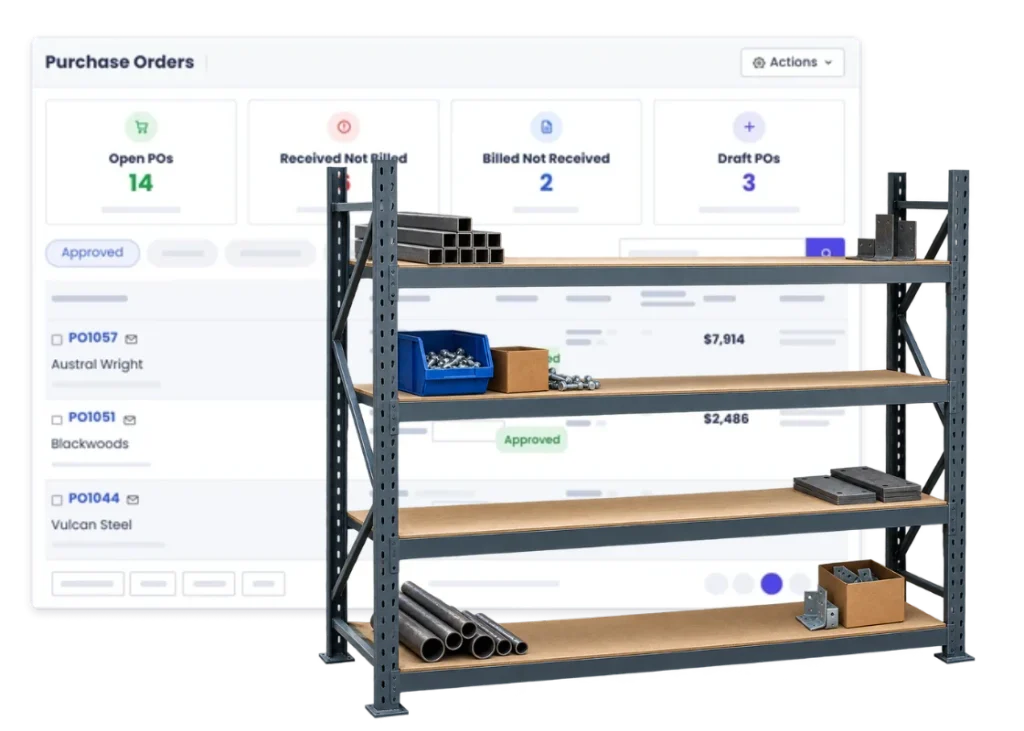
Overview
Buying stock is different from buying for one job.
Stock purchasing is buying for the shelf rather than for one job. You’re replenishing what the workshop consumes — consumables, common sections, fixings — so the work isn’t waiting on a delivery.
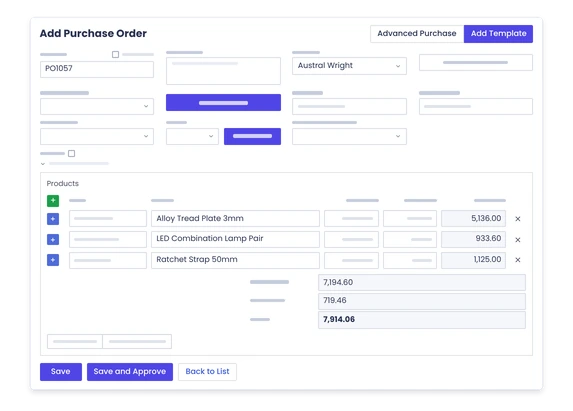
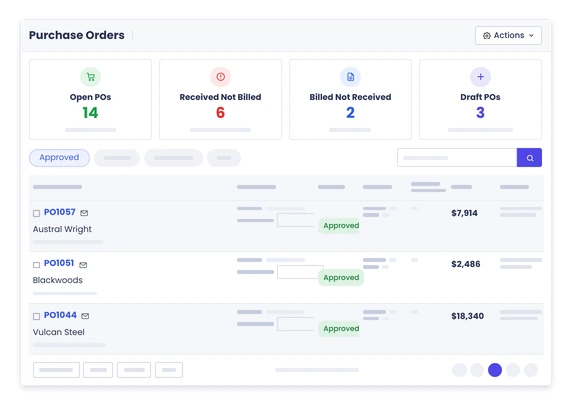
It uses the same purchase order flow as everything else: Draft, Approved, Received. The difference is where the goods land. Instead of being consumed by a project, the received quantity increases stock on hand in the location you received it into, and becomes available for the next job that needs it.
Because WorkGuru runs a First-In-First-Out perpetual inventory, each receipt carries its own cost. When that stock is later used on a job, the job is costed at what the stock actually cost rather than at a standing average that drifts away from reality every time prices move. If the supplier invoice or the freight changes the picture, you can re-cost after receiving so the landed cost stays right.
Part deliveries are ordinary. You receive what turned up, the stock on hand reflects it, and the balance stays outstanding on the order rather than the whole thing sitting in limbo until the last item arrives.
What’s inside
What you get
01
Stock replenishment
Buy inventory for general use.
02
Purchase orders
Keep the supplier order clear.
03
Supplier records
Keep who you buy from connected to the purchase.
04
Receipts
Bring delivered quantities into stock.
05
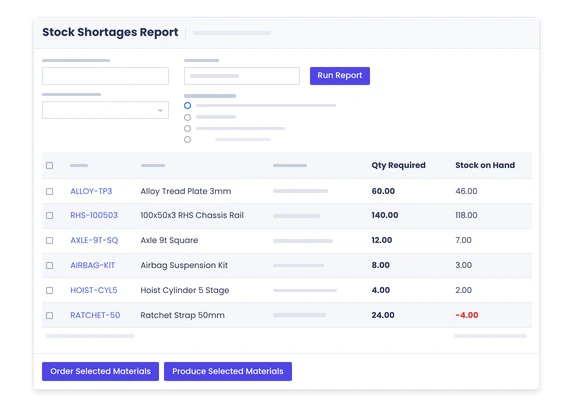
Shortage visibility
Use low-stock information to decide what needs buying.
06
Locations
Receive stock into the place it is actually held.
The reality
Why you need it
The job stops for a $6 part.
Not because it was expensive, but because nobody knew it had run out. The cost isn’t the part, it’s the half-day of workshop time and the trip to the supplier — and it happens most often with the cheapest items, because those are the ones nobody checks.
You order again to be safe.
When the stock figure isn’t trusted, the safe move is always to buy more. That’s how businesses end up with cash sitting on shelves while still running out of things. Accurate stock levels are what let you carry less of it without risk.
The person who does the ordering is away.
Then nobody else can tell whether a job can start, because what’s needed and what’s held exists as judgement rather than a number. It doesn’t replace their judgement — it just means the rest of the business isn’t blind for a week.
Lead times blow out.
Suppliers slip, and you find out when the material doesn’t arrive. Knowing what you’re holding, rather than what you’ve ordered, is what turns that into a re-plan rather than a stopped job.
How it works
How it works
01
See what needs attention
02
Choose the supplier
03
Create the purchase order
04
Send it
05
Receive what arrives
06
Handle differences
07
Review the new level
Capabilities
What it does
Capability
Stock replenishment
Buy inventory for general use.
Capability
Purchase orders
Keep the supplier order clear.
Capability
Supplier records
Keep who you buy from connected to the purchase.
Receipts
Bring delivered quantities into stock.
Shortage visibility
Use low-stock information to decide what needs buying.
Locations
Receive stock into the place it is actually held.
What you get out of it
What changes
Buy before the shortage hurts
Use low-stock visibility before a job is waiting.
Know what is already on order
Reduce duplicate buying and unnecessary chasing.
Keep received stock current
Make the stock count reflect what physically turned up.
Spend less time reacting
Turn repeat shortages into a regular purchasing decision.
-
Discovered their contract work wasn’t profitable.
We didn’t wanna pay 100 grand upfront for a program – but then we found WorkGuru.
Nick Mazzella, Administrator, Frontline Trays & Trailers
Fit
Will it work the way we do things?
“We mostly buy when we need something.”
Buying to order works until the thing you need is the one item nobody thought to check. Holding a small amount of the stuff you use constantly is usually cheaper than a day of workshop downtime. This isn’t an argument for carrying more stock — it’s an argument for knowing what you’ve got before you promise a delivery date.
“Supplier lead times change.”
They do, which is why what you’re holding matters more than what you’ve ordered. If you can see current stock on hand against what’s committed to jobs, a lead time blowing out becomes something you find out about while there’s still time to re-plan, rather than on the morning the job was meant to start.
“We do not want to hold too much stock.”
Nor should you — stock is cash sitting on a shelf. Accurate stock levels are what let you hold less of it safely. Most over-ordering happens because nobody trusts the number, so they buy again to be sure. When the number is right, the safety margin can come down.
“Someone already knows what needs ordering.”
Usually one person, and usually in their head. That works well right up until they’re on leave, and it makes it very hard for anyone else to check whether a job can start. Getting it into the system doesn’t replace their judgement — it just means the rest of the business can see what they already know.
By trade
Where this gets used
Works with
Connected features
Stock Control
Use the quantity picture behind replenishment.
Par Levels
See which items are getting low.
Purchase Orders
Put the stock order in writing.
Supplier Management
Keep the supplier behind the order.
Stock Locations
Receive stock where it is actually held.
FAQs
Stock Purchasing questions
What is the difference between stock purchasing and project purchasing?
Where the goods end up. Project purchasing buys for a specific job and the cost lands on that project. Stock purchasing buys for the shelf — the received quantity increases stock on hand, and the cost attaches to the job later, when the stock is actually used on one.
Can stock purchases be received into inventory?
Yes, that’s the normal outcome. Receiving the order increases stock on hand at the location you received into, and the stock becomes available for jobs and stock sales. Because the inventory is perpetual, the stock value in WorkGuru and in your accounting integration move at the same time rather than being reconciled later.
Can low-stock levels help decide what to buy?
Yes. Knowing what’s on hand against what’s normally needed is what turns ordering from a memory exercise into a list. The benefit isn’t automation for its own sake — it’s that the decision survives the person who usually makes it being away.
Can purchases be linked to suppliers?
Yes. Every order is raised against a supplier, and the supplier record holds their details and your history with them. The same product can be bought from more than one supplier, so you’re not locked to a single source for something you buy regularly.
What happens if only part of an order arrives?
You receive what arrived. Stock on hand goes up by that quantity and the rest stays outstanding on the order. You don’t have to wait for a complete delivery before the goods become usable, and you don’t have to fudge the quantities to close the order off.
Can stock be received into different locations?
Yes. If you run more than one warehouse or store, stock is held per location, so what’s on hand at each is tracked separately. That matters when the job is at one site and the stock is at another — the total being right isn’t much help if it’s all in the wrong place.
See what needs restocking before Monday.
Bring us the common items your team is always reordering and we will show you how replenishment can stay visible.