
Job Costing & Finance
Bill the job as the work moves.
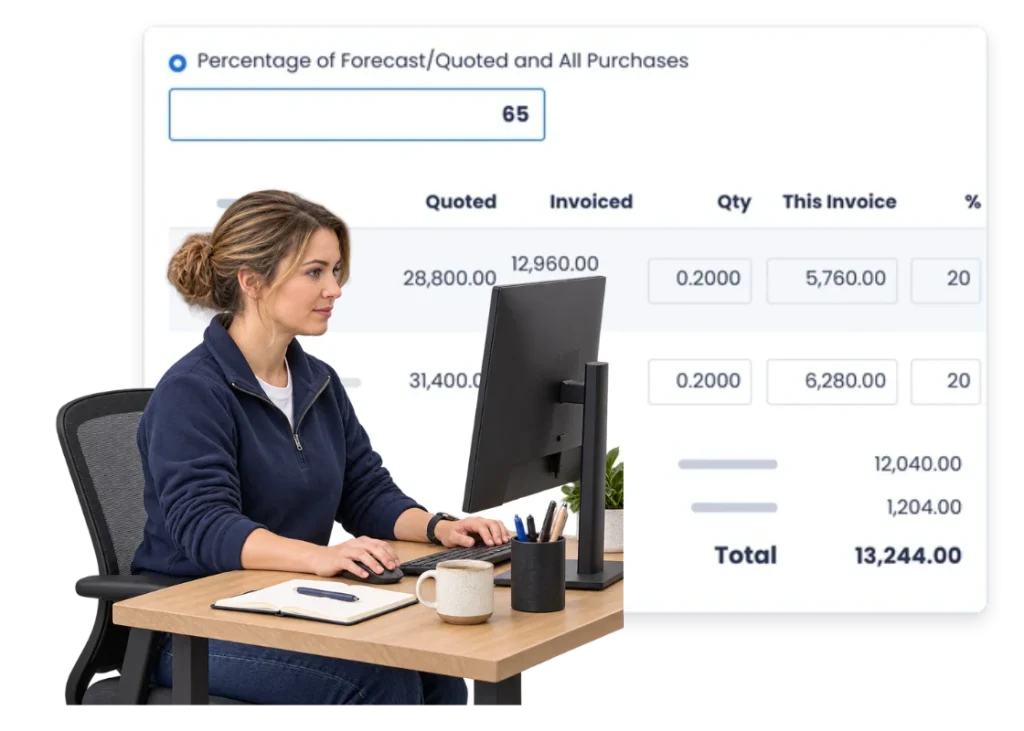
Handle jobs that are invoiced in parts so you do not have to wait until the very end to bill work already delivered.
Overview
Some jobs are too long to wait for one final invoice.
A project can run for weeks or months. Labour and purchases keep building the whole time.
If the commercial agreement calls for deposits, milestones or progress claims, the billing needs to follow the job rather than waiting for practical completion.
Progress invoicing keeps that staged billing connected to the project.
What’s inside
What you get
01
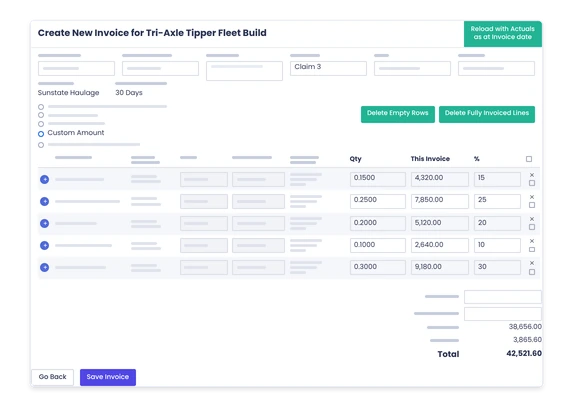
Part billing
Invoice a larger project in more than one transaction.
02
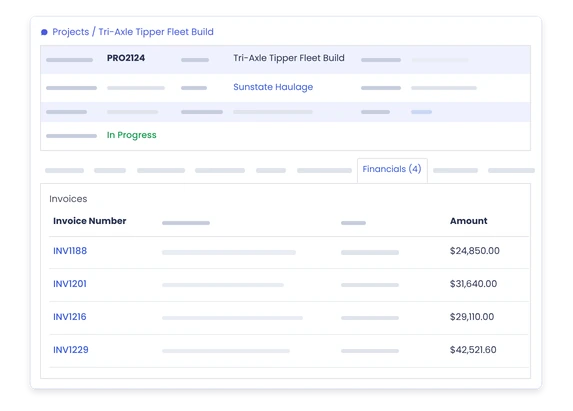
Project connection
Keep billing tied to the real work.
03
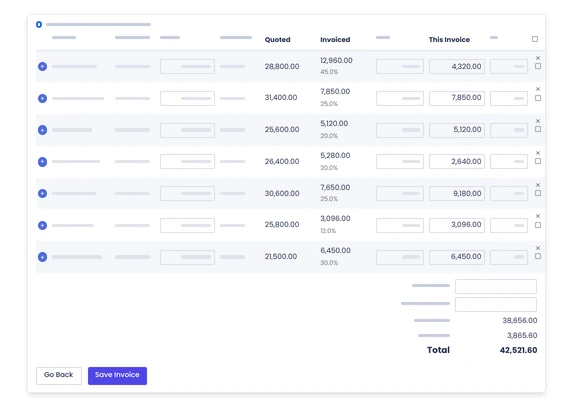
Invoice history
See what has already been raised against the project.
04
Variation connection
Keep changed scope visible around remaining billing.
05
Job costing
Review the real costs while revenue is being invoiced through the project.
06
Accounting handover
Keep finance systems connected to the billing workflow where configured.
The reality
Why you need it
The job runs for months before the final bill.
The business carries the labour and material long before all the revenue is invoiced.
Nobody is sure what has already been billed.
Progress claims live in spreadsheets or separate notes instead of with the project.
The customer wants billing against milestones.
The commercial plan needs more than one invoice at the end.
Scope changes halfway through.
The remaining billing needs to reflect the job you are actually delivering now.
Accounts and project teams keep separate records.
One side knows the work; the other knows the invoices.
The final invoice becomes a reconciliation exercise.
Everyone is trying to work out what is still left to bill.
How it works
How it works
01
Set up the job
02
Agree the billing approach
03
Run the work
04
Raise the next invoice
05
Keep the history
06
Handle changes
07
Continue the job
08
Close out the balance
Capabilities
What it does
Capability
Part billing
Invoice a larger project in more than one transaction.
Capability
Project connection
Keep billing tied to the real work.
Capability
Invoice history
See what has already been raised against the project.
Variation connection
Keep changed scope visible around remaining billing.
Job costing
Review the real costs while revenue is being invoiced through the project.
Accounting handover
Keep finance systems connected to the billing workflow where configured.
Day to day
What does that actually look like?
A build needs a deposit before work starts.
Keep the early billing connected to the same project that will carry the work.
A three-month project bills monthly.
Raise progress invoices without treating each month like a separate job.
The customer adds scope halfway through.
Keep the changed commercial picture visible before the next invoice goes out.
Someone asks what is left to bill.
Use the project billing history instead of another spreadsheet.
The job is ready for final close-out.
See the prior invoicing before working out the remaining balance.
What you get out of it
What changes
Bill long jobs earlier
Do not wait for final completion when the agreement allows progress billing.
Know what has already been invoiced
Keep the billing history with the project.
Keep commercial changes visible
Do not let added scope disappear between progress claims.
Make final billing cleaner
Know what remains after earlier invoices.
Keep project and accounts closer
Give both sides the same job behind the billing.
-
Discovered their contract work wasn’t profitable.
We didn’t wanna pay 100 grand upfront for a program – but then we found WorkGuru.
Nick Mazzella, Administrator, Frontline Trays & Trailers
Fit
Will it work the way we do things?
“We usually invoice only at the end.”
Then standard invoicing may be enough. Use progress invoicing only where the commercial arrangement needs it.
“Every contract bills differently.”
That is normal. The billing approach should follow the agreement, not force every project into one pattern.
“Accounts already tracks progress invoices.”
Keep the finance system. The useful part is keeping the project and operational context close to the billing.
“Our scope changes during the project.”
That makes it more important to keep the current job and the remaining commercial picture together.
“We do not want complicated contract accounting.”
Neither do we. This page should stay focused on practical project billing, not replace formal accounting treatment.
By trade
Where this gets used
Works with
Connected features
Invoicing
Use the wider customer billing workflow.
Project Management
Keep the billing attached to the work.
Variations
Keep changed scope around the commercial picture.
Job Costing
See costs building while progress revenue is raised.
Payments
Keep payment activity connected after each invoice.
Reporting
Review invoicing across longer-running work.
FAQs
Progress Invoicing questions
What is progress invoicing on a project?
It is billing a larger job in agreed parts rather than waiting to raise one invoice only after the entire project is complete.
When is progress invoicing useful?
It is useful when a project runs for a longer period or the customer agreement includes deposits, milestones or staged billing.
Can progress invoices stay linked to the same project?
Yes, every billing event connected to the job rather than creating separate work records.
How do project changes affect progress invoicing?
Changed scope should stay visible so the remaining billing reflects the work the business is actually delivering.
Does progress invoicing replace our accounting system?
No. WorkGuru supports the operational project billing workflow while finance remains in the accounting or ERP system.
Can we see what has already been billed on a project?
Yes 100%.
Show us how you bill a long project.
We will map the job, the progress billing and the final close-out around the way your commercial agreement actually works.