
Home / Features / Sales & CRM / Quote Templates
Feature
Do not rebuild the same quote every time.
Start from the labour, products and wording you normally use, then change what’s different about this one.
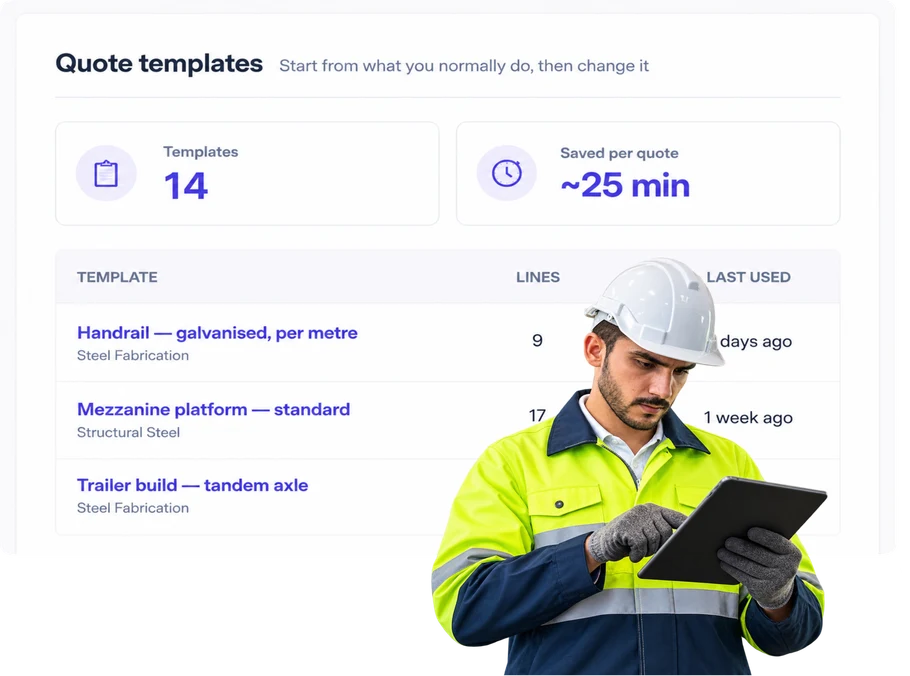
Overview
Most repeat work is not identical.
A template in WorkGuru is a pre-set arrangement of tasks and products. Apply it to a quote and the line items come in already built, so you’re editing a quote rather than assembling one from nothing.
The saving is obvious on repeat work, but the bigger gain is consistency. When everyone quoting starts from the same template, the quotes that leave your business have the same structure, the same inclusions and the same wording regardless of who built them. That tends to matter more than the time saved — it’s the difference between a quote that reads like the business and one that reads like whoever was free that afternoon.
Templates apply to quotes, projects and production jobs, so the structure you quoted carries into the work rather than being re-entered when the job is won.
They can also be quantity-driven. If you can express the work as a rate — so much labour and so many products per metre — you can apply a quantity of the template and WorkGuru multiplies the line items out. A 150 metre run is the metre template at 150 rather than a spreadsheet on the side.
What’s inside
What you get
01
Reusable quote setup
Keep common quote structure ready to use.
02
Products and costs
Include regular items where useful.
03
Labour allowances
Start with typical hours when they make sense.
04
Editable quotes
Change the new quote after starting from the template.
05
Different templates
Use different starting points for different types of work.
The reality
Why you need it
The estimator copies an old quote.
Now they are deleting old customer details and hoping they did not miss anything.
The same common items get entered again and again.
That is time you do not need to spend.
A regular allowance gets forgotten.
It is missing until the job starts.
Different estimators build the same type of quote differently.
The starting point depends on who happened to do it.
How it works
How it works
01
Build the starting quote
02
Save the reusable setup
03
Start the new quote from it
04
Change whatever is different
05
Send the finished quote
Capabilities
What it does
Capability
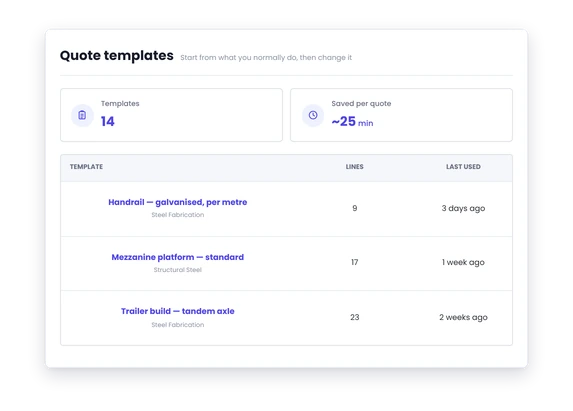
Reusable quote setup
Keep common quote structure ready to use.
Capability
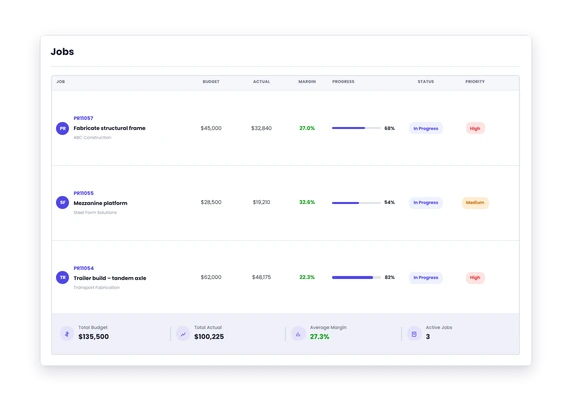
Products and costs
Include regular items where useful.
Capability
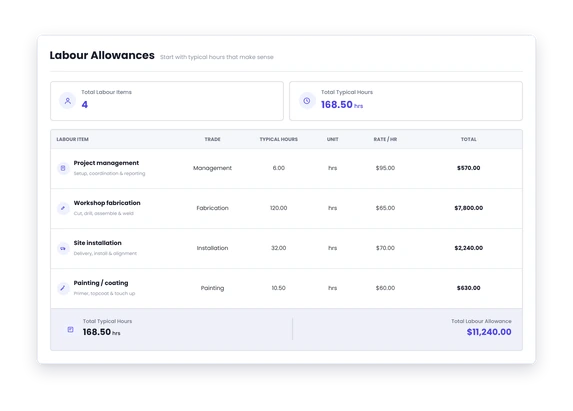
Labour allowances
Start with typical hours when they make sense.
Editable quotes
Change the new quote after starting from the template.
Different templates
Use different starting points for different types of work.
Day to day
What it looks like on a normal day
Another standard trailer configuration comes in.
Start with the usual build and change the options this customer wants.
You quote the same service package regularly.
Start with the common labour and parts already there.
A similar fabrication job comes back.
Use the usual quote structure but change the dimensions, hours and material.
What you get out of it
What changes
Get quotes out faster.
Do not rebuild the common bits.
Forget fewer regular items.
Put what you usually need into the starting point.
Keep flexibility.
Every new quote can still be changed.
Make quoting less dependent on memory.
Give estimators a better place to start.
Improve the starting point over time.
Update the reusable setup when you learn something useful.
-
Discovered their contract work wasn’t profitable.
We didn’t wanna pay 100 grand upfront for a program – but then we found WorkGuru.
Nick Mazzella, Administrator, Frontline Trays & Trailers
Fit
Will it work the way we do things?
“Every quote is custom.”
Most custom quotes are custom in their numbers, not their shape. The same tasks, the same categories of material and the same terms turn up each time in a different arrangement. A template gives you that shape. Nothing about it forces the content — you change whatever this job needs changed.
“We do not want fixed pricing.”
Templates aren’t a price list. They’re a starting set of tasks and products, and the quantities and rates are yours to change on the quote. Applying one doesn’t commit you to a number — it saves you typing out the same twenty line items before you get to the part that needs thinking about.
“Sometimes half the template is wrong.”
Then delete half of it. A template that’s 50% right still saved you building 50% of the quote, and deleting lines is faster than remembering them. If a template is consistently mostly wrong, that’s a sign it’s covering too many job types and should be split into two.
“We only repeat a few job types.”
A few is plenty. Templates pay for themselves on the work you do often, and there’s no requirement to template everything. Build them for the two or three job types that come through most, and quote the rest from scratch.
By trade
Where this gets used
Works with
Connected features
Quoting & Estimating
Templates start the quote; quoting finishes it.
Product Management
Use known products and pricing where useful.
Client Management
Apply the quote to the real customer.
Job Costing
Use actual results to improve future starting assumptions.
FAQs
Quote Templates questions
Can a quote be changed after using a template?
Yes, completely. A template is a shortcut to stop you typing the same things out dozens of times — it isn’t a lock. Once it’s applied you can add line items, remove them, and change quantities and rates as the job requires.
Can we have several quote templates?
Yes. Most businesses end up with one per job type they quote regularly. That’s usually better than one large template covering everything, because a template you have to strip back every time is one people stop using.
Does a template make every quote the same?
It makes every quote start the same, which is different. The structure, inclusions and wording stay consistent regardless of who builds the quote; the content is edited for the job in front of you. Consistency in how quotes read is usually the reason to adopt them, not just the time saved.
Start with the bits you already know.
See how quote templates can cut out repeat setup without locking you into the same quote every time.