
Home / Features / Scheduling / Workshop Scheduling
Scheduling & Work Planning
Keep the workshop moving.
See what’s on the floor, what’s coming next, and what’s getting in the way.
Overview
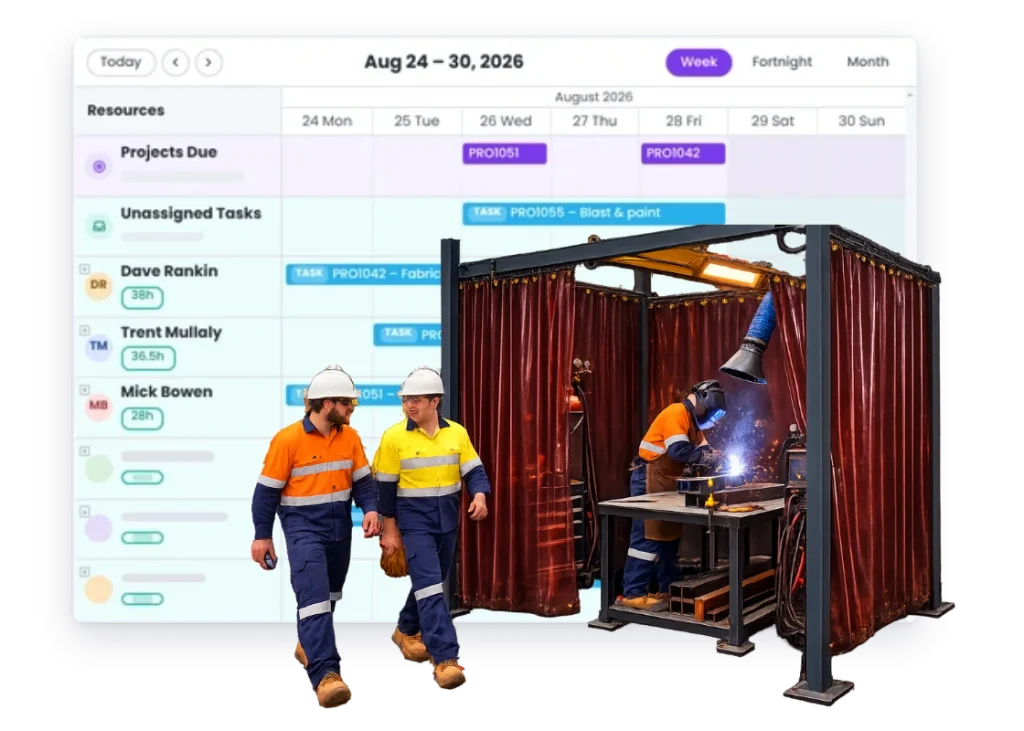
See what the shop has on, what’s waiting, and what needs to move next.
A busy workshop can look productive even when half the jobs are waiting on something.
One is waiting on steel. One needs a drawing. One needs the welder who’s on another job. Another is finished but still sitting in the bay.
Workshop scheduling gives you a clearer picture of what the floor actually has on and what needs to happen next.
Not to make the shop run like a perfect production line. Just to make the next decision easier.
What’s inside
What you get
01
Workshop job planning
See what’s due to be worked on.
02
Work Area planning
Organise the work around different parts of the floor.
03
Resource planning
See which people are needed where.
04
Task scheduling
Plan the work inside larger jobs when needed.
05
Reallocation
Move jobs and tasks as the floor changes.
06
Job connection
Open the real project behind the scheduled work.
The reality
Why you need it
Too many jobs are on the floor at once.
Everything has started. Not enough is finishing.
A job is taking up space while it waits.
Material, approval, outside work or the right person is still missing.
The next job starts before the last one is out.
Now the shop is full and everyone is working around everything else.
A rush job jumps in.
The real problem is what gets pushed back behind it.
Everyone is busy.
That doesn’t necessarily mean the right jobs are moving.
How it works
How it works
01
See what the workshop has on
02
Plan around the areas and people you have
03
See what’s ready
04
Move the plan when something gets held up
05
Keep the job behind the schedule
Capabilities
What it does
Capability
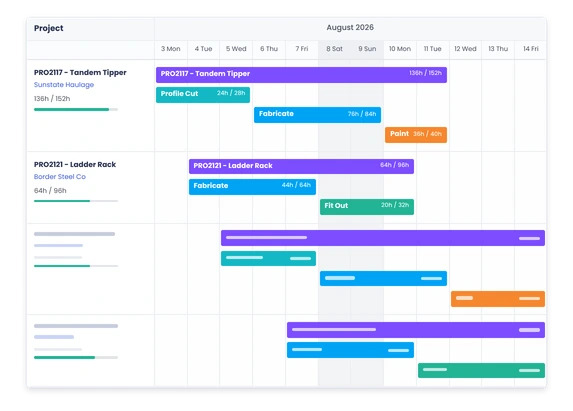
Workshop job planning
See what’s due to be worked on.
Capability
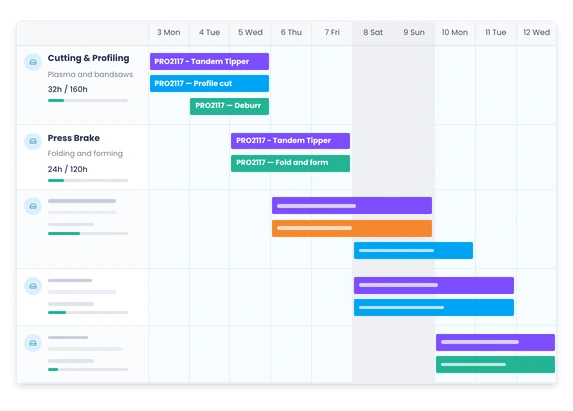
Work Area planning
Organise the work around different parts of the floor.
Capability
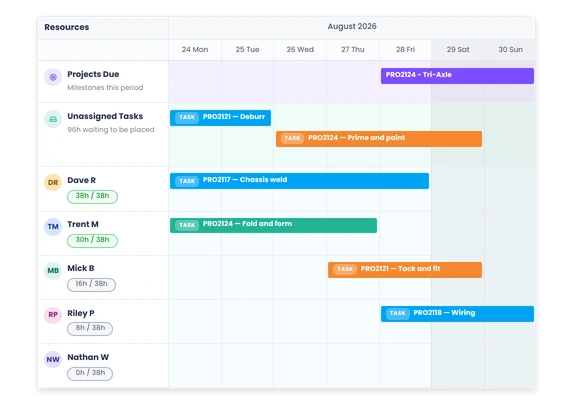
Resource planning
See which people are needed where.
Task scheduling
Plan the work inside larger jobs when needed.
Reallocation
Move jobs and tasks as the floor changes.
Job connection
Open the real project behind the scheduled work.
Day to day
What it looks like on a normal day
One job is waiting on powder coat.
Stop treating it like active workshop work and use the space for something that can move.
The welding bay is buried.
You can see the queue and make a call before adding another job to it.
A repair comes in that has to go today.
Put it in, then decide what moves rather than hoping the rest of the week somehow absorbs it.
A big job is almost done.
See what’s still outstanding so it actually gets out of the shop instead of sitting at 95% complete for another week.
What you get out of it
What changes
See what’s really on the floor.
Know what’s active, what’s waiting and what’s coming next.
Finish more of what you start.
Keep the focus on moving jobs through, not just getting them underway.
Use workshop space better.
Don’t let waiting jobs hide the work that can actually progress.
See where the shop is getting stuck.
Find the work area, person or dependency holding things up.
Handle urgent work without losing the rest of the week.
See what the rush job pushed out.
-
Discovered their contract work wasn’t profitable.
We didn’t wanna pay 100 grand upfront for a program – but then we found WorkGuru.
Nick Mazzella, Administrator, Frontline Trays & Trailers
Fit
Will it work the way we do things?
“Our workshop is too unpredictable to schedule properly.”
You don’t need a perfect schedule. You need a useful one that can change.
“We do custom work, not production.”
That’s fine. Workshop scheduling is about planning the jobs you actually have, not forcing them into a production line.
“We have lots of urgent repairs.”
Then seeing what the urgent work displaced is especially useful.
“Some jobs sit waiting on suppliers.”
That’s normal. The important part is knowing they’re waiting so they don’t hide the work that is ready.
By trade
Where this gets used
Works with
Connected features
Scheduling
Plan the week across jobs and tasks.
Work Areas
See where work is sitting around the floor.
Resource Scheduling
See who is needed to get it moving.
Project Management
Keep the schedule tied to the real job.
Purchasing
Know whether the material or parts are there.
Timesheets
See where workshop hours actually went.
Job Costing
See what delays and extra time are doing to the job.
FAQs
Workshop Scheduling questions
Is workshop scheduling only for manufacturers?
No. It also suits repair, service and other workshop-based businesses.
Can jobs move when the workshop plan changes?
Yes. Move the work when priorities, parts or availability change.
Can we schedule work across different parts of the workshop?
Yes. Work Areas help organise the plan around the shop itself.
Can we plan around people as well as jobs?
Yes. Resource scheduling helps show who is needed where.
Does WorkGuru automatically decide the perfect production sequence?
The focus is on giving your team a clear, flexible plan around the real jobs, people and work areas you manage.
See what your workshop has on.
Bring us a real week of work.