
Home / Features / Team & Security / Team Management
Team & Security
Keep the team connected to the work.
Set up who works here, what they can see and what they can do — once, rather than per person.
Overview
Keep the people doing the work connected to the jobs, schedules and records they are responsible for.
Team management in WorkGuru is about the people who use the system and the access they have. You invite users, manage their details, and control what they can reach.
Access is handled through roles. A role is a central set of permissions that multiple people share, so everyone doing the same job gets the same access without being configured individually. Where someone genuinely needs something different, permissions set on that user override the role — so an exception doesn’t require inventing a new role for one person.
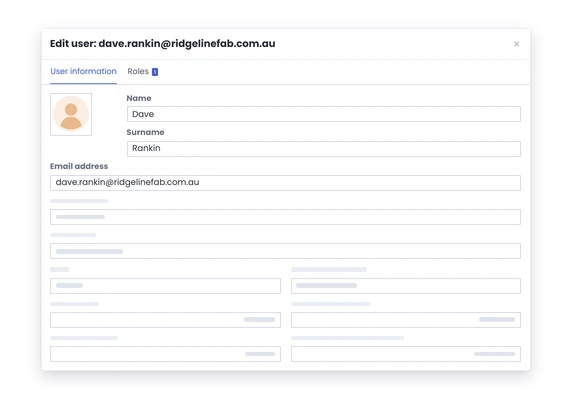
The users dashboard lets you search and filter your people by role and by permission, which is the practical way to answer questions like “who can approve purchase orders” without going through the list one at a time.
You can also record the qualifications your people hold against them, with a copy of the certificate. Worth knowing that qualifications are held for reference — they don’t affect allocation or scheduling.
What’s inside
What you get
01
Team member records
02
Job and task assignment
03
Scheduling connection
04
Timesheet connection
05
Qualification connection
06
Roles and permissions
The reality
Why you need it
People are named differently across spreadsheets, payroll and the job board.
Dave, D. Wilson, Wilson D, and a nickname on the whiteboard. Every report that tries to add up one person’s hours produces four people, and reconciling it is a manual job somebody does badly once a month.
New staff start and the operational setup gets done days later.
So their first week’s time either doesn’t get recorded or gets recorded against somebody else. That’s the week you most want visibility on, because it’s the week you’re deciding whether the hire was right.
Someone leaves but still appears in the places people use for planning.
They show on the schedule, in assignment lists, in dropdowns. Beyond the tidiness problem it’s an access question — a departed employee who still has a login is the most common real security failure in a small business.
The schedule shows names, but the rest of the job record does not connect back to them.
Which turns planning into a series of interruptions: is Dave free Thursday, is he ticketed for that, is he already on the Henderson job. Holding assignment and scheduling against the person is what lets that be answered by looking rather than asking.
Qualifications and responsibilities live away from the person who actually needs them.
Staff qualifications, and assign project tasks from the backend web console, field personnel using the Android or iOS Mobile App are primarily restricted to data logging tasks like timesheets, stock usage, and filling out custom forms.
One manager knows who can do what.
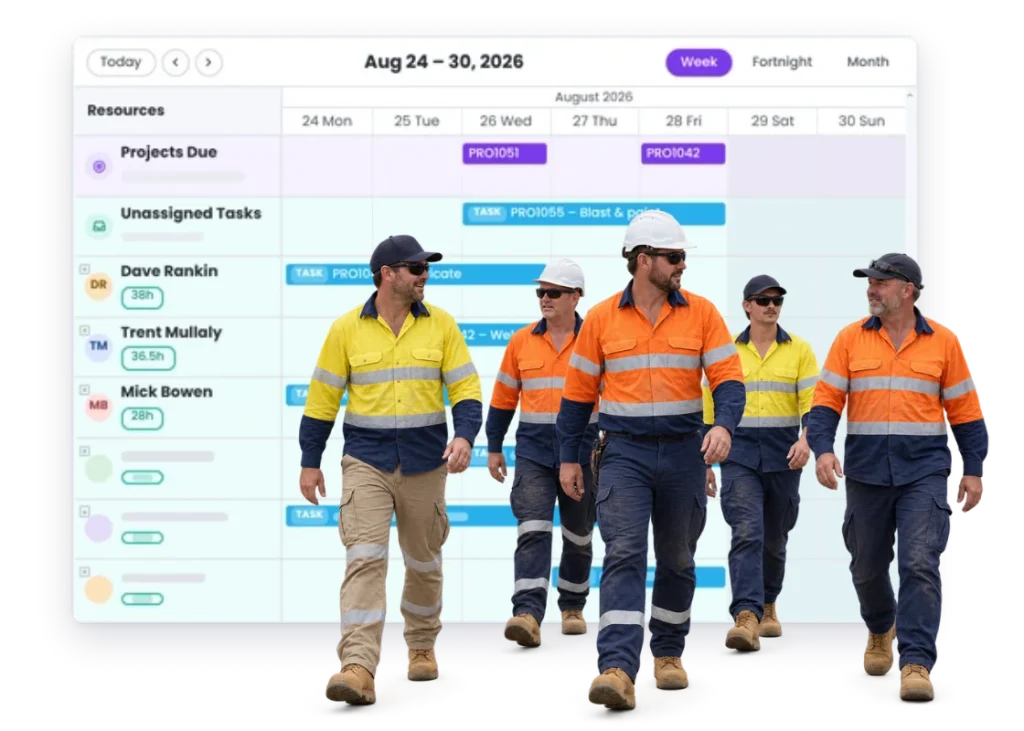
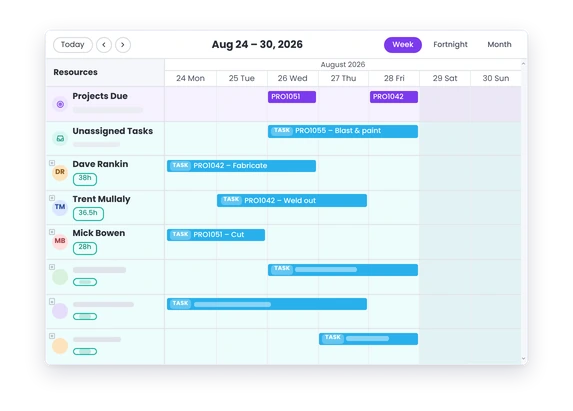
WorkGuru provides a centralized calendar and scheduling dashboard that gives managers a clear, real-time view of staff availability, task allocations, and team capacity
How it works
How it works
01
Add the team member
02
Give them the access their role needs
03
Use them on jobs, tasks and schedules where appropriate
04
Keep their time and operational records connected
05
Update the record when their responsibilities change
Capabilities
What it does
Capability
Team member records
The people who work here, held once. Invite users, maintain their details, and search or filter the list by role or permission — which is the practical way to answer “who can approve purchase orders” without going through everyone individually.
Capability
Job and task assignment
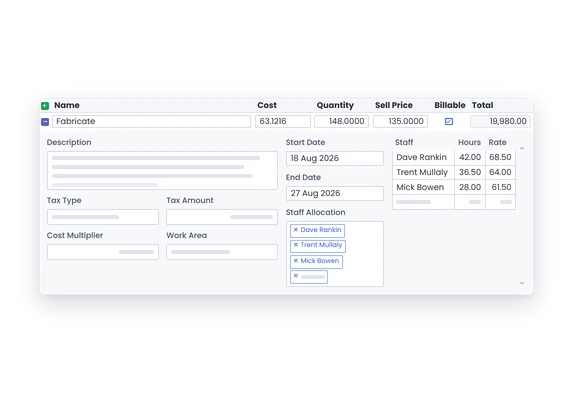
People are assigned to work, which is what makes scheduling and time recording possible. It’s also what lets you see workload across the team rather than job by job — the view that tells you whether you can take the next order.
Capability
Scheduling connection
Who is planned to be on what. Because production jobs and customer projects compete for the same people, seeing them together is what stops the workshop being committed twice for the same day.
Timesheet connection
Time is recorded against people, so the team record and the timesheet are two views of the same person. That link is what turns individual hours into labour cost on a job.
Qualification connection
Qualifications are recorded against the individual and a copy of the licence held with the record. Worth being precise in the copy here: they are held for reference. They don’t affect allocation or scheduling, and the system won’t warn you if someone unticketed is booked onto work. Retrieval, not enforcement.
Roles and permissions
Access comes from roles — central permission sets shared by everyone doing the same job — with individual permissions available where somebody genuinely needs an exception. That’s what makes adding the next person a single choice rather than a configuration exercise.
Day to day
What it looks like on a normal day
A new fabricator starts.
Add them once, give them the right access and use the same person through scheduling and job time.
Someone is moved onto a breakdown halfway through the day.
Their time can still go onto the jobs they actually worked on.
A worker picks up a new qualification.
Keep that information around the person who may need it for future work.
What you get out of it
What changes
Keep the people side of the job cleaner.
Make job and schedule assignment easier to understand.
Keep time connected to the person and the work.
Give planners more useful information about the team.
Make role changes easier to carry through the system.
-
Discovered their contract work wasn’t profitable.
We didn’t wanna pay 100 grand upfront for a program – but then we found WorkGuru.
Nick Mazzella, Administrator, Frontline Trays & Trailers
Fit
Will it work the way we do things?
“Payroll already has our employees.” Good.”
Good — payroll should stay the system of record for employment. What WorkGuru needs to know is different: who logs in, what they can see, and who can be assigned work. Those are operational questions payroll has no view of.
“Some people do not need a login.” That may be fine depending on how you capture their work.”
Regular staff members do not need full email-and-password credentials if your team uses the Browser Kiosk Setup. Instead, you only need one master user account to log in and lock the device onto the kiosk screen.
“People move between jobs all day.” That is normal.”
hat’s normal, and nothing here assumes otherwise. Team management is about access and identity, not about pinning someone to one job. Where their time actually goes is recorded on timesheets, which are built for exactly that movement.
“We have contractors as well as employees.” Exact contractor/user record behaviour should be product-reviewed before making a firm claim.”
WorkGuru provides comprehensive features to manage both employees and external contractors within the same platform.
By trade
Where this gets used
Works with
Connected features
FAQs
Team Management questions
What is Team Management used for in WorkGuru?
Managing the people who use the system: inviting users, maintaining their details, and controlling their access through roles and permissions. It’s the administrative layer that decides what each person can see and do.
Can team members be assigned to projects and tasks?
Yes. People are assigned to work, which is what makes scheduling and time recording possible. Who’s assigned to what is also what lets you see workload across the team rather than job by job.
Do team records connect with timesheets?
Yes. Time is recorded against people, so the team record and the timesheet are two views of the same person. That connection is what turns individual hours into labour cost on a job.
Can qualifications be kept against team members?
Yes. Qualifications are recorded against the individual and a copy of the license can be held with the record. They’re held for reference only — they don’t affect scheduling or who can be allocated to what.
Does Team Management replace payroll or HR software?
No. It manages system access and operational assignment. Employment records, pay, leave and performance belong in payroll and HR systems, and WorkGuru isn’t attempting to replace them.
Can different team members have different access?
Yes. Roles give shared permission sets to groups of people doing the same job, and individual permissions can override a role where someone needs something different. You can filter the user list by role or permission to see who has what.
Bring us the way you split up the team.
We will show you how the people doing the work can stay connected to the jobs, schedule and records around them.