
Home / Features / Inventory & Stock Control / Stocktakes
Inventory & Stock Control
Count what is actually there.
Use stocktakes to check the physical shelf against the system and correct the differences before everyone stops trusting the number.
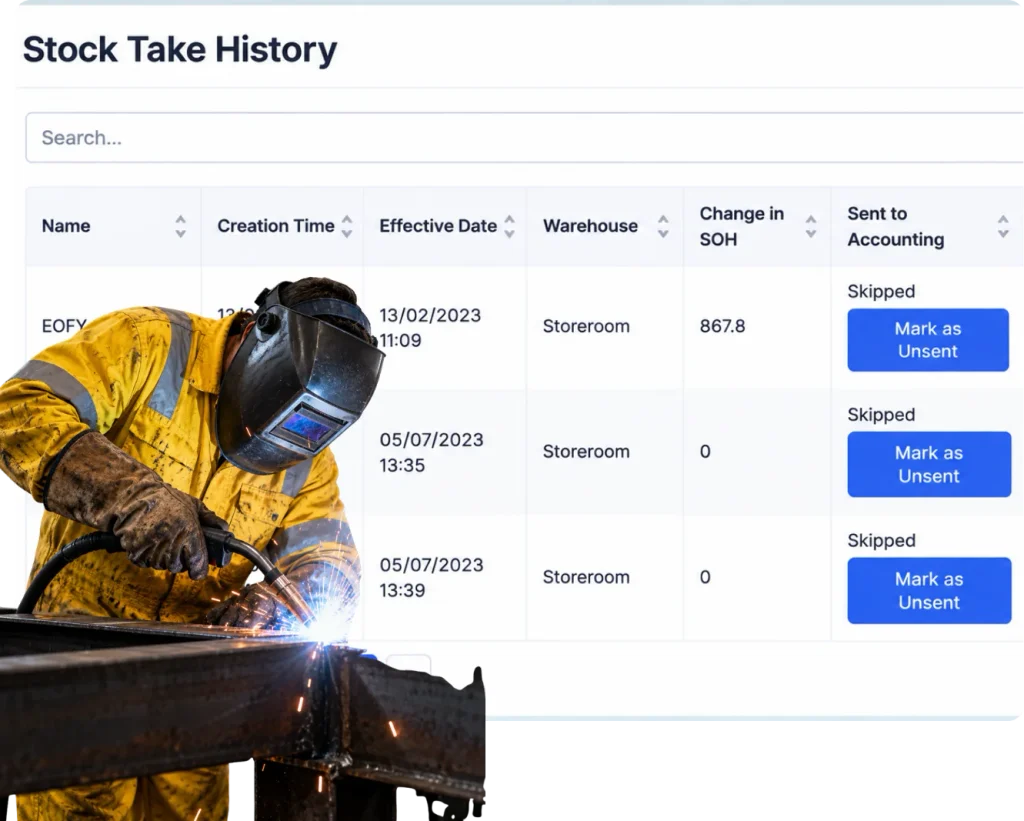
Overview
Eventually, the shelf gets the final say.
Good stock control should keep the gap small. It will not remove the need to count. Things get damaged, misplaced, written off, used without being recorded or simply entered wrong.
A stocktake gives you a clean point to compare the physical count with the system and make the necessary adjustments.
What’s inside
What you get
01
Physical counts
Record what is actually on hand.
02
System comparison
See the difference from the recorded quantity.
03
Adjustments
Correct the inventory when the count differs.
04
Location-based counting
Work through stock around the places it is held.
05
Product-level review
Focus on the stock that matters.
06
History
Keep the correction as part of the stock record.
How it works
How it works
01
Choose what you are counting
02
Count the physical stock
03
Compare with the system
04
Check the obvious gaps
05
Adjust the count
06
Review repeat differences
Capabilities
What it does
Capability
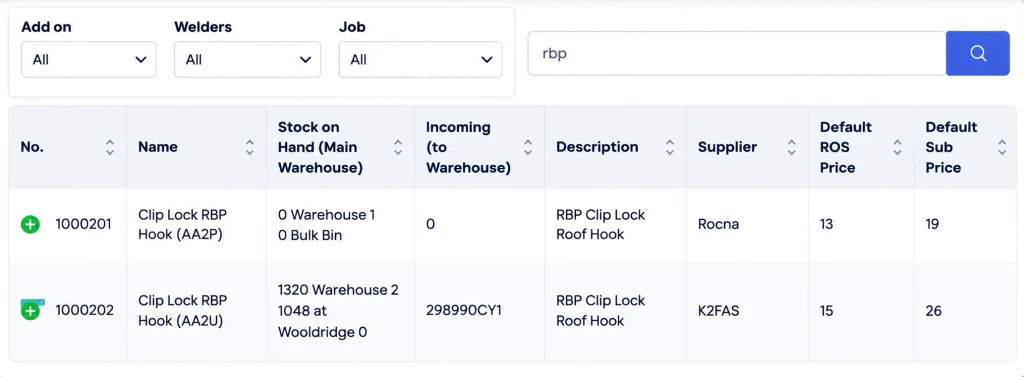
Physical counts
Record what is actually on hand.
Capability
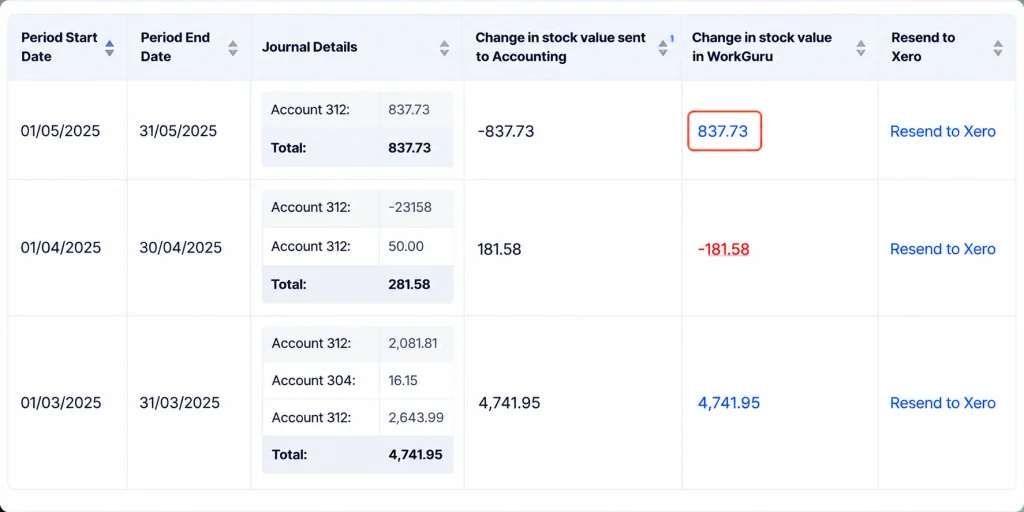
System comparison
See the difference from the recorded quantity.
Capability
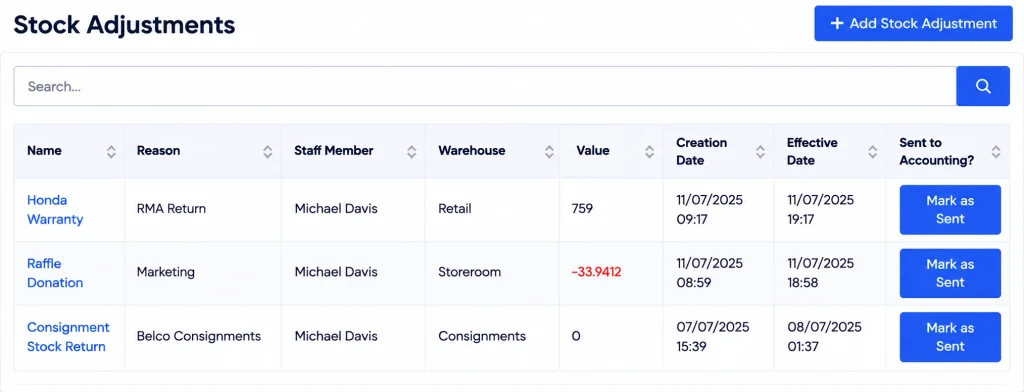
Adjustments
Correct the inventory when the count differs.
Location-based counting
Work through stock around the places it is held.
Product-level review
Focus on the stock that matters.
History
Keep the correction as part of the stock record.
What you get out of it
What changes
Get back to a trusted count
Bring the system into line with what is physically there.
Find repeat process gaps
Use stocktake differences to see what is not being recorded day to day.
Make counting easier to organise
Use locations and products that match the physical stock.
Keep the next stocktake smaller
Better everyday control means fewer big corrections later.
-
Discovered their contract work wasn’t profitable.
We didn’t wanna pay 100 grand upfront for a program – but then we found WorkGuru.
Nick Mazzella, Administrator, Frontline Trays & Trailers
Fit
Will it work the way we do things?
“We only stocktake once a year.”
That is fine if it works. The useful part is making the count easier and the corrections clear.
“The count is always wrong anyway.”
Then the stocktake is telling you the daily process needs attention, not that counting is pointless.
“We cannot stop the workshop to count everything.”
Use the scope and locations that make sense rather than forcing one giant all-at-once process.
“We already fix the numbers in accounting.”
The operational stock count still needs to match what people can physically pick up and use.
By trade
Where this gets used
Works with
Connected features
Stock Control
Use daily movements to keep the count close between stocktakes.
Stock Locations
Organise counting around where the stock is held.
Serial / Batch Tracking
Check traceable inventory as part of the physical count.
Stock on Projects
Reduce stock correctly when jobs consume it.
Stock Purchasing
Receive incoming stock so it does not appear as unexplained surplus later.
FAQs
Stocktakes questions
Why do we still need stocktakes with inventory software?
Because physical stock can differ from recorded stock through missed movements, damage, loss or simple data entry mistakes.
Can stocktakes be done by location?
Yes. Location-based counting can make the process easier when inventory is spread across the business.
What happens when the physical count is different?
Adjust the recorded quantity so the system reflects the stock that is actually available.
Should every stocktake count every product?
Not necessarily. The scope can depend on how much stock you hold and how often different items need checking.
Can stocktake differences reveal process problems?
Yes. Repeated gaps often point to missed receipts, usage, transfers or write-offs that need a better daily process.
How can stocktakes become easier over time?
Keep everyday receipts, usage and movements current so fewer unexplained differences build up between counts.
Make stocktake a check, not a rescue job.
Show us how you count stock today and we will show you how the everyday movements can make the next count cleaner.