
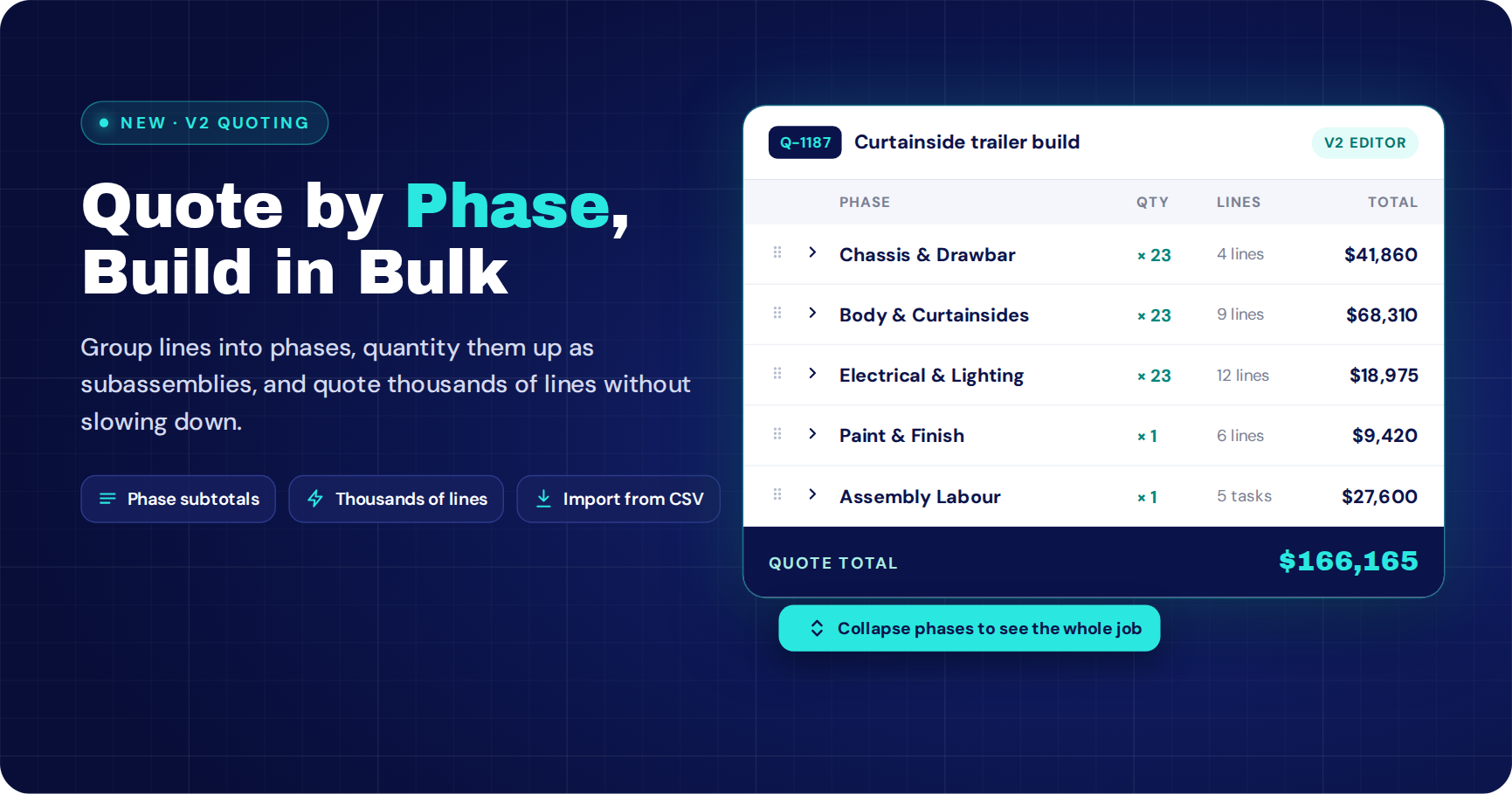
V2 Quoting in WorkGuru: phases, subassemblies and much faster quotes
We rebuilt the quote editor from the ground up. Here’s what’s changed, how it works, and why we did it.
The short version: V2 quoting in WorkGuru lets you group products and labour into phases, and give each phase its own quantity, so a phase can be a subassembly (one chassis, built 23 times). The new line grid handles quotes with thousands of lines without slowing down, and new print templates lay the quote out phase by phase. Phases then carry through to the project, the invoice and your templates.
What is V2 quoting?
V2 quoting is the new quote editor in WorkGuru, the job management software for manufacturers, fabricators and engineering businesses. It replaces the long, flat list of quote lines with one fast grid, where every product and task can sit under a named phase.
A phase is a group of lines with a name, a description and a quantity. Use phases for stages of a job (“Site prep”, “Install”, “Commissioning”), for areas (“Level 1”, “Level 2”), or for the thing we built this for: subassemblies.
Why we rebuilt quoting
We spend a lot of time with our customers, and the same three problems kept coming up.
- Big quotes were slow. When you’re quoting a whole fabrication job, a few hundred lines is normal and a few thousand isn’t rare. The old editor drew every single line on the page, and the bigger the quote, the more it dragged.
- Real jobs aren’t flat lists. A trailer is a chassis, a drawbar, a deck and an electrical kit. A switchboard is enclosures, busbars and wiring. People were faking structure with heading lines and spreadsheets on the side.
- The printed quote didn’t match how you think about the job. Clients want to see what each part of the job costs, not scroll through 400 lines of steel.
So we rebuilt it. Same WorkGuru, same catalogue, same pricing, with a quote editor that thinks in phases.
Phases as subassemblies
This is the big one. Every phase has a quantity. Build up one subassembly’s materials and labour under a phase, then set the phase quantity, and every line under it scales to match.
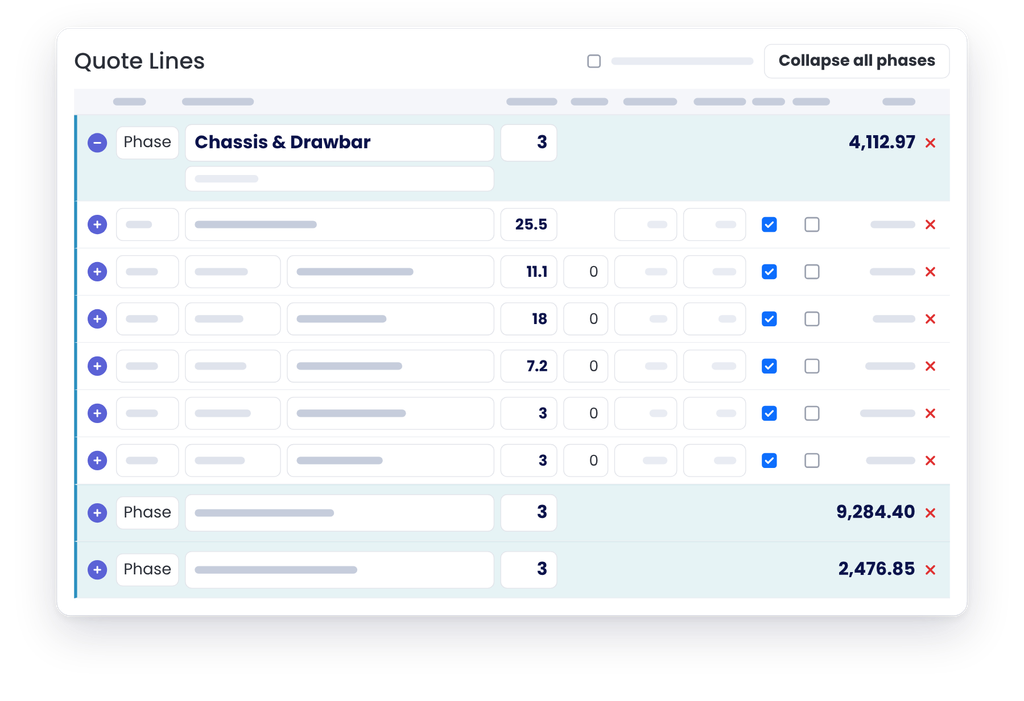
One chassis and drawbar, quoted 23 times. Change the phase from 23 to 30 and every line scales with it.
Line quantities stay real totals, so purchasing, stock and costing all keep working exactly as they always have. The phase just tells everyone (you, your workshop and your client) that this block is 23 of one thing.
Change your mind about the order quantity? Change one number. No more recalculating 40 lines by hand.
V2 quoting
Want to See V2 Quoting on Your Own Jobs?
Turn it on in Settings, or book a session with our team and we’ll build your first phased quote with you.
Built for big quotes
The V2 grid only draws the lines you can actually see, and draws the rest as you scroll. A quote with thousands of lines opens and scrolls as smoothly as one with ten. Everything else is designed around working at that size:
-
Collapse phases to see the whole job at a glance, with a running total on every phase.
-
Drag lines and phases to reorder them.
-
Edit in the grid. Quantity, discount, cost, sell, billable and optional are all right there on the line.
-
SKU and name on one line, so each line takes one row and the columns line up.
-
Open a line to edit its description, custom fields, staff and teams without leaving the grid.
-
Delete empty rows in one click when you’ve finished building.
Import a whole quote from a spreadsheet
Got the job’s materials in Excel already? Save it as a CSV and import it straight into the grid, phases and all. WorkGuru matches products by SKU and tasks by name, prices them for the client the same way the catalogue does, and tells you before anything is added if a SKU isn’t in your catalogue or matches more than one product. There’s a downloadable template so the columns are right the first time.
Printing that’s easier, and looks better
V2 comes with new print templates built around phases. Pick the layout that suits the client:
- A phase summary, with one line per phase showing its quantity and total. Great for clients who want the big picture.
- Phase details, with each phase followed by its own lines. Great for clients who want to see what’s in each subassembly.
- All lines in one table, grouped by phase with subtotals, for the fully itemised quote.
Your existing document templates keep working exactly as they did, so you can switch over when you’re ready.
Phases follow the job from quote to invoice
Phases aren’t just a quoting trick. When a quote is accepted, its phases come across to the project with their descriptions and quantities. From there:
- Projects use the same grid, so the job you won looks exactly like the job you quoted.
- Invoicing a project shows the lines grouped by phase, so it’s easy to bill a stage or a subassembly as it’s finished.
- Project templates keep their phases. Build your standard subassemblies once, then drop them into any quote or project in seconds.
- Optional lines the client declined stay behind, and a phase made up only of declined options doesn’t come across at all.
Guardrails built in
Once work starts, the grid protects it. A line that already has time or materials booked against it can’t be deleted, and a phase with actuals keeps its name, so your reporting never loses track of where the hours went. Cost prices stay read-only for anyone without permission to change them, just like before.
How to turn on V2 quoting
How to turn on V2 quoting
-
Go to Settings
Open Settings from the Administration menu in WorkGuru.
UsersSubscriptionSettingsDocument Settings -
Open the CRM tab
Select CRM from the tabs along the top of the Settings page.
InvoiceKioskStock SalesCRM -
Tick Enable V2 quote editor (phases)
In the Quoting section, tick the box. Quotes then use the V2 editor, with Products and Tasks grouped under named phases.
Quoting
Enable V2 quote editor (phases)
That’s it. Your existing quotes keep working, and any quote without phases just shows as a list of lines in the new grid.
FAQS
Frequently Asked Questions
What is a phase in a WorkGuru quote?
A phase is a named group of products and tasks on a quote, with its own description and quantity. Phases can represent stages of work, areas of a site, or subassemblies that are built more than once.
Can I quote subassemblies in WorkGuru?
Yes. Put the subassembly’s materials and labour under a phase and set the phase quantity. Every line in the phase scales to that quantity, and you can change it at any time.
How many lines can a V2 quote handle?
V2 is built for quotes with thousands of lines. The grid only draws the lines on screen, so large quotes stay fast to open, scroll and edit.
Can I import quote lines from Excel?
Yes. Save your spreadsheet as a CSV in the import template’s format and import it into the quote. Products are matched by SKU, tasks by name, and you’re warned about anything that doesn’t match before it’s added.
Will my existing quotes and document templates still work?
Yes. Existing quotes open in the new editor without changes, and your current document templates print as they always have. The new phase templates are there when you want them.
Do phases carry through to projects and invoices?
Yes. Accepted quotes create projects with the same phases, project invoicing groups lines by phase, and project templates keep their phases too.