
Home / Features / Sales & CRM / Contact Management
Feature
Know who to call.
Keep the people you deal with attached to the client they belong to – and keep their details where the team can find them.
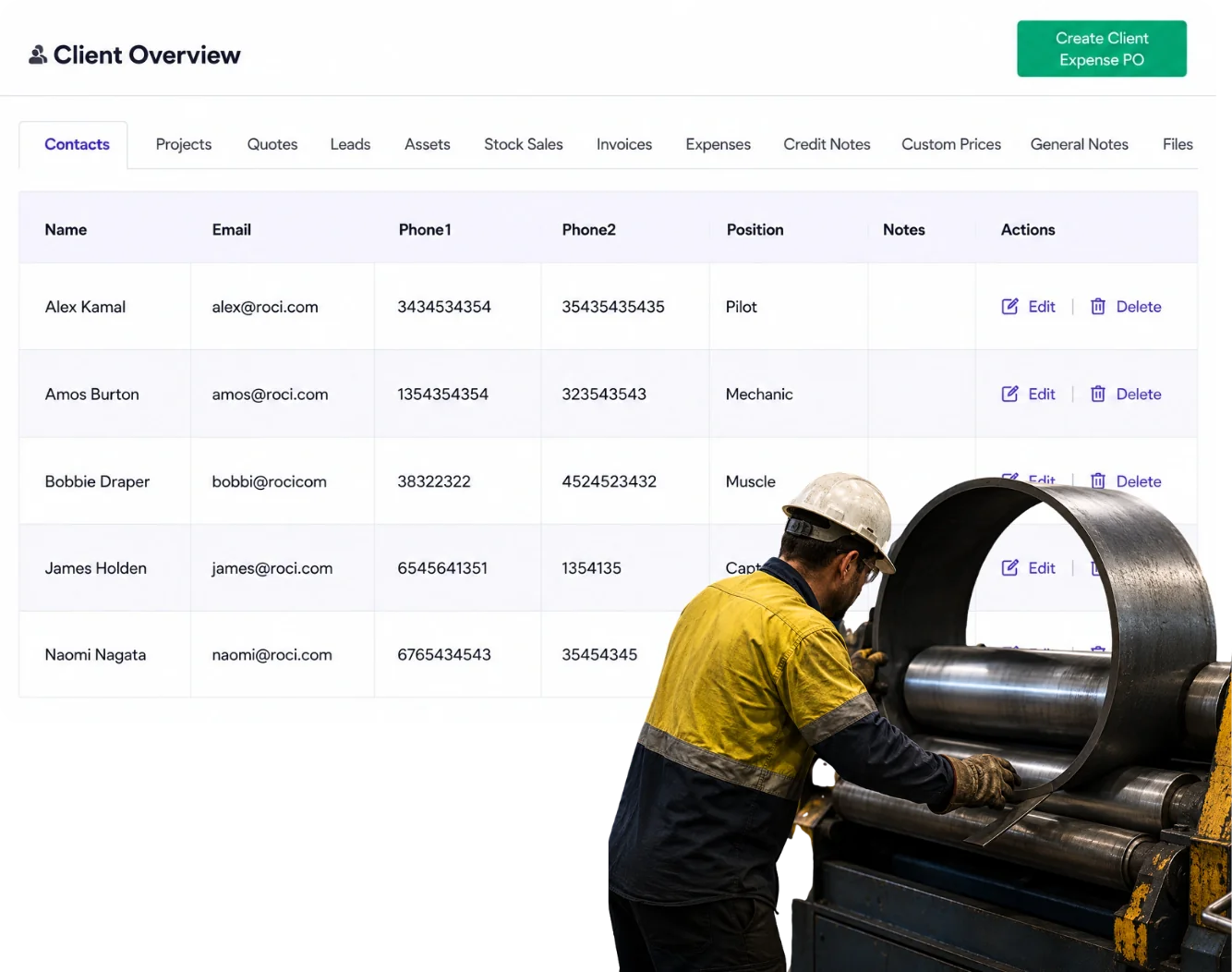
Overview
The business might be the customer, but you deal with people.
Estimator. Project manager. Site supervisor. Accounts. Owner.
Contact Management gives those people a proper place against the client instead of treating one email address as the whole relationship.
What’s inside
What you get
01
Multiple contacts per client
Keep the different people involved.
02
Contact details
Keep phone and email information available.
03
Client connection
See which business the person belongs to.
04
Sales connection
Use the contact around leads and quotes.
05
Project context
Keep the right people available when the work becomes a job.
The reality
Why you need it
The quote needs to go to one person and the invoice to another.
Both belong to the same client.
Someone asks who the site contact is.
You should not need to search the last email thread.
A contact leaves.
Update the person without losing the client history.
The customer has several locations or departments.
The right person matters as much as the company name.
How it works
How it works
01
Add the contact
02
Keep their role clear
03
Use the right contact for the right conversation
04
Update it when people change
Capabilities
What it does
Capability
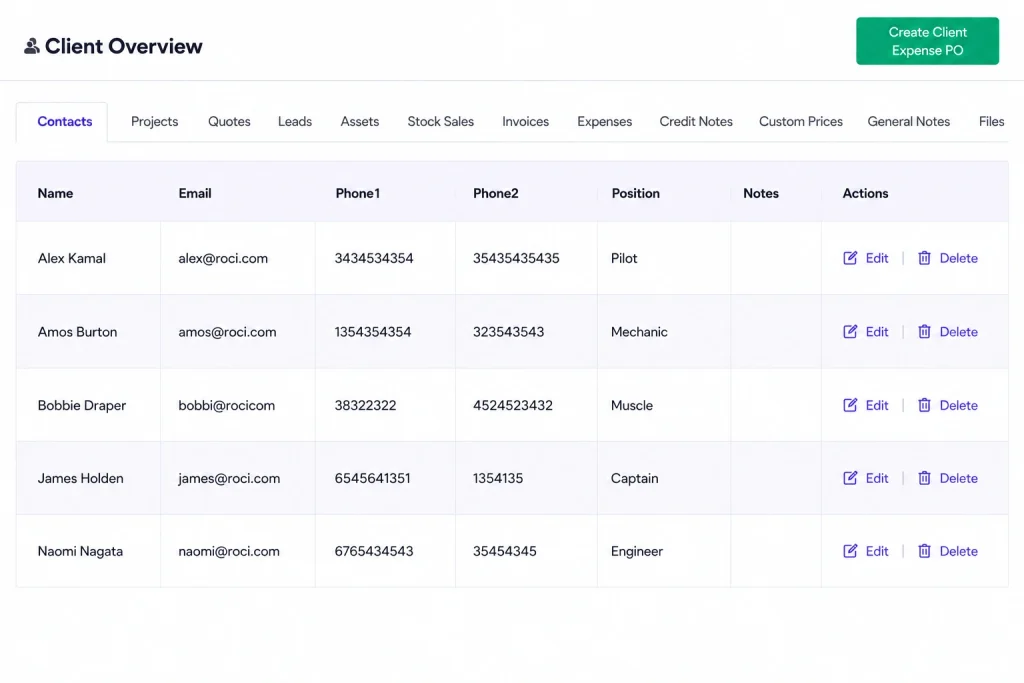
Multiple contacts per client
One client, as many people as the work involves. Each contact carries their own name, email, phone and position, so the estimator, the site supervisor and the accounts clerk are three separate records rather than three notes in the same field. It costs nothing until the day one of them leaves.
Capability
Contact details
Name, position, email and phone held in one place rather than typed into documents and remembered by whoever sent the last one. Update it once and everything future uses the new details — which is the difference between a change taking a moment and it surfacing six months later as a quote sent to someone who left.
Capability
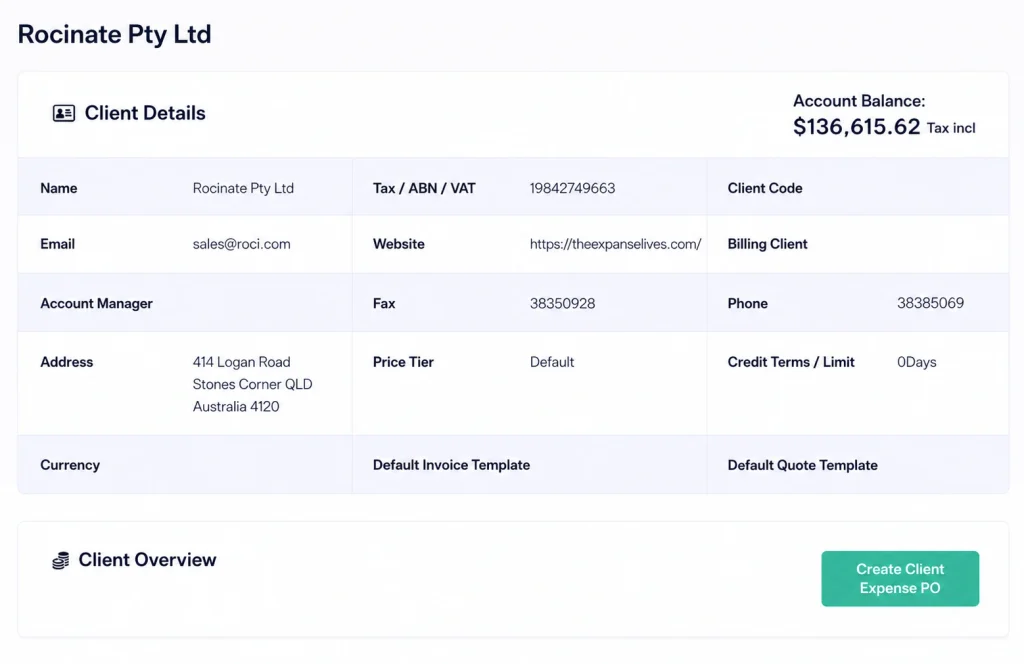
Client connection
Contacts sit underneath the client, so the commercial settings — pricing tier, currency, terms — belong to the account and the people belong to the contact. Changing somebody’s mobile number doesn’t touch anything commercial, and adding a new contact doesn’t disturb work already quoted.
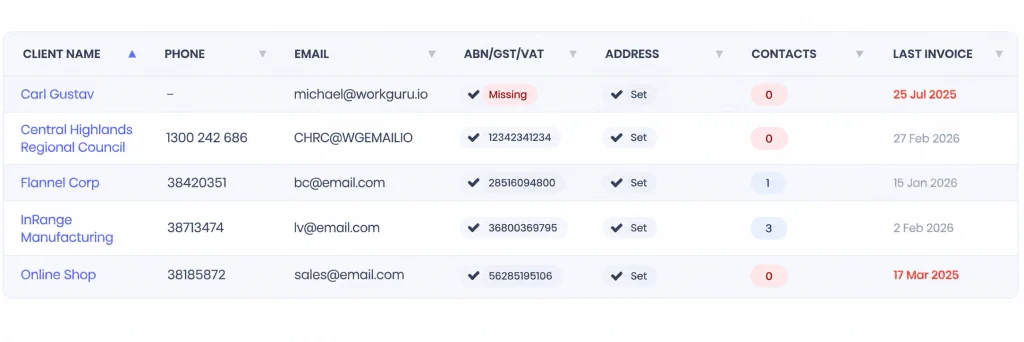
Sales connection
The people you’re dealing with while selling are the same people on the job once it’s won. Because contacts are held on the client rather than on the document, the person you quoted carries through to the project without being re-entered.
Project context
When a contact appears on a job, you can see who they are and what else they’ve been involved in. That matters on the phone: knowing this is the person who signed off the last variation is worth more than knowing their email address.
Day to day
What it looks like on a normal day
You need approval on a quote.
Send it to the person who actually approves the work.
The project manager asks for the site contact.
The contact is already against the customer.
Accounts needs a different person.
Use the billing contact rather than asking the project contact to forward it.
What you get out of it
What changes
Stop searching for contact details.
Keep them against the client.
Talk to the right person faster.
Know who handles what.
Make handovers easier.
The next staff member can see who is involved.
Keep customer records current.
Change the person without losing the client.
-
Discovered their contract work wasn’t profitable.
We didn’t wanna pay 100 grand upfront for a program – but then we found WorkGuru.
Nick Mazzella, Administrator, Frontline Trays & Trailers
Fit
Will it work the way we do things?
“We only deal with one person.”
Then one contact is enough.
“Contacts change all the time.”
That is exactly why they should be managed separately from the client company.
“This sounds basic.”
It is basic. Getting the basics right saves a lot of pointless chasing.
By trade
Where this gets used
Works with
Connected features
Client Management
Keep contacts inside the wider customer history.
Lead Management
Keep the person attached to the opportunity.
Quoting
Send sales information to the right contact.
Project Management
Carry useful client contacts into the job context.
FAQs
Contact Management questions
Can a client have several contacts?
Yes.
Can contacts be updated without changing the client?
Yes. The person and the business are separate records.
Why not just store one email address on the client?
Because the person approving a quote is often not the person managing the job or paying the invoice.
Keep the right people easy to find.
See how WorkGuru keeps contacts tied to the customers and work they belong to.