
Home / Features / Purchasing / RFQs / Supplier Quotes
Purchasing & Procurement
Ask for prices without running an email treasure hunt.
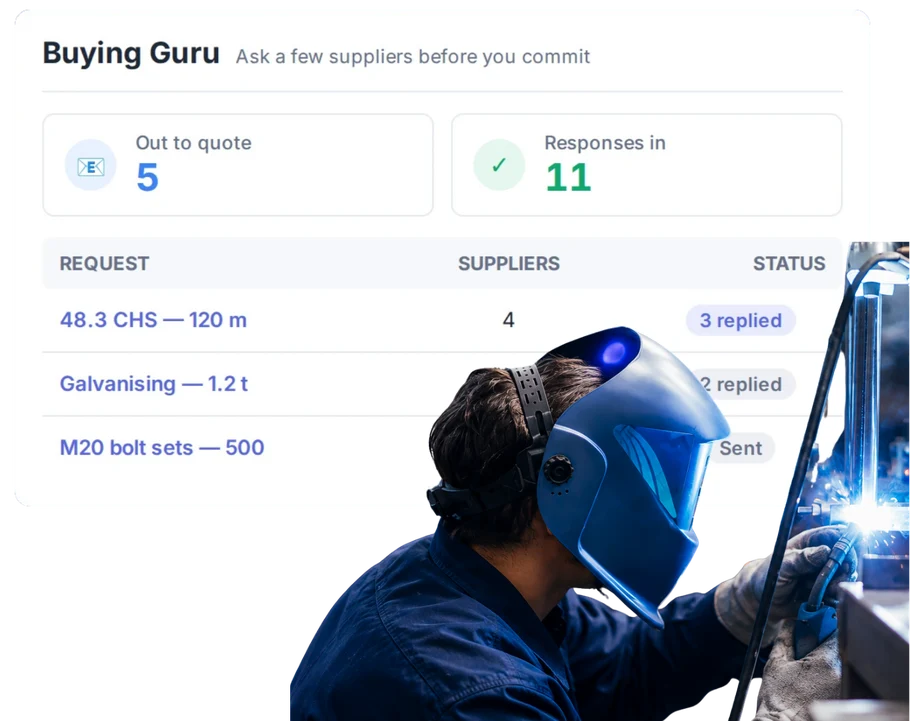
Send the same request to suppliers, keep the responses together and choose who you want to buy from.
Overview
This feature is Beta / Coming Soon.
RFQs are simple in theory. Send the list out. Wait for prices. Compare them. Pick a supplier.
In practice, one quote comes back by email, another as a PDF, one supplier asks a question and somebody is still waiting on the third response.
WorkGuru is bringing that process into the purchasing flow so the request, supplier responses and buying decision can stay together.
What’s inside
What you get
01
Multi-supplier requests
Send the same RFQ to several suppliers.
02
Attachments
Send drawings or other information suppliers need to quote.
03
Supplier response portal
Let external suppliers respond without needing an account.
04
In-app supplier responses
Linked WorkGuru suppliers can respond inside WorkGuru.
05
Response tracking
See who viewed, responded or still needs a reminder.
06
Award flow
Move from responses to the chosen supplier.
The reality
Why you need it
The same request gets sent three different ways.
Now you are comparing apples with whatever the third supplier thought you meant.
Quotes come back in different inboxes.
Someone still has to gather them all up.
One supplier has not answered.
You need to know who you are still waiting on.
The cheapest quote is not always the right one.
Price matters, but so do lead time, freight and whether the supplier can actually deliver.
You win the client job and then start the buying process again.
The sales and procurement sides should not forget each other.
How it works
How it works
01
Create the RFQ
02
Choose the suppliers
03
Let suppliers respond
04
See who has responded
05
Choose the supplier
Capabilities
What it does
Capability
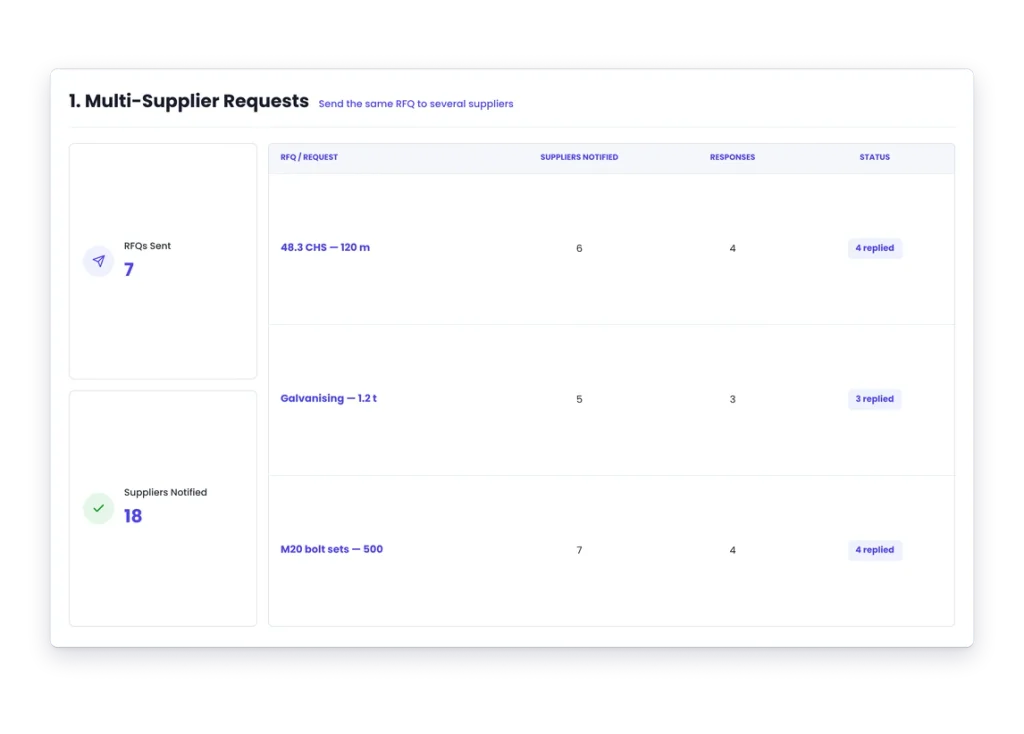
Multi-supplier requests
Send the same RFQ to several suppliers.
Capability
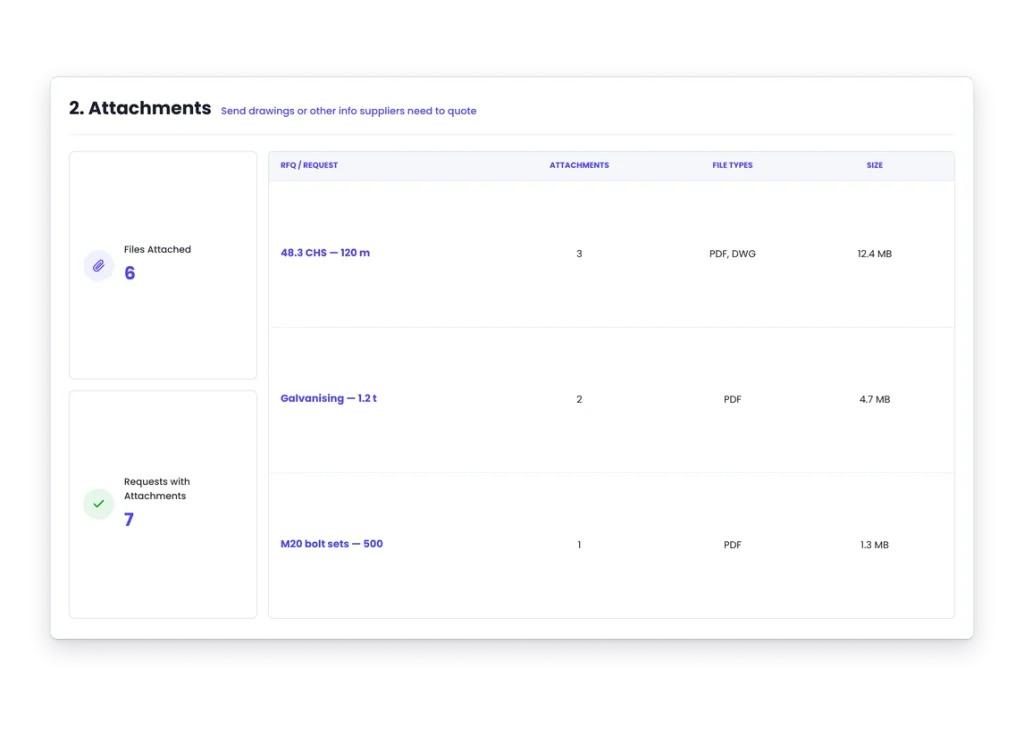
Attachments
Send drawings or other information suppliers need to quote.
Capability
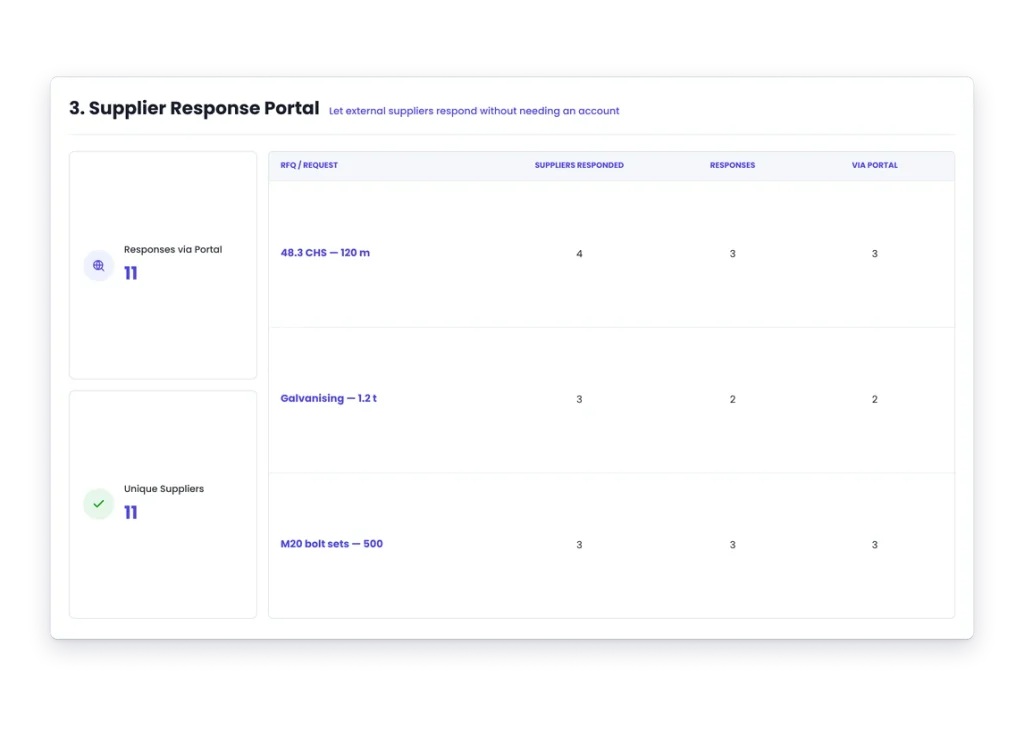
Supplier response portal
Let external suppliers respond without needing an account.
In-app supplier responses
Linked WorkGuru suppliers can respond inside WorkGuru.
Response tracking
See who viewed, responded or still needs a reminder.
Award flow
Move from responses to the chosen supplier.
Day to day
What it looks like on a normal day
You need three tonnes of steel for a job you are quoting.
Send the same list to the suppliers you normally use and keep the prices together.
A custom component needs outside machining.
Send the drawing with the RFQ instead of explaining it three times.
Two suppliers respond and one does not.
See who you are still waiting on before the client quote is due.
What you get out of it
What changes
Keep supplier pricing together
Stop collecting quotes from scattered emails.
Ask everyone for the same thing
Give suppliers one clear request to work from.
See what you are waiting on
Know which responses are still outstanding.
Make the buying decision easier
Keep supplier responses visible before you commit.
Connect procurement to the job
Keep the request closer to the work that needs it.
-
Discovered their contract work wasn’t profitable.
We didn’t wanna pay 100 grand upfront for a program – but then we found WorkGuru.
Nick Mazzella, Administrator, Frontline Trays & Trailers
Fit
Will it work the way we do things?
“Our suppliers are not WorkGuru users.”
They do not need to be. External suppliers can respond through the supplier portal in the current Beta design.
“Our suppliers send their own PDF quotes.”
The Beta supports supplier attachments so the original quote can stay with the response.
“We do not always award straight away.”
That is fine. A preferred response can be separate from the final award decision.
“We need different currencies.”
The current Beta supports a currency per supplier response.
By trade
Where this gets used
Also in this area
Goes further with
Supplier Quote Comparison
Compare the responses without building another spreadsheet to work out who quoted what.
Works with
Connected features
Supplier Management
Choose from the suppliers you already know.
Supplier Quote Comparison
Compare responses in one place. Beta / Coming Soon.
Purchase Orders
Turn the buying decision into the order.
Quoting & Estimating
Use current supplier pricing when building the customer quote.
Lead Management
Keep pre-sale procurement connected to the opportunity where relevant.
FAQs
RFQs / Supplier Quotes questions
Is RFQ live today?
It is Beta / Coming Soon and should be checked against the current release state before publishing.
Can we send one RFQ to multiple suppliers?
Yes, in the current Beta design.
Do suppliers need a WorkGuru account?
External suppliers can respond through a portal without an account in the current Beta.
Can suppliers attach their quote?
Yes, supplier attachments are supported in the current Beta.
Can we track who has responded?
Yes, response activity is part of the current Beta workflow.
Get supplier prices into one place.
See where WorkGuru RFQs are heading and whether the Beta fits the way you buy.