
Home / Features / Project Management / Timesheets & Time Tracking
Projects & Jobs
Timesheets that actually tell you something.
Get everyone’s hours onto the jobs they worked on, so you know what each job is really taking before it’s finished.
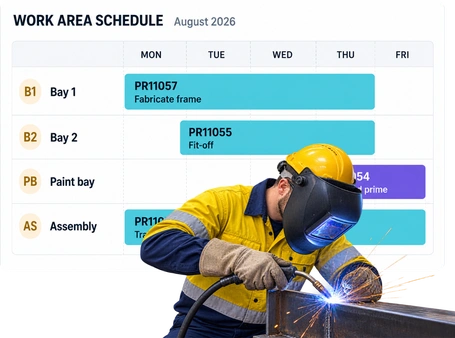
Overview
Know where the hours went.
Someone works on three jobs today.
You need those hours on those three jobs.
Not guessed at on Friday afternoon. Not sitting on a piece of paper. And not lumped into eight hours against whichever job they remember first.
WorkGuru timesheets put the hours against the jobs and tasks they were actually spent on.
That gives the team a simple way to record their time and gives you a much better idea of what every job is really taking.
What’s inside
What you get
01
Time against jobs
Put hours against the job they belong to.
02
Time against tasks
See where the time went inside the job, not just the total hours.
03
Multiple jobs in a day
Split the day across the work that was actually done.
04
Team timesheets
Keep everyone’s time in the same place.
05
Job costing
The hours recorded become part of the real cost of doing the job.
06
Timesheet reminders
Chase missing time without the office having to remember every time.
07
Job history
Look back and see how many hours the job really took.
The reality
Why you need it
Timesheets usually aren’t the problem.
Bad timesheets are.
Everyone fills them in at the end of the week.
By Friday afternoon, Monday is mostly a guess.
Eight hours gets dumped onto one job.
They actually worked on three, but it’s easier to put the whole day somewhere.
Someone forgets completely.
Now the office is chasing timesheets before payroll or trying to work out where the missing hours went.
You allowed 100 hours and don’t know you’ve used 120 until the job is done.
By then, knowing doesn’t help much.
The team sees timesheets as office admin.
If it takes too long to enter time, it won’t get done properly.
The hours exist, but they don’t tell you much.
Knowing someone worked eight hours today isn’t useful if you don’t know which jobs used them.
How it works
Keep it simple.
01
Pick the job
02
Pick the task
03
Record the time
04
Move onto the next job
05
See the hours on the job
Capabilities
The basics, done properly.
Capability
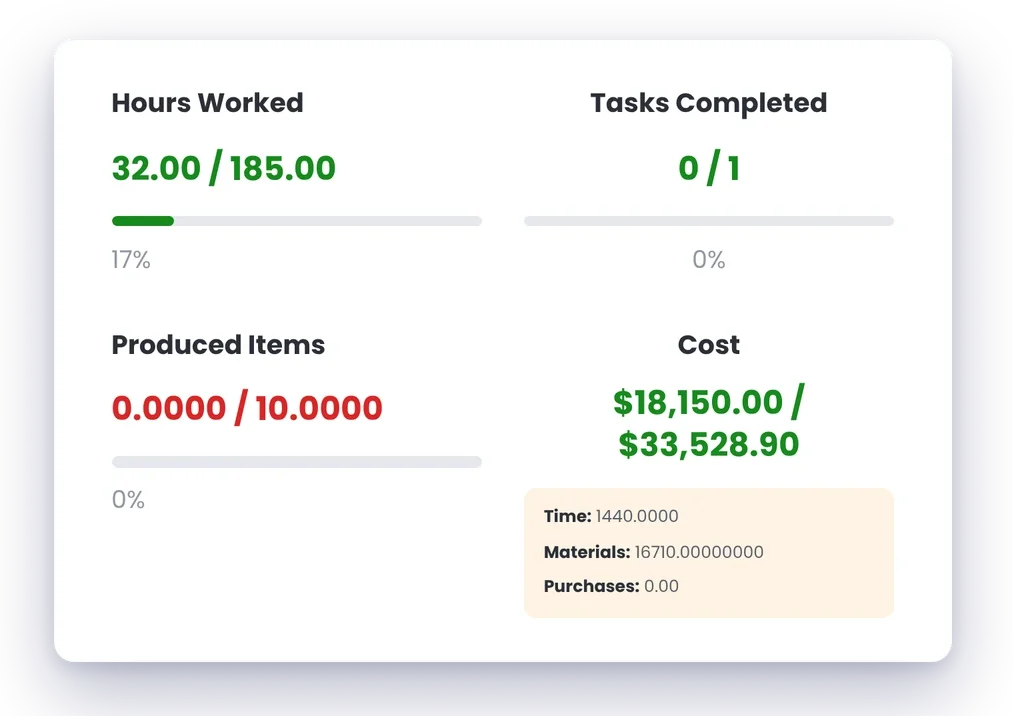
Time against jobs
Put hours against the job they belong to.
Capability
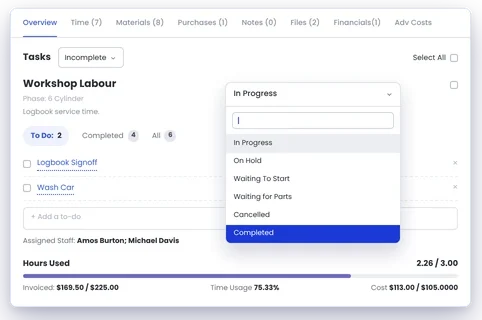
Time against tasks
See where the time went inside the job, not just the total hours.
Capability
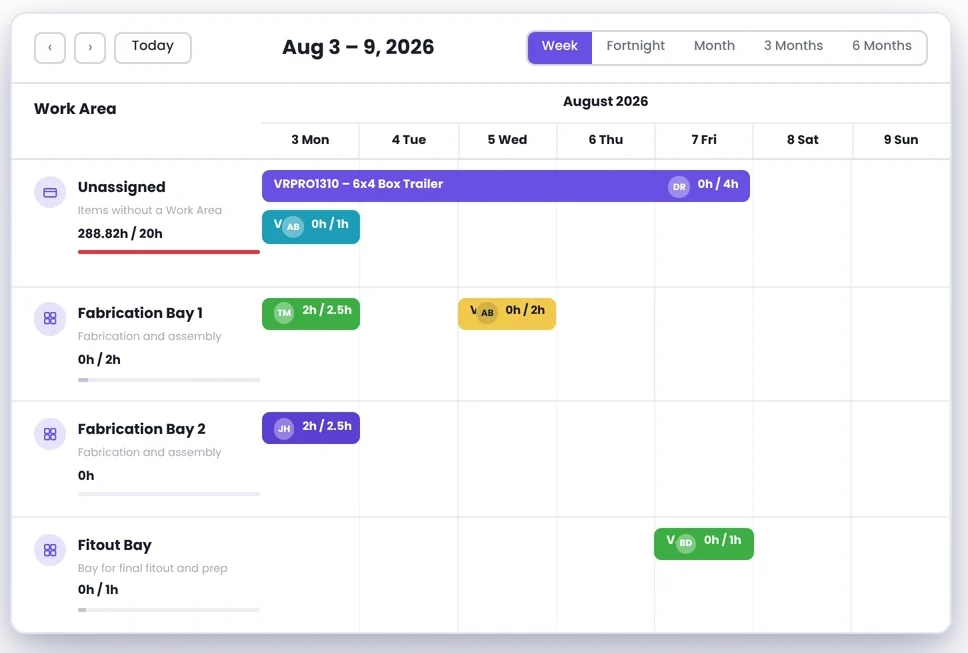
Multiple jobs in a day
Split the day across the work that was actually done.
Team timesheets
Keep everyone’s time in the same place.
Job costing
The hours recorded become part of the real cost of doing the job.
Timesheet reminders
Chase missing time without the office having to remember every time.
Job history
Look back and see how many hours the job really took.
Day to day
What this looks like on a normal day.
Someone gets pulled onto another job.
Dave starts the morning on Job 1042. At 10:30, he gets pulled onto a breakdown for two hours. After lunch, he’s back on 1042. His time goes onto both jobs where it belongs. So Job 1042 doesn’t get charged for a full day it never used, and the breakdown gets the two hours it actually took.
A job is starting to run over.
You allowed 80 workshop hours. The job is halfway through and you’ve already used 62. That’s something worth knowing now. Not when the job’s finished and you’re trying to work out why it didn’t make what you expected.
Someone forgot their time.
It happens. Instead of finding out days later, a reminder can go out while there’s still a decent chance they remember what they worked on.
You’re quoting the next similar job.
The last one was quoted at 60 hours. It actually took 74. Now you’ve got a real number to work from instead of making the same guess again.
What you get out of it
What changes
Better hours in.
Better job numbers out.
Know what each job is actually taking
See the real hours instead of relying on what was allowed for.
Catch jobs using too much time
If the hours are getting away from you, see it while the job is still going.
Stop guessing where the day went
Split people’s time across the jobs they actually worked on.
Make the next quote better
Use the hours from previous jobs when you’re working out what the next one should take.
Spend less time chasing timesheets
Make recording time part of the job instead of another bit of paperwork that gets left until Friday.
Get a better job cost
Labour is a big part of the cost on most workshop jobs. If the hours are wrong, the job cost is wrong too.
-
Discovered their contract work wasn’t profitable.
We didn’t wanna pay 100 grand upfront for a program – but then we found WorkGuru.
Nick Mazzella, Administrator, Frontline Trays & Trailers
Fit
Will it work the way we do things?
“A few things people usually ask.”
“The guys won’t fill out timesheets.”
If it’s a pain to do, they probably won’t. The aim is to make putting time onto the job quick enough that it becomes part of doing the job, not another admin task at the end of the week.
“People jump between jobs all day.”
That’s exactly when knowing where the hours went matters. Split the day across the jobs they actually worked on instead of dumping the whole day onto one.
“We don’t need exact time down to the minute.”
You probably don’t. You need enough detail to know what the job actually took and where the bigger chunks of time went.
“Our staff aren’t sitting at computers.”
They shouldn’t need to be. Timesheets need to fit around the job, not the other way around.
“We already do timesheets for payroll.”
Payroll tells you how many hours someone worked. Job timesheets tell you what those hours were spent on. They’re answering two different questions.
“We don’t charge customers by the hour.”
You still need to know what the job cost you. Even on fixed-price work, the hours tell you whether you allowed enough time and what to allow for next time.
By trade
Same timesheets. Different jobs.
Works with
Timesheets make the rest of the job more useful.
Project Management
See the hours with the rest of the job information.
Job Costing
Compare the labour you allowed for with the labour you actually used.
Scheduling
See what people were planned to work on and what they actually spent their time doing.
Reporting
Look back at where the hours went across jobs, people and the business.
Automations
Handle things like missing timesheet reminders without somebody in the office having to chase them manually.
Quoting
Use what previous jobs actually took when you’re pricing the next one.
FAQs
Timesheets & Time Tracking questions
Can staff record time against individual jobs?
Yes. Hours can be recorded against the jobs people actually worked on.
Can time be recorded against tasks inside a job?
Yes. That gives you more detail about where the hours went within the job.
Can someone record time against more than one job in a day?
Yes. If someone moves between jobs, their hours can be split between them.
Do timesheet hours feed into job costing?
Yes. The hours recorded against the job form part of understanding what the job actually cost.
Can WorkGuru remind people about missing timesheets?
Workflows can be used for things like timesheet reminders, so missing time doesn’t always need somebody in the office to chase it manually.
Why do job timesheets matter if we already track payroll hours?
Payroll tells you how long someone worked. Job timesheets tell you where that time went. If you want to know what a job actually took, you need the second one.
Can we use previous timesheets when quoting future jobs?
The history from completed jobs gives you a much better picture of how long similar work actually took, which can help when you’re pricing the next job.
See where the hours are actually going.
We’ll show you how WorkGuru puts time onto jobs and turns those hours into something you can actually use.