
Job Costing & Finance
See what the work is actually telling you.
Look across jobs, costs and activity using the information your team is already putting into WorkGuru while the work happens.
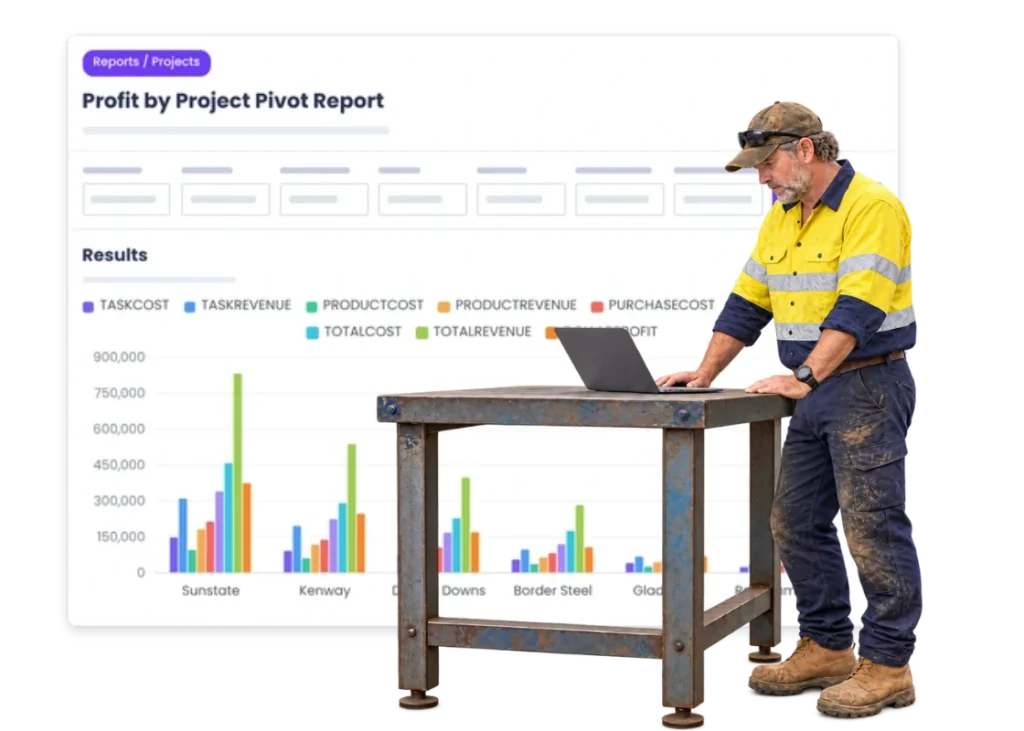
Overview
A report is only useful if the numbers behind it are useful.
If timesheets are somewhere else, purchases are in accounting and job updates live in people’s heads, reporting becomes another exercise in stitching things together.
WorkGuru reporting starts with the operational information around the jobs: hours, costs, project activity and commercial results.
The point is not more dashboards. It is being able to answer the questions you actually have.
What’s inside
What you get
01
Job reporting
Look across the work and its actual result.
02
Cost reporting
Review labour, purchasing and other job costs.
03
Performance history
Use completed jobs as operating history.
04
Operational visibility
See patterns around work, not just accounting totals.
05
Commercial review
Compare what was allowed for with what actually happened.
06
Export / handover
Use reporting alongside the financial and business systems you already run.
The reality
Why you need it
You know the business is busy but not why.
Plenty of activity does not tell you which work is performing.
Month-end explains the problem too late.
The result arrives after the jobs that caused it are already done.
Every manager has their own spreadsheet.
The numbers disagree because everyone started from a different version.
The same jobs keep blowing out.
Nobody is looking across completed work for the repeat pattern.
The quote history is not helping estimating.
Real job results are not being used when similar work comes back.
The report needs another day of cleaning first.
Too much effort goes into rebuilding the data before anyone can discuss it.
How it works
How it works
01
Capture the job data
02
Keep costs on the right work
03
Finish the jobs
04
Review the result
05
Compare similar work
06
Spot the exceptions
07
Take the lesson
08
Repeat with better data
Capabilities
What it does
Capability
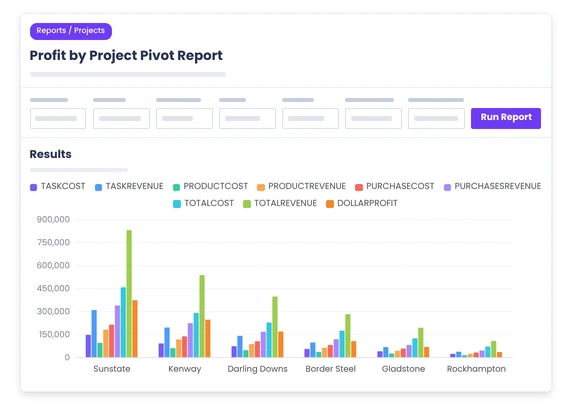
Job reporting
Look across the work and its actual result.
Capability
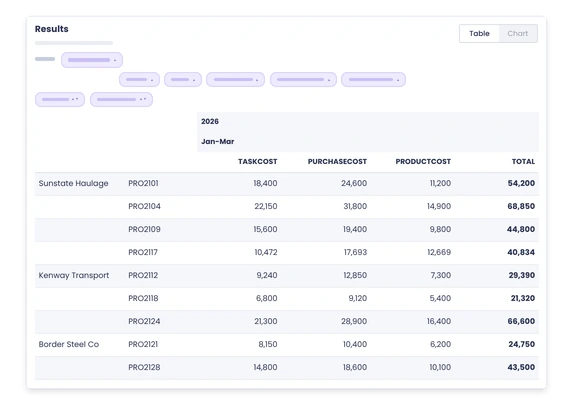
Cost reporting
Review labour, purchasing and other job costs.
Capability
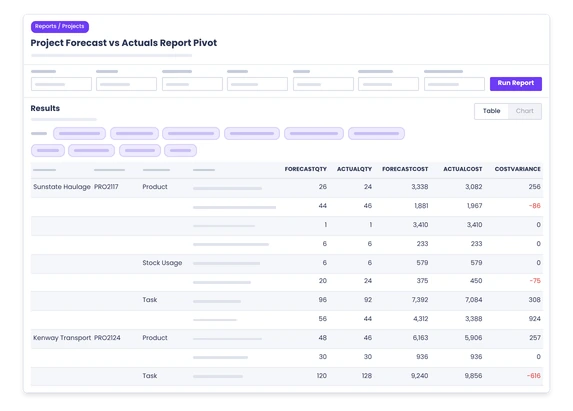
Performance history
Use completed jobs as operating history.
Operational visibility
See patterns around work, not just accounting totals.
Commercial review
Compare what was allowed for with what actually happened.
Export / handover
Use reporting alongside the financial and business systems you already run.
Day to day
What does that actually look like?
Three jobs blew their labour allowance this month.
Look for the common pattern instead of treating each one as a separate surprise.
One customer always looks busy but the jobs are poor.
Review the real job results behind the account.
The estimator wants to price a repeat job.
Use completed work to see what similar jobs actually took.
The owner asks where the workshop time is going.
Use the job data instead of another Friday afternoon spreadsheet.
Month-end numbers look worse than expected.
Trace the operational jobs and costs behind the result.
What you get out of it
What changes
Know which work performs
See the result below the overall business total.
Find repeat problems
Look across jobs for the same labour, purchasing or scope issue.
Use history when quoting
Give estimators real operating information from completed work.
Spend less time rebuilding reports
Use data captured in the day-to-day process.
Make review meetings more useful
Talk about the exceptions and decisions, not whose spreadsheet is right.
-
Discovered their contract work wasn’t profitable.
We didn’t wanna pay 100 grand upfront for a program – but then we found WorkGuru.
Nick Mazzella, Administrator, Frontline Trays & Trailers
Fit
Will it work the way we do things?
“We already report from accounting.”
Keep doing it. Accounting reports the financial result; WorkGuru adds the operational job context behind it.
“Our data is not perfect.”
It does not need to be perfect to be useful. Start with the job information that materially changes the decisions.
“Every job is different.”
The details differ, but hours, purchases, changes and results still give you patterns worth reviewing.
“We only review jobs when something goes wrong.”
That works until the same problem repeats. Completed job history is useful even when the job went well.
By trade
Where this gets used
Works with
Connected features
Job Costing
Give reporting the real job result.
Timesheets
Bring labour history into the picture.
Purchasing
Keep supplier spend visible around the work.
Quoting & Estimating
Use history to improve future allowances.
Project Management
Keep operational context around the numbers.
Automations
Turn useful exceptions into reminders or actions where configured.
FAQs
Reporting questions
What can job reporting tell a workshop business?
It can show how jobs performed, where labour and costs went, and which patterns are worth reviewing across completed work.
Is WorkGuru reporting the same as accounting reporting?
No. Accounting reports the financial books; WorkGuru reporting is focused on the operational work and job information behind them.
Can reports help us improve future quotes?
Yes. Completed job history gives estimators better information about what similar work actually required.
Can reporting show labour performance across jobs?
Job time recorded through timesheets can be reviewed as part of understanding where labour was actually used.
Can purchasing information be included in job reviews?
Purchases kept against projects form part of the real cost picture when completed work is reviewed.
Do we need perfect data before reporting is useful?
No. Consistent capture of the major hours, purchases and job changes can already improve the quality of operational review.
Bring us the question your spreadsheet cannot answer.
We will show you which WorkGuru job information can help answer it and where the useful operating pattern sits.