
Home / Features / Team & Security / Security
Team & Security
Keep access to the business under control.
WorkGuru security starts with sensible user access, permissions and clear responsibility for who can get to operational information.
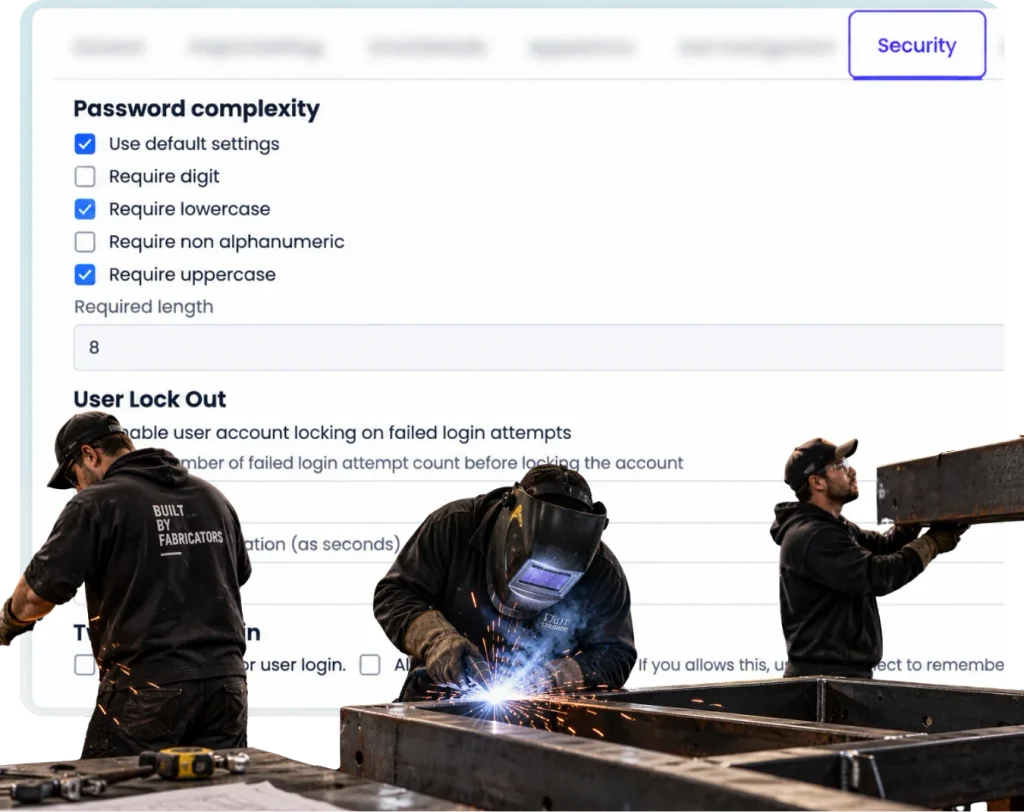
Overview
Protect access to operational information without going insane.
Security matters. So does being precise about what the product actually does.
WorkGuru holds operational information about customers, jobs, people, costs and project activity. That means access needs to be controlled and the business needs a sensible process for users joining, changing roles and leaving.
WorkGuru supports both role-based access to data, and individual overrides, for that user who needs just one or two more permissions than the rest of the team.
What’s inside
What you get
01
User access
02
Roles and permissions
03
Project access control
04
Administrative control
05
Operational data access
06
Security documentation
The reality
Why you need it
Former staff keep access longer than they should.
The most common real security failure in a small business, and it’s almost never malicious — it’s just that offboarding is a list somebody keeps in their head. Access defined by role makes removal a single deliberate action rather than a hunt.
Everyone shares one login because setting up users feels easier.
It is easier, right up until you need to know who did something, or someone leaves and the password has to change for everybody. Shared logins also make every other control meaningless, because there’s no individual to attach permissions to.
People can see information they do not need for their job.
Rarely a crisis, usually an awkwardness — someone sees a margin, a rate, or what a colleague’s work is billed at. Scoping access to the job removes the situation rather than relying on discretion.
Access changes are handled informally and nobody is sure what was changed.
Someone asks for access, someone grants it, and there’s no record of the decision. A year on, the permission structure is a set of individual favours nobody can explain — which is exactly when people stop touching it.
How it works
How it works
01
Give each user their own access
02
Use roles and permissions around responsibility
03
Change access when the person changes role
04
Remove access when somebody leaves
05
Use the current WorkGuru security documentation for technical controls and assurance details
Capabilities
What it does
Capability
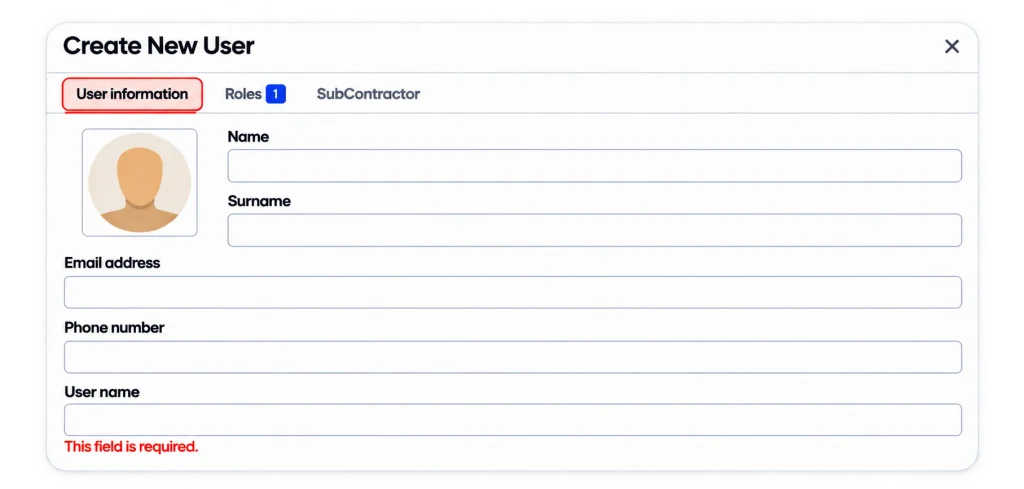
User access
Users are invited and managed centrally. Roles can be assigned and removed, and when a role is updated, everyone with that role has their permissions updated at the same time.
Capability
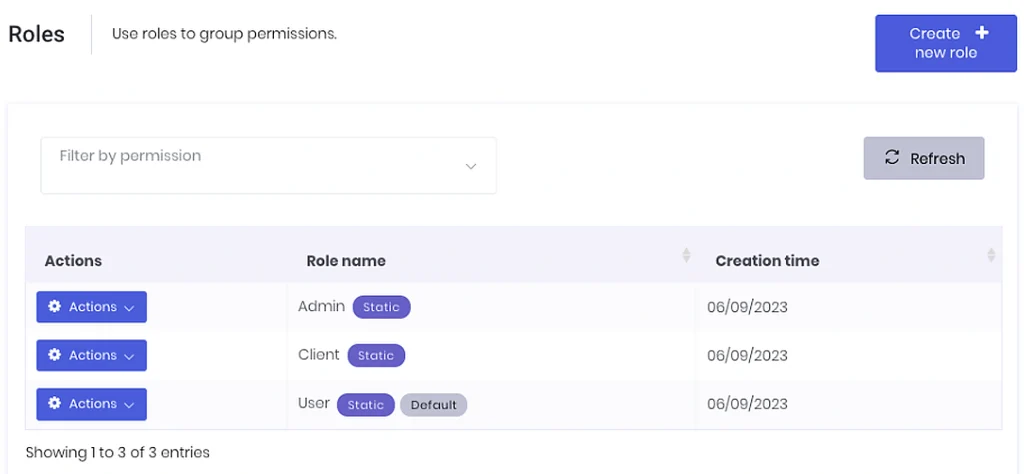
Roles and permissions
Access is defined by role rather than by person, so it’s a property of the job rather than of the individual. That’s what makes it survive staff turnover — the access description doesn’t walk out with the person who had it.
Capability
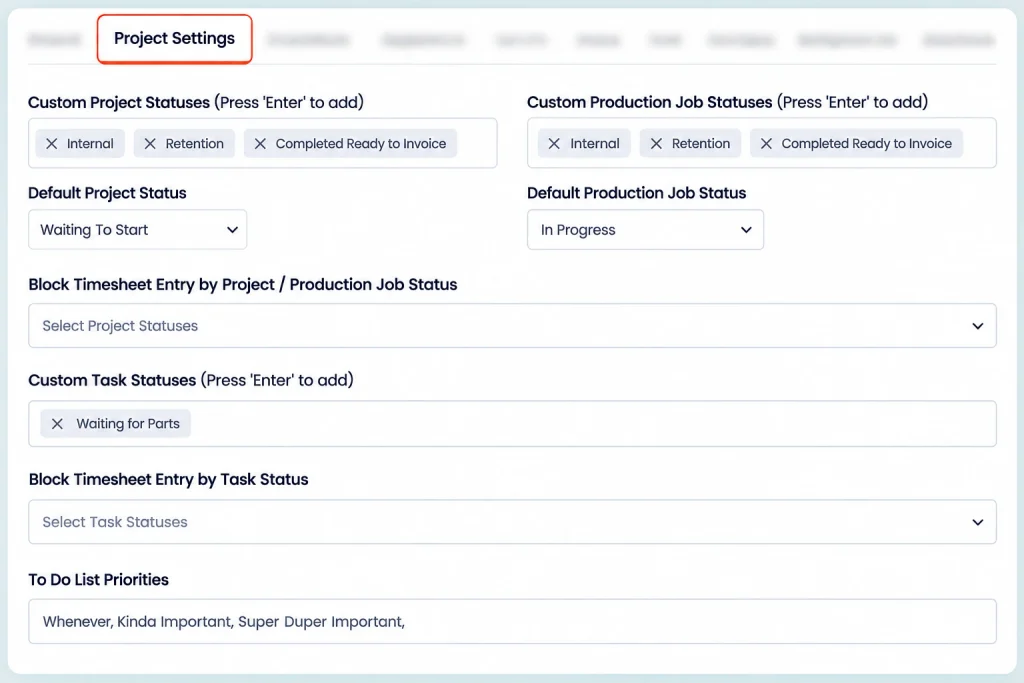
Project access control
Which projects a person can reach. Commercial detail on a job isn’t something every user needs, and the ability to scope it matters more as the business grows.
Administrative control
Who can change the configuration — roles, users, and the settings that govern everyone else’s access. The group that can change permissions should be deliberately small and deliberately known.
Operational data access
What people can see of the day-to-day record: jobs, costs, purchasing, reporting. Most real security questions in a workshop are about this rather than about infrastructure — who can see the margin, who can see what a client is charged.
Day to day
What it looks like on a normal day
A staff member leaves.
Remove their access instead of relying on a shared password being changed later.
A workshop user does not need sensitive commercial information.
Keep their access around the work they do.
What you get out of it
What changes
Keep user access individual.
Reduce unnecessary access to operational information.
Make joiner, mover and leaver changes easier to think about.
Keep the public security claims accurate.
Give larger customers a clearer path to technical security information.
-
Discovered their contract work wasn’t profitable.
We didn’t wanna pay 100 grand upfront for a program – but then we found WorkGuru.
Nick Mazzella, Administrator, Frontline Trays & Trailers
Fit
Will it work the way we do things?
“Is WorkGuru enterprise-grade secure?”
Use the actual technical controls and current assurance material instead. Yes, WorkGuru implements core administrative and platform security features, but it is primarily positioned as an operations and job-management tool for small-to-medium businesses (SMBs) rather than a heavy enterprise-grade platform.
“Do you support SSO?”
WorkGuru currently does not support SSO.
“Do you have MFA?”
You can also enable 2 factor authentication for your account to enhance your login security. WorkGuru supports Multi-Factor Authentication (MFA), referred to in the system as Two Factor Login.
By trade
Where this gets used
Works with
Connected features
FAQs
Security questions
How does WorkGuru control user access?
WorkGuru uses roles and permissions to control what users can access inside the product.
Can Project Chat access be restricted?
Yes. Participation is controlled through WorkGuru permissions and project access.
Does WorkGuru support single sign-on?
WorkGuru does not natively support standalone SAML or enterprise single sign-on (SSO), but it does support logging in via integrated accounting credentials such as Xero.
Does WorkGuru support multi-factor authentication?
WorkGuru supports two-factor authentication (2FA) for user accounts and login security. Individual Users: You can enable 2FA directly in your account by going to the My settings menu and turning on the Two Factor Login option. Security Settings to boost platform security. This also allows you to let users trust and remember specific browsers to skip repeated verification steps on safe devices.
Where does WorkGuru host customer data?
WorkGuru hosts customer and operational data on regional cloud servers categorized by geographic server regions: AU_NZ (for Australia, New Zealand, and general global accounts) and UK (for Europe and the United Kingdom)
Where can larger customers get detailed security information?
Larger customers can get detailed security, privacy, and compliance information directly by contacting the WorkGuru Support Team or through their account representatives Contact WorkGuru. Enterprise or larger customers with specific due diligence or vendor risk assessment requirements can email support@workguru.io or call 1300-745-400.
Ask the security questions you actually need answered.
We will give you the current product and technical answers rather than hiding behind a page full of vague security language.