
Home / Features / Scheduling / Resource Scheduling
Scheduling & Work Planning
See who’s needed where.
Plan work around the people you actually have, not the people you wish you had.
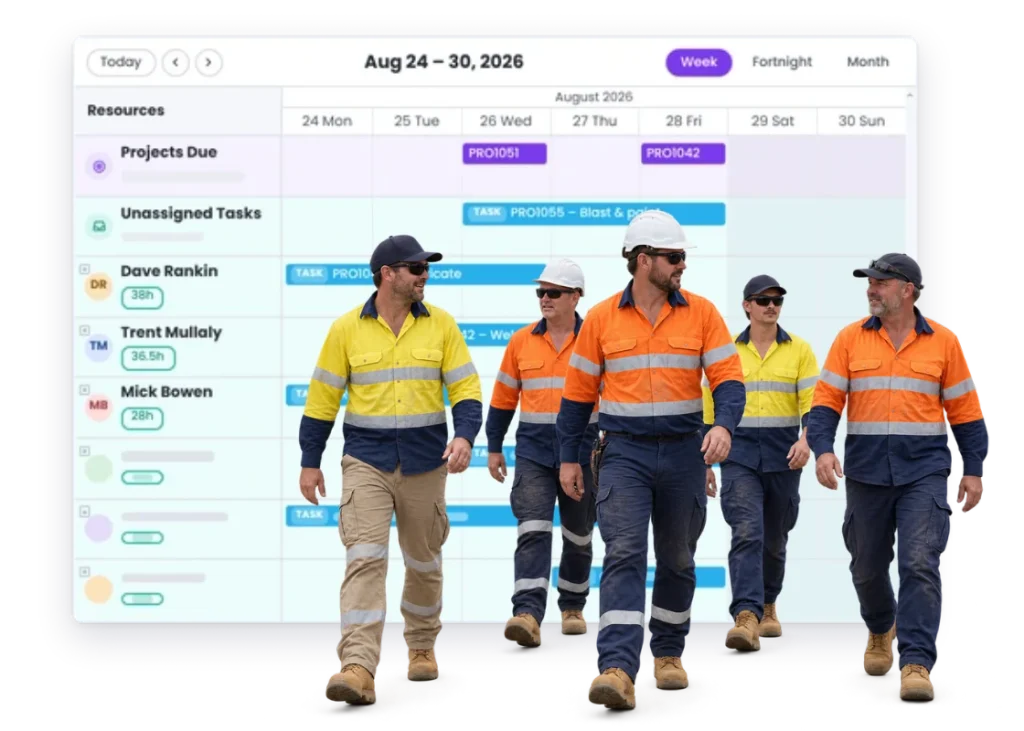
Overview
The job might be ready. The material might be ready.
But if the one person who can do the work is already booked somewhere else, you’ve still got a problem.
Resource scheduling helps you line the work up with the people needed to do it.
That means fewer double-books, fewer surprises, and a better idea of what the team can realistically get through.
What’s inside
What you get
01
People against scheduled work
See who is expected to be on what.
02
Availability planning
Plan around the time the team actually has.
03
Clash visibility
Spot when work is competing for the same people.
04
Reallocation
Move work when someone becomes unavailable.
05
Team planning across jobs
See the bigger picture instead of one project at a time.
The reality
Why you need it
The same person is needed on three jobs.
Someone has to choose which one actually gets them.
The schedule says the work fits.
The team doesn’t.
Someone is away and half the week moves with them.
Now the plan needs another answer.
You’ve got plenty of people, but not the right people.
Skills and experience matter as much as headcount.
The busiest people keep getting busier.
Because every urgent job ends up with the same few people.
How it works
How it works
01
Plan the work
02
Put the right people against it
03
Look for clashes
04
Move work when availability changes
05
Keep the project connected
Capabilities
What it does
Capability
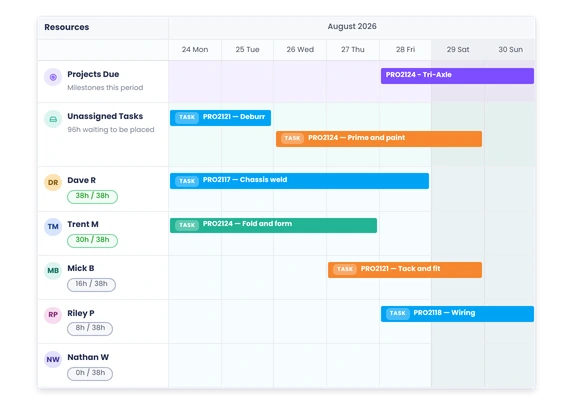
People against scheduled work
See who is expected to be on what.
Capability
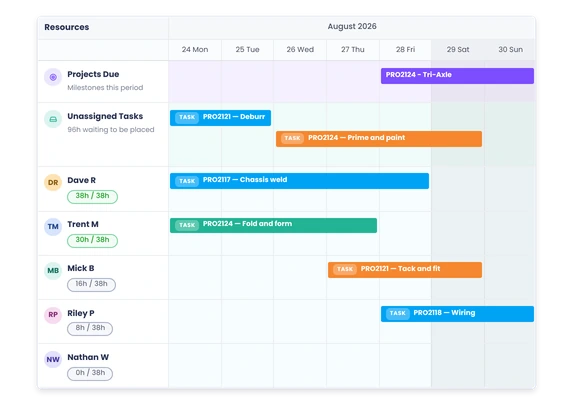
Availability planning
Plan around the time the team actually has.
Capability
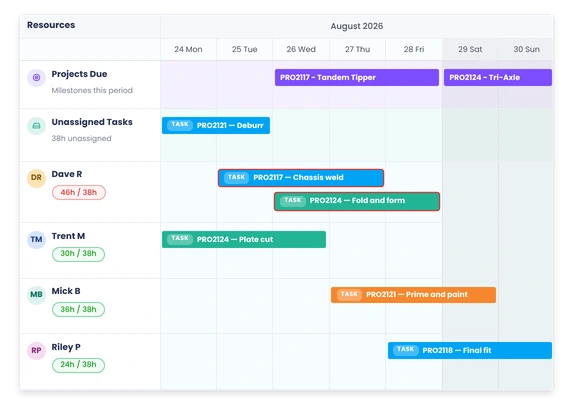
Clash visibility
Spot when work is competing for the same people.
Reallocation
Move work when someone becomes unavailable.
Team planning across jobs
See the bigger picture instead of one project at a time.
Day to day
What it looks like on a normal day
Two installs need the same supervisor.
You can see that before both crews are standing around waiting for them.
Your best welder calls in sick.
See what work depends on them and work out what needs to move.
A rush job needs your fitter today.
You can see what you’re taking them off, not just the urgent thing in front of you.
Next week looks quiet.
You can see the gap early enough to pull work forward instead of discovering it on Monday morning.
What you get out of it
What changes
Stop double-booking people.
See the clash before the work starts.
Make a more realistic plan.
Schedule around the team you actually have.
Handle absences faster.
Know what needs another person when someone is away.
Use the team better.
See where one person is overloaded while someone else has room.
Know what a rush job really disrupts.
See the work you’re moving to make space for it.
-
Discovered their contract work wasn’t profitable.
We didn’t wanna pay 100 grand upfront for a program – but then we found WorkGuru.
Nick Mazzella, Administrator, Frontline Trays & Trailers
Fit
Will it work the way we do things?
“Our people move around all day.”
That’s normal. The plan can move with them.
“We don’t know exactly how long every task will take.”
You don’t need perfect timing for the plan to be useful. You need enough of a picture to spot the obvious clashes.
“Only a few people have specialist skills.”
That makes resource planning more useful, not less.
“The workshop manager already knows who should be where.”
Probably. Resource scheduling makes that picture easier to share and easier to adjust when something changes.
By trade
Where this gets used
Works with
Connected features
Scheduling
Put the people plan inside the wider work plan.
Work Areas
See where people are needed around the shop.
Task Management
Assign people to the work that actually needs doing.
Timesheets
Compare the plan with where people actually spent their time.
Project Management
Keep the team allocation connected to the project.
FAQs
Resource Scheduling questions
Can we schedule work around individual people?
Yes. Resource scheduling is about lining work up with the people needed to do it.
Can we move work if someone becomes unavailable?
Yes. Change the plan when availability changes.
Can we use resource scheduling across multiple jobs?
Yes. That’s where it becomes most useful – seeing the demand on the team across the whole schedule.
Does this replace timesheets?
No. Scheduling is the plan. Timesheets show where the hours actually went.
See where the team is stretched.
Show us how you currently plan people across the week.