
Home / Features / Purchasing / Supplier Management
Purchasing & Procurement
Know who you buy from.
Keep who you buy from, what you’ve bought and how long they take in one place, so ordering doesn’t depend on who’s in the office.
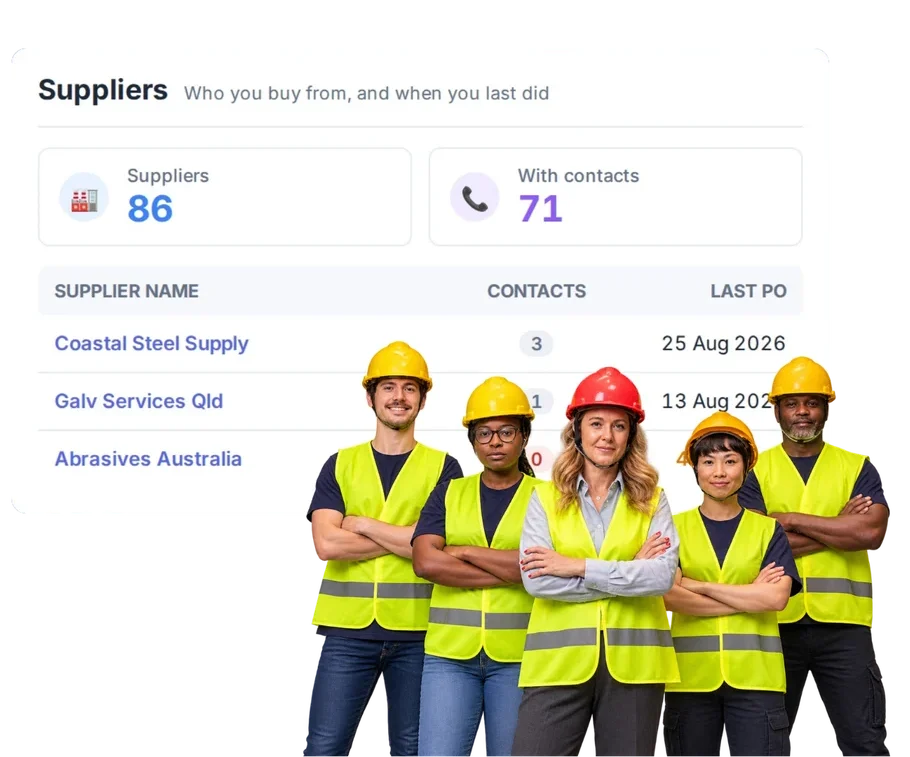
Overview
Keep the supplier details and purchasing history somewhere the team can actually use.
A supplier in WorkGuru is whoever you buy goods and services from. Usually that’s the company, with contacts being the people you deal with there — though a supplier can be a single person if that’s the arrangement.
Alongside the ordinary address and contact details, the supplier record carries the things that change how ordering works: their pricing tier, their currency, and their lead days. Lead days is the one people underuse. If you know a supplier takes nine days, that’s a fact that belongs on the supplier rather than in someone’s head, because it’s the difference between a promise you can keep and one you can’t.
The supplier page also carries your history with them. What you’ve ordered, when, and at what price. That’s the record you want when a price looks wrong, when you’re deciding whether to keep using someone, or when the person who always dealt with them is away.
Because purchase orders are raised against the supplier record, all of this flows into the ordering itself rather than sitting in a directory nobody opens.
What’s inside
What you get
01
Supplier records
Keep supplier information in one place.
02
Supplier contacts
Keep the people you actually deal with against the supplier.
03
Purchasing history
See what has been bought through the supplier relationship.
04
Purchase Order connection
Use suppliers directly in the ordering workflow.
05
RFQ connection
Send supplier quote requests to known suppliers when RFQ is available. Beta / Coming Soon.
The reality
Why you need it
The supplier contact is in one person’s phone.
Which works until that person is on site, on leave, or gone. Then a job waits while somebody finds a number that was never written down anywhere the business can reach. The relationship belongs to the business, not to the phone.
Nobody remembers who supplied the last one.
So you ring around again, or you go to whoever’s easiest, and you may well pay more than you did six months ago for exactly the same item. Purchase history turns that into a lookup rather than a recollection.
The same supplier is saved three different ways.
Once as the trading name, once as the legal entity, once with a typo. Now your purchase history is split three ways and none of the three tells you what you actually spend with them — which matters most when you’re negotiating
You need a price quickly.
Usually mid-quote, with a customer waiting. Being able to see what you last paid gives you a defensible number immediately, instead of either guessing high to be safe or holding the quote until someone calls you back.
A supplier changes contacts.
Update it once. The alternative is discovering it one bounced email at a time over the following months, generally at the point you needed something urgently.
How it works
How it works
01
Keep the supplier record
02
Use them on purchases
03
Build the history
04
Use it next time
Capabilities
What it does
Capability
Supplier records
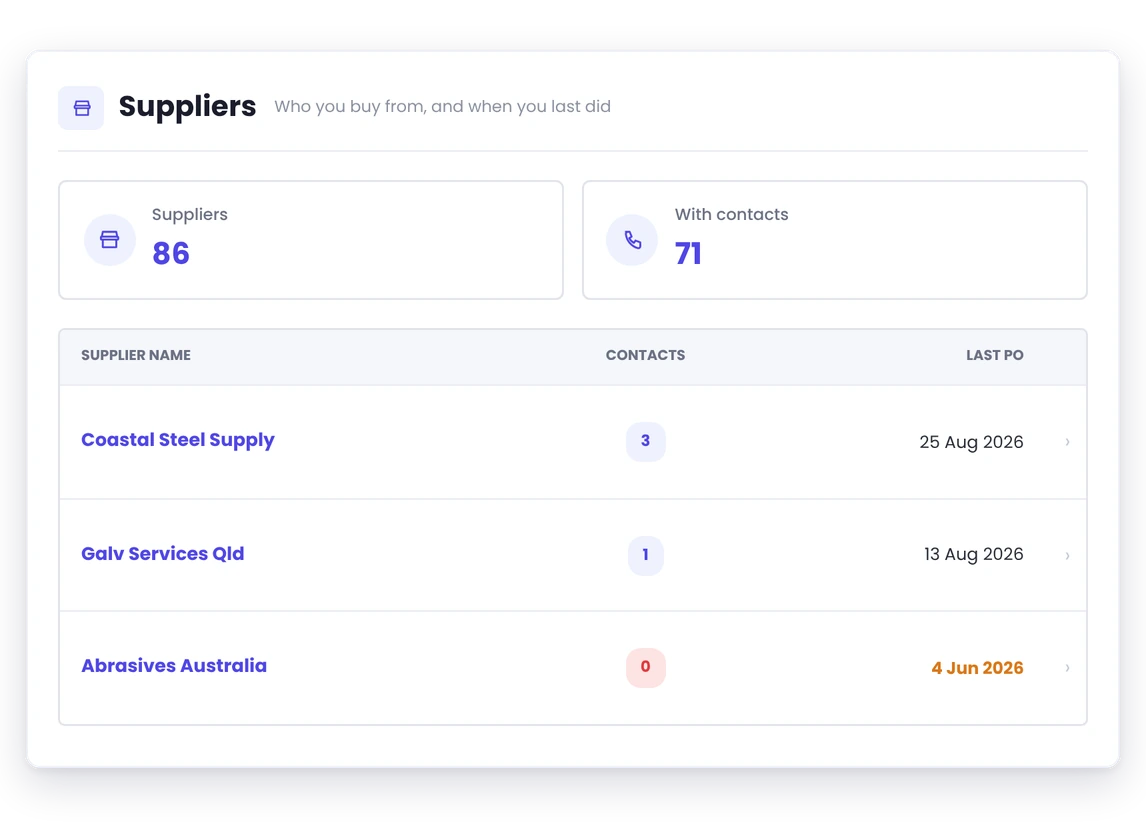
Who you buy from, held once. Alongside address and contact details, the record carries the things that change how ordering works: pricing tier, currency, and lead days. Lead days is the underused one — a supplier who takes nine days is a fact that belongs on the record rather than in the head of whoever usually orders from them.
Capability
Supplier contacts
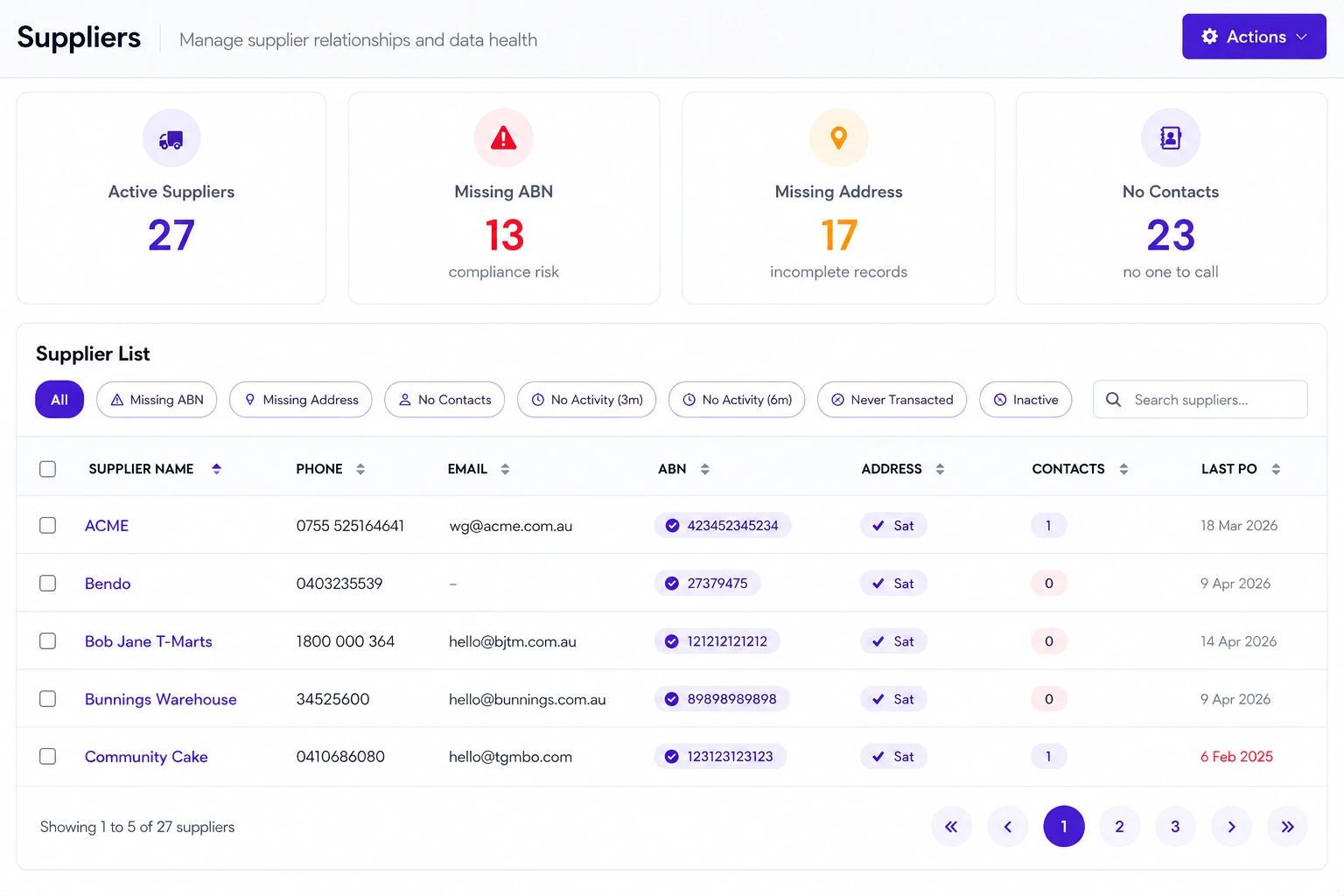
A supplier holds as many contacts as you deal with — the person who takes orders, the rep, the accounts contact. Each keeps their own details, so chasing a delivery and sending remittance go to different people without you maintaining two versions of the supplier.
Capability
Purchasing history
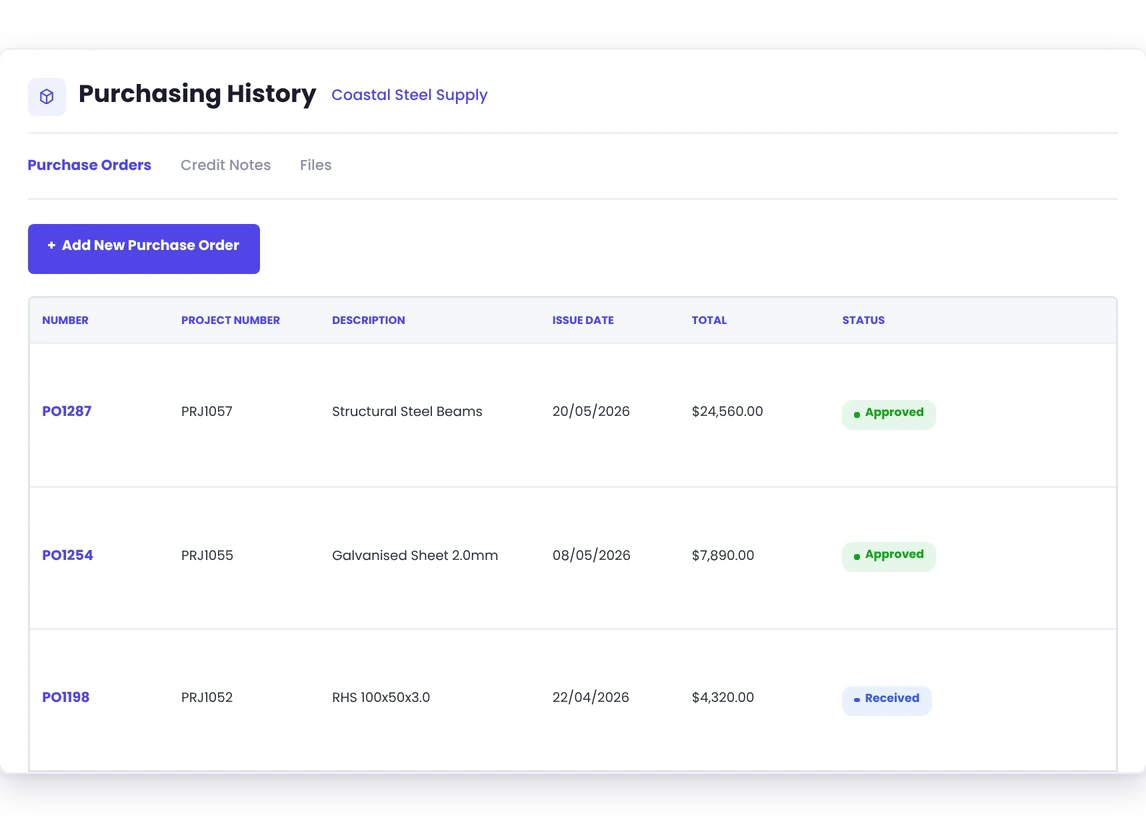
Every order placed against that supplier, with what you ordered and what you paid. It answers the question that comes up weekly and is nearly impossible to answer from accounting: what did we pay for this last time? It’s also what tells you, over a year, who actually delivers on time rather than who you assume does.
Purchase Order connection
Orders are raised against the supplier record, so they pick up the right currency and pricing tier instead of being retyped. The same product can be bought from more than one supplier, so you’re never locked to a single source for something you buy regularly.
RFQ connection
Requests go out to suppliers, so the supplier record is what they’re built from.
Day to day
What it looks like on a normal day
You need another batch of a part you bought six months ago.
Look back at the supplier relationship instead of asking around.
Your normal contact leaves.
Update the supplier record so the next person is not emailing a dead address.
A new project manager joins.
They do not need six months to learn who the business normally buys from.
What you get out of it
What changes
Keep supplier knowledge in the business
Do not leave it sitting in one person’s inbox or phone.
Make repeat buying easier
Start from what you already know.
Build better purchase history
Keep suppliers connected to the orders placed with them.
Help new people get up to speed
Give them somewhere sensible to look.
-
Discovered their contract work wasn’t profitable.
We didn’t wanna pay 100 grand upfront for a program – but then we found WorkGuru.
Nick Mazzella, Administrator, Frontline Trays & Trailers
Fit
Will it work the way we do things?
“We only use a few suppliers.”
Most workshops do — a handful of regulars and a long tail of occasional ones. A short supplier list is easy to maintain, which is an argument for keeping it properly rather than against. The value isn’t managing hundreds of relationships, it’s that the ordering history, the pricing tier and the lead days sit somewhere other than one person’s memory.
“We already have supplier contacts in accounting.”
Accounting knows who you paid. It doesn’t know they take nine days to deliver, that their last three orders arrived short, or what you paid for the same section in March. The supplier record is for the operational side of the relationship — the part you need before the bill exists.
“Our suppliers change depending on the job.”
That’s normal, and nothing here locks you to one source. The same product can be bought from more than one supplier, so you can order from whoever suits the job while still keeping the history against each of them. Over time that history is what tells you who’s actually reliable rather than who you assume is.
By trade
Where this gets used
Works with
Connected features
Purchase Orders
Use the supplier on day-to-day orders.
Purchasing Against Projects
Keep supplier spend tied to jobs.
RFQs / Supplier Quotes
Request pricing from suppliers. Beta / Coming Soon.
Supplier Quote Comparison
Compare responses. Beta / Coming Soon.
FAQs
Supplier Management questions
Can we keep contacts against suppliers?
Yes. A supplier can hold multiple contacts — the person who takes orders, the rep, the accounts contact — each with their own details. It works the same way as clients and contacts, so the person chasing a delivery isn’t necessarily the person you send remittance to.
Can supplier records be used on purchase orders?
Yes, that’s the normal flow. Purchase orders are raised against a supplier, so the order picks up their details, currency and pricing tier rather than being retyped each time. The order then becomes part of that supplier’s history.
Can we see purchasing history?
Yes. The supplier record shows your history with them — what’s been ordered and when. That’s the fastest way to check a price you’ve been quoted against what you actually paid last time, which is usually the moment the history earns its keep.
Will RFQs use supplier records?
Yes — requests go to suppliers, so the supplier record is what they’re built from.
Keep supplier knowledge in the business.
See how supplier management fits into purchasing and job costing in WorkGuru.