
Home / Features / Project Management / Variations & Changes
Projects & Jobs
When the job changes, keep up with it.
Keep the extra work, hours and costs with the job instead of working them out at the end.
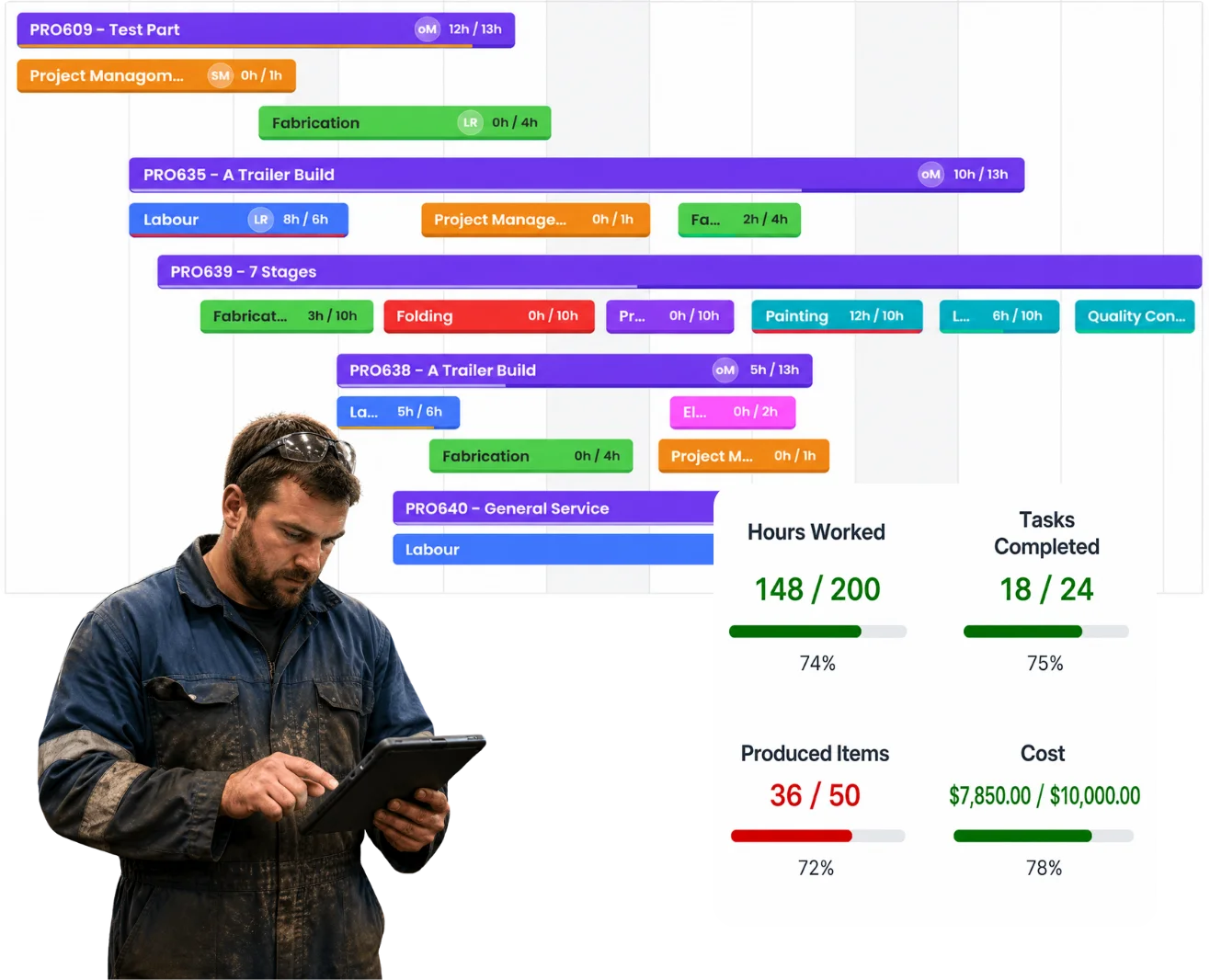
Overview
The quote is where the job started.
Then the customer changes something.
You find something you couldn’t see before.
The drawing gets revised.
The material changes.
Or the job simply needs more work than anyone expected.
That’s normal.
The important bit is keeping track of what changed and what came with it.
What’s inside
What you get
01
Changes against the project
Keep the extra work with the job it belongs to.
02
Additional tasks
Add the work that wasn’t in the original setup.
03
Additional hours
Keep the extra labour visible as the job changes.
04
Additional purchases and costs
Keep what the change actually cost with the project.
05
Documents and conversations
Keep the information around why something changed.
06
Job costing
See what the real job is doing against what you originally expected.
The reality
It’s usually the extras that disappear.
“While you’re here, can you just…”
Sometimes “just” turns into half a day.
The drawing changes.
The work changes with it. So do the hours and materials.
You find something once you’ve started.
You couldn’t have quoted it because nobody knew it was there.
The team does the extra work.
But nobody tells the office what changed.
The customer approved it on the phone.
Three weeks later, everyone remembers the conversation slightly differently.
You get to invoicing and start rebuilding the job from memory.
That’s when the little things get missed.
How it works
Keep the change with the job.
01
Something changes
02
Record what changed
03
Add what comes with it
04
Keep the job current
05
Invoice what you actually did
Capabilities
What it does
Capability
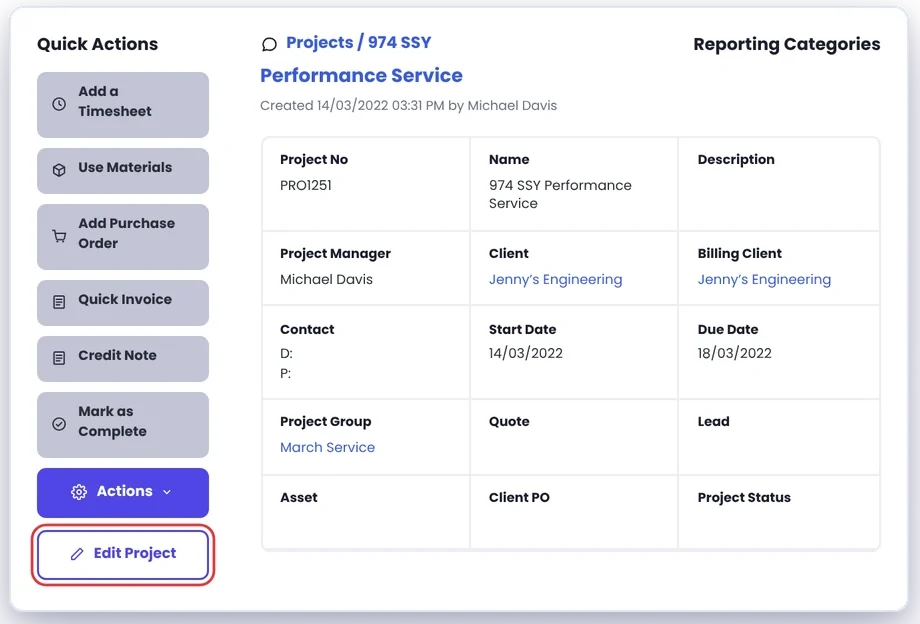
Changes against the project
Keep the extra work with the job it belongs to.
Capability
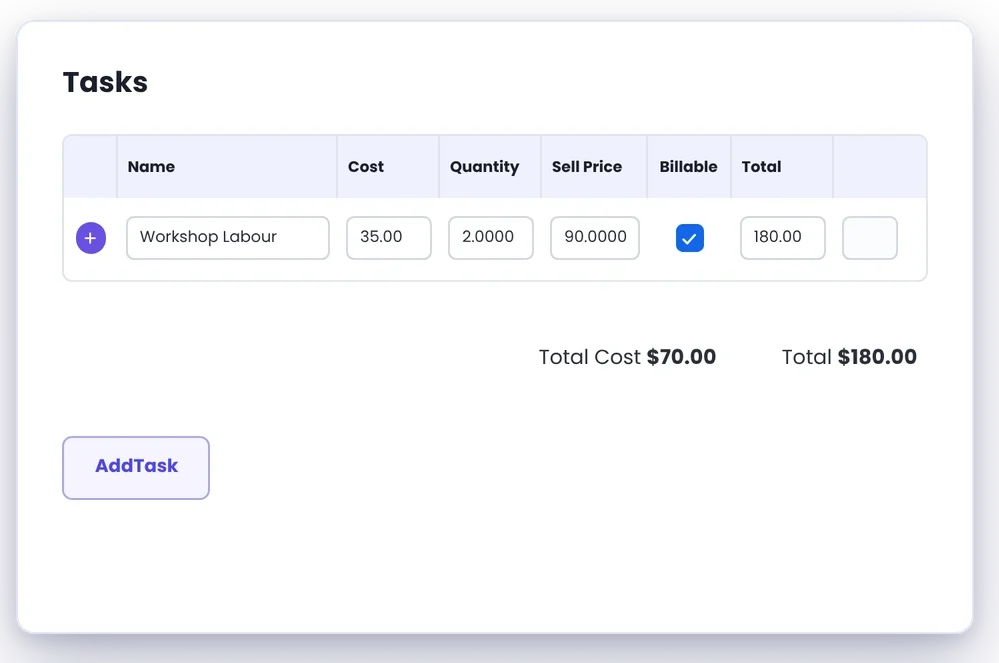
Additional tasks
Add the work that wasn’t in the original setup.
Capability
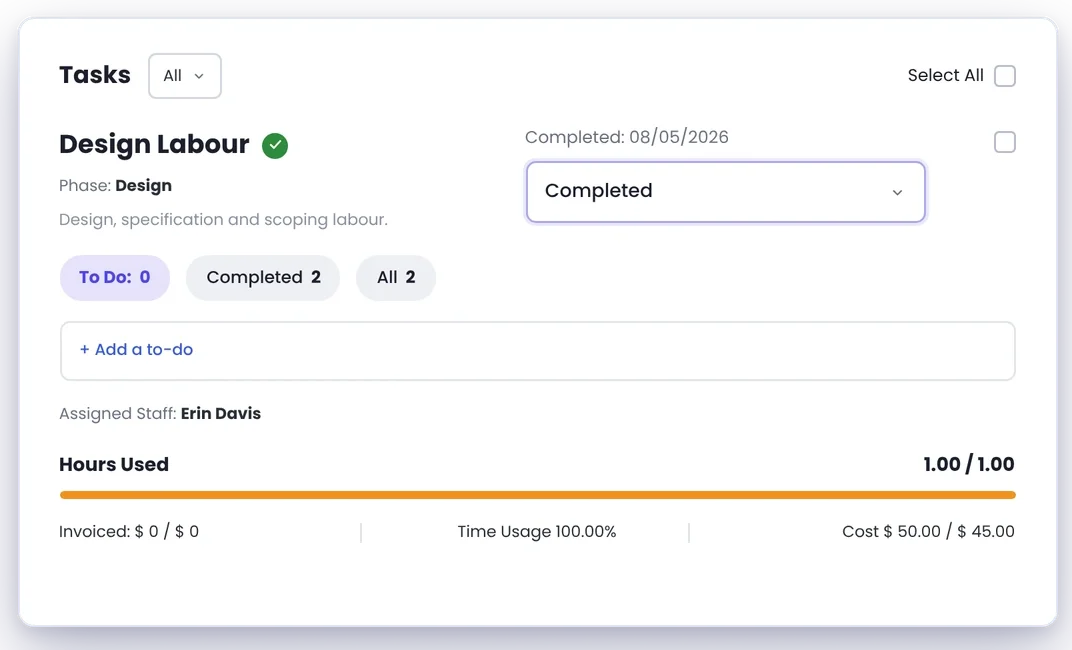
Additional hours
Keep the extra labour visible as the job changes.
Additional purchases and costs
Keep what the change actually cost with the project.
Documents and conversations
Keep the information around why something changed.
Job costing
See what the real job is doing against what you originally expected.
Day to day
What does that actually look like?
The customer changes the design.
It’s another eight hours and more material. Keep that change with the job instead of quietly absorbing it into the original work.
You pull the machine apart and find another problem.
Nobody could see it when the estimate was done. Add the extra work and the parts it needs to the repair.
Site conditions aren’t what the drawings showed.
The install needs to change. Keep what happened, what you did about it and the extra work with the project.
It’s time to invoice.
Instead of asking “Wasn’t there some extra work on this?”, you’ve already got the changes with the job.
What you get out of it
What changes
Stop extras disappearing
Keep the additional work visible.
Know what the job has become
Manage the work you’re actually doing, not just what was originally quoted.
See what changes are costing
Extra hours and materials aren’t free just because they weren’t in the first quote.
Give invoicing something to work from
Keep the changes there while they’re fresh.
Keep a better job history
Look back and see what actually happened.
-
Discovered their contract work wasn’t profitable.
We didn’t wanna pay 100 grand upfront for a program – but then we found WorkGuru.
Nick Mazzella, Administrator, Frontline Trays & Trailers
Fit
Will it work the way we do things?
“Our jobs change constantly.”
That’s exactly the point.
“We can’t know everything before we start.”
Nobody expects you to. Start with what you know. Keep track of what you find.
“Sometimes it’s only a small change.”
Small changes still take time and material. A few of them across a job can become a decent cost blowout.
“We don’t charge for every little extra.”
That’s your call. But it’s still useful to know what the extra work cost you.
“The customer usually approves things verbally.”
That happens. Keeping the conversation and the work around the project gives you a much better record than relying on everyone’s memory later.
“We do fixed-price work.”
Then knowing what the changes are costing you matters even more.
By trade
Where this gets used
Works with
Connected features
Project Management
Keep changes with the rest of the job.
Project Chat
Keep the conversation around why something changed.
Documents
Keep revised drawings and supporting information with the project.
Timesheets
Capture the additional hours actually worked.
Purchasing
Keep additional materials and purchases against the job.
Job Costing
See what the change did to the real cost.
Invoicing
Get the additional work through to the final bill.
FAQs
Variations & Changes questions
Can we add work after a project has started?
Yes. Jobs change, and additional work can be added as you go.
Can we track the extra hours that come with a change?
Yes. The real labour going onto the project becomes part of what the job is costing.
Can we keep additional materials against the project?
Yes. Purchases and other job costs can stay with the work they’re for.
Do we have to charge the customer for every change?
No. That’s a commercial decision. Keeping track of it means you know what it cost you either way.
Is this only useful for formal contract variations?
No. Plenty of job changes aren’t formal contract variations. The important part is keeping track of what changed.
Keep the extras from getting lost.
We’ll show you how WorkGuru handles jobs that don’t go exactly as originally planned.