
Home / Features / Inventory & Stock Control / Stock Locations
Inventory & Stock Control
Know where the stock is sitting.
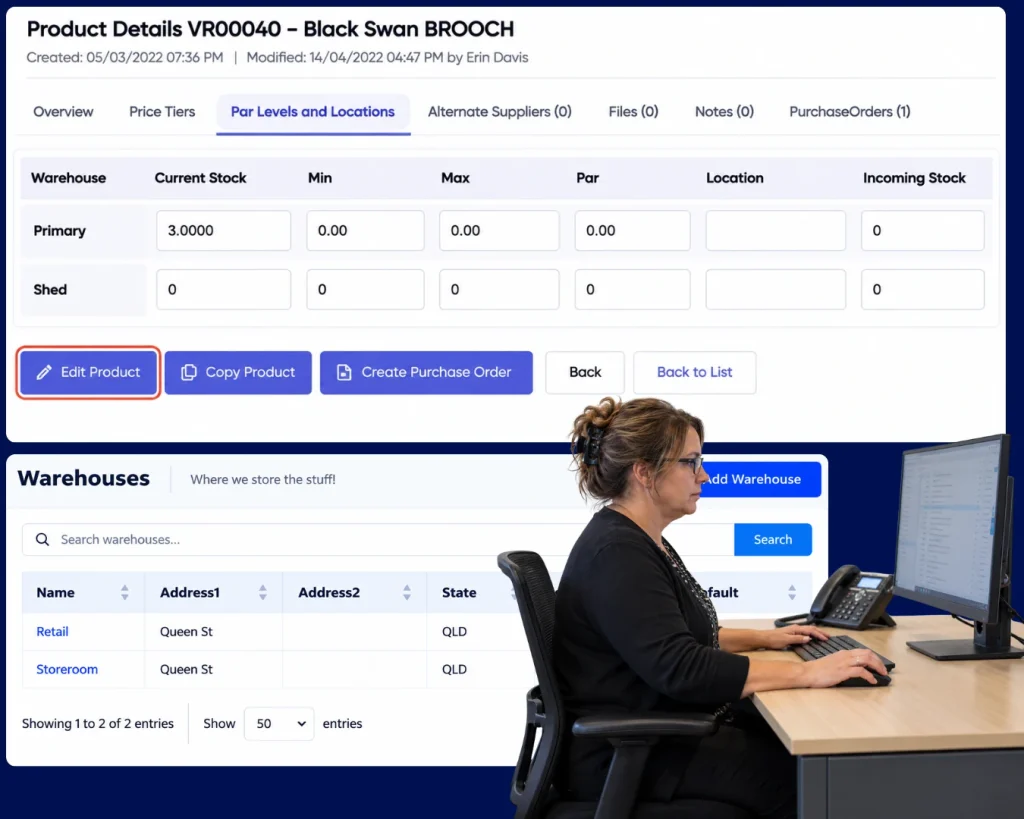
Track quantities by location so “we have five” also tells you where those five actually are.
Overview
A total quantity can still send someone on a treasure hunt.
You have the part. Great. Is it in stores? Bay 2? The service ute? The other branch?
Stock Locations adds the missing piece so the quantity is tied to the places the business actually uses.
What’s inside
What you get
01
Multiple locations
Hold the same product in more than one place.
02
Location quantities
See how much is held in each location.
03
Transfers
Move stock from one place to another.
04
Receipts by location
Bring incoming stock into the right place.
05
Usage by location
Reduce the quantity from where the stock actually came from.
06
Stocktake support
Count the physical stock around the way it is stored.
How it works
How it works
01
Set up the locations
02
Receive into the right place
03
See quantity by location
04
Move stock when it moves
05
Use stock from the right location
06
Count by location
Capabilities
What it does
Capability
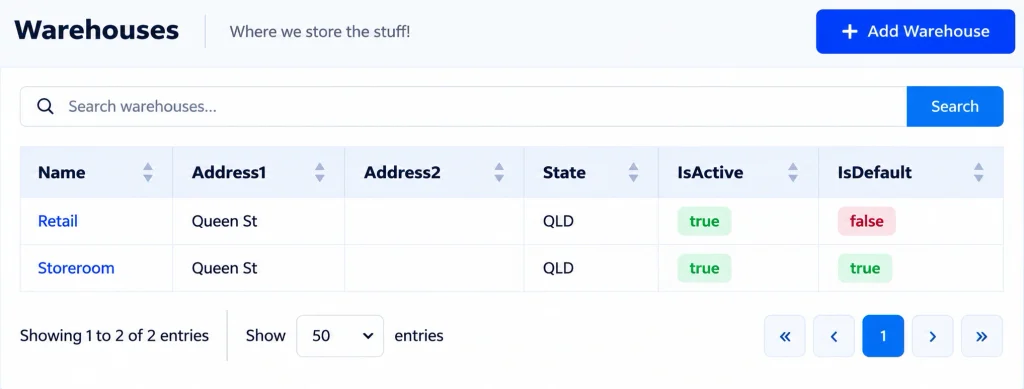
Multiple locations
Hold the same product in more than one place.
Capability
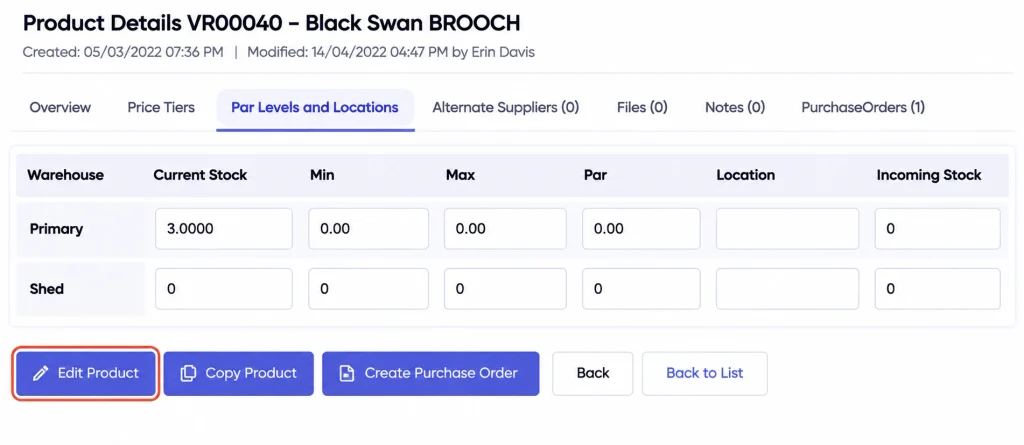
Location quantities
See how much is held in each location.
Capability
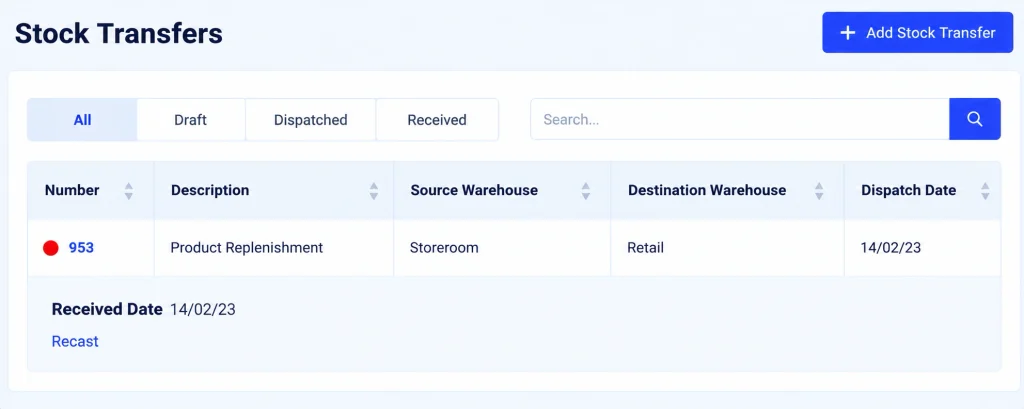
Transfers
Move stock from one place to another.
Receipts by location
Bring incoming stock into the right place.
Usage by location
Reduce the quantity from where the stock actually came from.
Stocktake support
Count the physical stock around the way it is stored.
What you get out of it
What changes
Find stock faster
Know where the available quantity is sitting.
Reduce unnecessary buying
Use stock already held elsewhere before ordering more.
Keep vehicle or branch stock visible
Bring distributed inventory back into one picture.
Make transfers clearer
Keep the system aligned when stock physically moves.
-
Discovered their contract work wasn’t profitable.
We didn’t wanna pay 100 grand upfront for a program – but then we found WorkGuru.
Nick Mazzella, Administrator, Frontline Trays & Trailers
Fit
Will it work the way we do things?
“We only have one storeroom.”
Then one location may be enough. Add more only if the business actually needs them.
“Our stock moves around constantly.”
That is when location information is useful, provided the transfer process stays simple.
“The guys keep parts in their utes.”
Treat the vehicle as a location if knowing that stock matters to the business.
“We do not want hundreds of bin locations.”
Do not create them. Use the level of location detail that people can realistically maintain.
By trade
Where this gets used
Works with
Connected features
Stock Control
Keep location quantities inside the overall stock picture.
Stock Purchasing
Receive replenishment into the right location.
Stock on Projects
Use stock from the location that supplied the job.
Stocktakes
Count inventory around the real physical layout.
Serial / Batch Tracking
Know where traceable items or lots are held.
FAQs
Stock Locations questions
What is a stock location in inventory software?
It is the physical place where a quantity is held, such as stores, a branch, a vehicle, a bin or a workshop area.
Can the same product exist in multiple locations?
Yes. You can keep separate quantities for the same product across the places you actually hold it.
Can stock be transferred between locations?
Yes. Record the movement so the system stays aligned with where the physical stock moved.
Can vehicles be treated as stock locations?
Yes. That can be useful when service crews carry meaningful parts inventory in vehicles.
Do we need detailed bin-level locations?
Only if that detail helps. Use the level of location control your team can realistically maintain.
Do stocktakes work with multiple locations?
Yes. Location-based counting can make the physical stocktake easier to organise and reconcile.
Know whether it is in stores or in the ute.
Show us where you actually keep stock and we will show you how to match the locations to the way the business works.