
Job Costing & Finance
Keep the payment with the invoice.
Give the team a clearer trail from invoiced work to customer payment without turning the job system into a bank or accounting ledger.
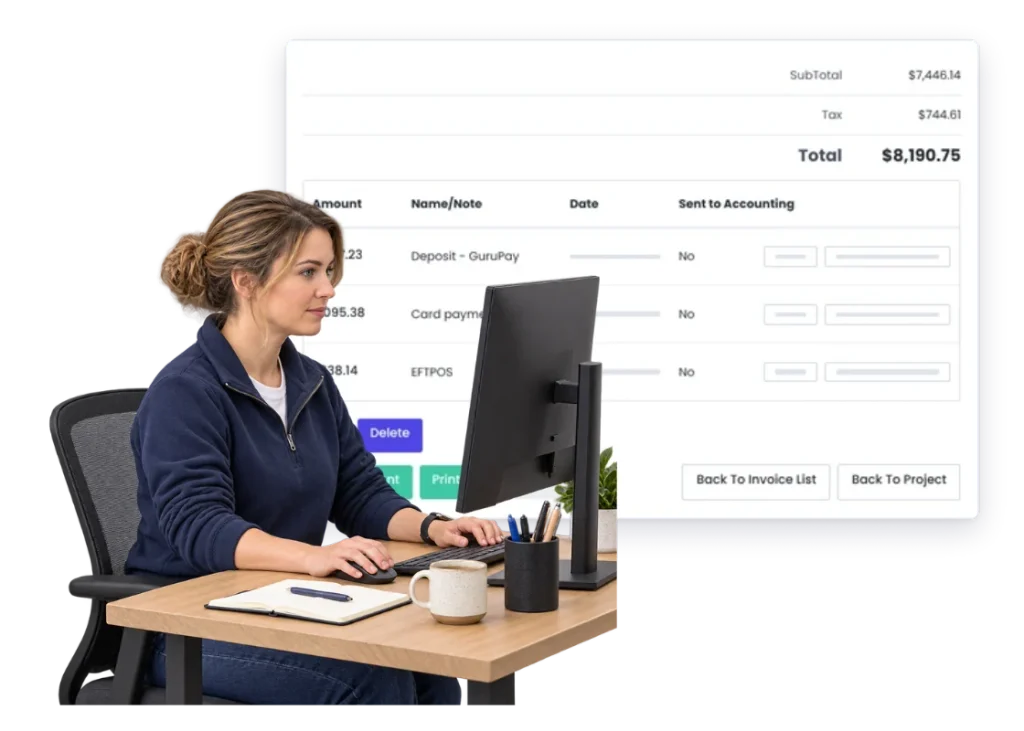
Overview
Sending the invoice is not the same as getting paid.
The work is done. The invoice is out. Then there is another question: has the customer actually paid it?
Payments are part of the commercial handover around the job, even when your accounting system remains the formal financial record.
WorkGuru’s payment features should make that handoff simpler. Exact payment-state behaviour needs product review before publishing.
What’s inside
What you get
01
Invoice connection
Keep payment activity tied to the customer invoice.
02
Customer payment path
Give customers a clear way to complete payment where enabled.
03
Payment visibility
Keep the commercial status easier to see. Product review required.
04
Client connection
Keep the payment around the customer relationship.
05
GuruPay
Use WorkGuru’s payment option where available.
06
Accounting connection
Keep the formal financial record in the accounting system where configured.
The reality
Why you need it
The invoice went out and nobody owns the next step.
The payment follow-up starts only when someone notices the account is still open.
Project and accounts teams see different pictures.
One knows the work; the other knows the receivable.
Customers need another payment conversation.
A simpler payment path can remove unnecessary back-and-forth.
Payment status lives only in finance.
Operational teams may not know whether the commercial step is complete.
Direct sales and project invoices use different habits.
The business still needs a consistent idea of what has been paid.
The customer asks for the invoice again.
Another small task gets added between finished work and cash.
How it works
How it works
01
Finish the work
02
Raise the invoice
03
Send the customer the bill
04
Offer the payment path
05
Record the result
06
Follow up if needed
07
Keep finance in sync
08
Close the commercial loop
Capabilities
What it does
Capability
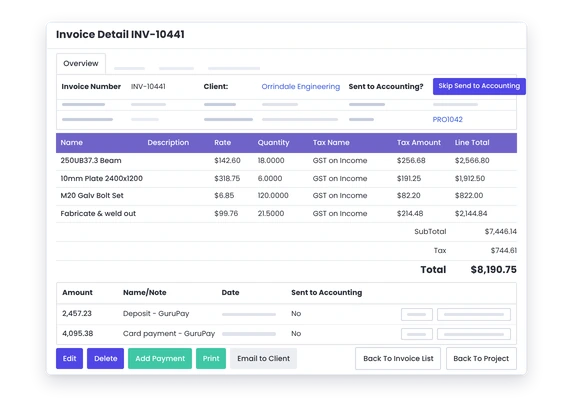
Invoice connection
Keep payment activity tied to the customer invoice.
Capability
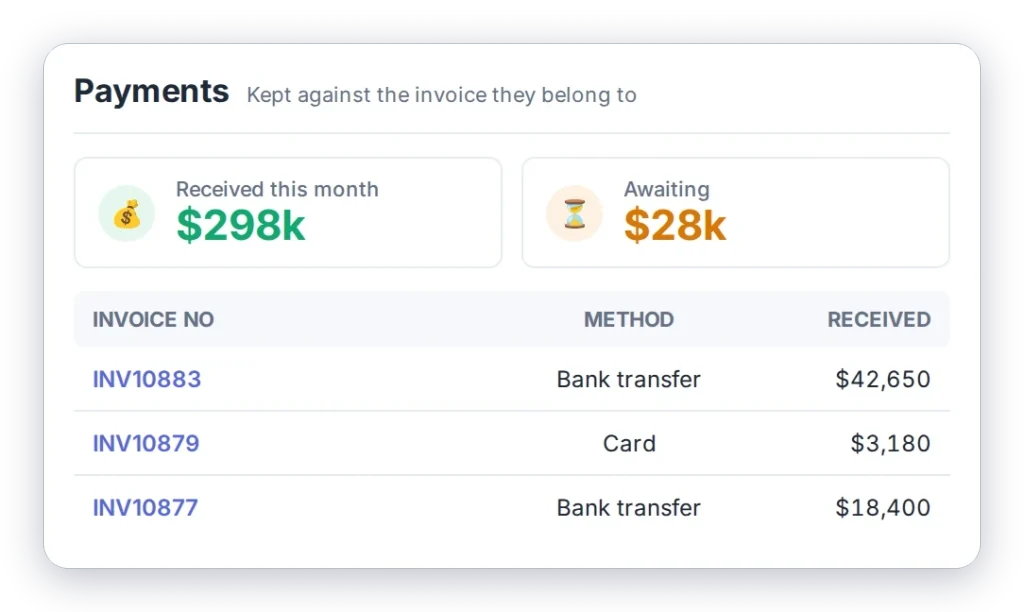
Customer payment path
Give customers a clear way to complete payment where enabled.
Client connection
Keep the payment around the customer relationship.
GuruPay
Use WorkGuru’s payment option where available.
Accounting connection
Keep the formal financial record in the accounting system where configured.
Day to day
What does that actually look like?
A customer wants to pay as soon as the invoice arrives.
Give them the enabled payment option without another manual exchange.
The project manager asks whether the job has been paid.
Keep the payment state easier to trace from the commercial job trail.
A counter sale needs payment.
Use the payment workflow that fits the direct transaction.
An invoice is still open after the normal payment period.
Make the outstanding commercial step easier for the right person to see.
Finance needs the books to stay authoritative.
Keep using the accounting system as the formal record.
What you get out of it
What changes
Reduce payment friction
Make it easier for customers to complete the next step.
Keep the commercial trail together
Do not lose the payment conversation after invoicing.
Make follow-up clearer
Know which invoices still need attention.
Connect projects and cash
Give operations a clearer view of whether the commercial loop is complete.
Keep accounting boundaries clean
Use WorkGuru around the job while finance stays authoritative.
-
Discovered their contract work wasn’t profitable.
We didn’t wanna pay 100 grand upfront for a program – but then we found WorkGuru.
Nick Mazzella, Administrator, Frontline Trays & Trailers
Fit
Will it work the way we do things?
“We already take payments through our bank or accounting system.”
That may still be the right process. WorkGuru should only add value where it makes the customer and invoice handoff simpler.
“Most of our customers pay on account.”
That is fine. Payments still need a clear trail even when settlement happens later.
“We do not want operations changing financial records.”
Agreed. The formal financial record should stay with the finance system and its controls.
“Some customers pay by EFT.”
Keep the payment method that suits the customer. The page should not pretend every customer needs the same payment path.
“Payment fees matter to us.”
They do. Any GuruPay pricing or fee claim needs current product and commercial review before publishing.
By trade
Where this gets used
Works with
Connected features
Invoicing
Start from the customer invoice.
GuruPay
Use the WorkGuru payment option where enabled.
Client Management
Keep commercial activity around the customer.
Counter Sales
Handle direct product transactions where payment applies.
Automations
Use reminders around outstanding steps where configured.
Accounting Integrations
Keep payment and finance data connected to the system of record where supported.
FAQs
Payments questions
Does WorkGuru process customer payments directly?
WorkGuru has payment functionality including GuruPay, but the exact supported payment flow should be confirmed before this page is published.
Do we have to stop using our accounting payment process?
No. Keep the finance process that works for your business; WorkGuru should fit around the operational invoice trail.
Can payments stay connected to customer invoices?
That is the intended commercial workflow. Confirm the exact payment status and reconciliation behaviour before publishing.
Can payments be used for direct stock or counter sales?
Payments may also be relevant to direct sales workflows. Confirm the exact supported transaction types before publishing.
Does WorkGuru become the financial system of record?
No. WorkGuru is focused on operational execution and should work alongside the accounting or ERP system used for finance.
Are payment fees or settlement times the same in every country?
Do not assume that. Fees, settlement and availability need current GuruPay product and market confirmation.
Show us what happens after you send the invoice.
We will map the customer payment step around your current finance process and show where WorkGuru can remove unnecessary chasing.