
Operational outcome
Scheduling that survives a change of plan
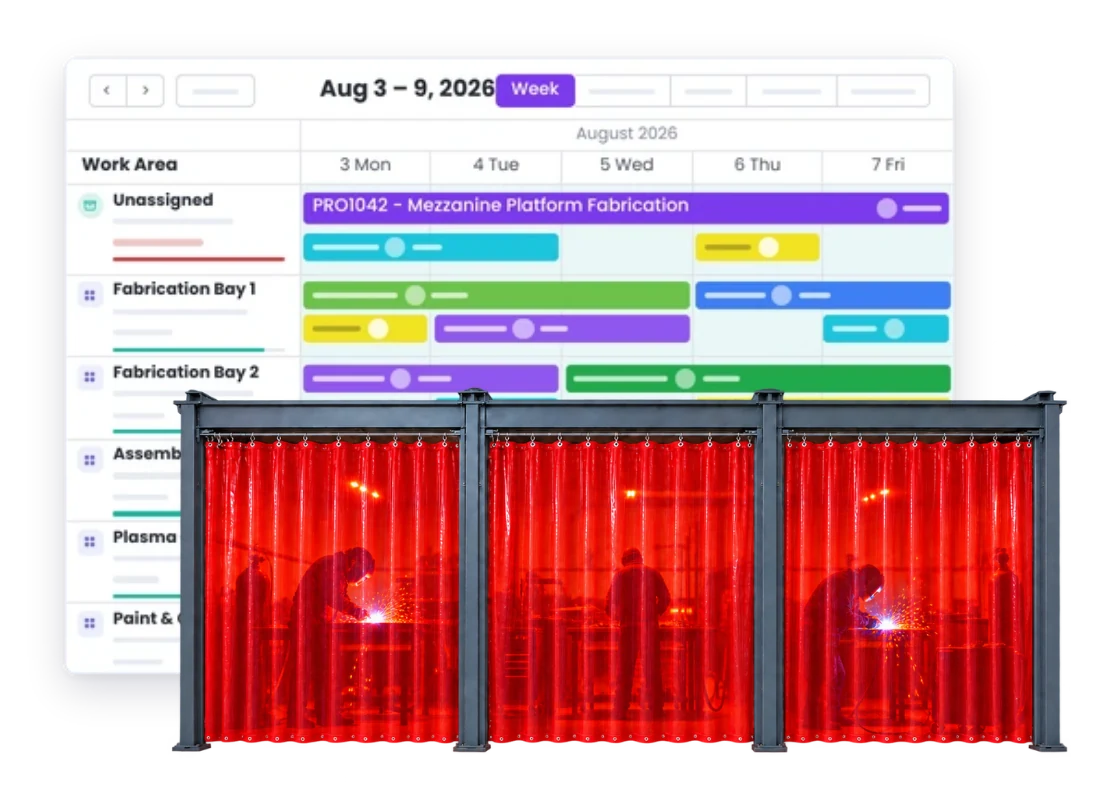
Plan the jobs, people and workshop work you actually have, then change the schedule when the week changes.
Without it
The plan changes. You still need a plan.
Rush jobs land, parts run late, people call in sick and customer dates move. The problem is not change; it is losing the rest of the week when it happens.
Three jobs need the same person.
You do not want to find out when all three are sitting there ready to start.
A rush job lands in the middle of the week.
Something else now has to move, and you need to know what you just pushed back.
The job is booked in but not ready.
Material, approval or another piece of work is still missing, so the time cannot be used as planned.
One area is buried while another has room.
The overall schedule can look fine while the real workshop flow is badly out of balance.
The plan changes but not everyone hears.
Half the team is already working from yesterday’s version of the week.
The whiteboard only works in front of the whiteboard.
People away from the office or workshop cannot use a plan they cannot see.
What good looks like
You have a useful plan, can see the obvious clashes, and can move work when priorities or availability change.
With it
Make a plan you can actually change.
Useful scheduling is not about pretending the week will run perfectly. It is about seeing the work, people and workshop areas together well enough to spot clashes and make a better call when the plan moves.
What are we doing next?
See the jobs and tasks coming up across the week.
Who do we need on this job?
Plan work around the people actually available.
Where is the clash?
See when work is competing for the same person or area.
What can move if this job is late?
Change the plan without rebuilding the whole week.
What did the rush job push out?
See the work displaced when something urgent jumps the queue.
How you get there
Build the week around the work you have.
Nothing here is a separate exercise. It is the same job record, kept current as the work moves.
01
Add the jobs
02
Break out the tasks
03
Set the dates
04
Put people on work
05
Use work areas
06
Spot the clashes
07
Move what changes
08
Share the current plan
The parts doing the work
What delivers it
These are the features this leans on. Each has its own page if you want the detail.
Scheduling
See what needs doing, when it needs doing, and where the team needs to be.
Workshop Scheduling
See what needs doing, when it needs doing, and where the team needs to be.
Resource Scheduling
See what needs doing, when it needs doing, and where the team needs to be.
Also involved
Proof
What it looks like in a real workshop
-
We didn’t wanna pay 100 grand upfront for a program – but then we found WorkGuru.
Nick Mazzella, Administrator, Frontline Trays & Trailers
Fit
Is our workshop too unpredictable to schedule?
You do not need a perfect production plan. You need a useful picture of the work that can change when people, parts, priorities or customer dates change.
“Something always changes anyway.”
Exactly. The value is being able to see what needs to move when the first plan stops being true.
“We have too many urgent jobs.”
Then seeing what the urgent work displaced is even more useful than pretending the week never changes.
“We do not know exactly how long work takes.”
You do not need perfect timing to spot the obvious clashes and make a more realistic plan.
“The workshop manager already runs the board.”
Keep their judgement. Give them a plan that is easier to share, change and connect back to the jobs.
Who feels this most
The trades that ask for this first
These are the industries where this comes up in almost every conversation. Pick the one closest to yours.
Next door
Usually asked for together
These lean on the same parts of WorkGuru, so businesses chasing one normally want the other.
Workshop Visibility
Know what is on the floor, what is waiting, and what is holding things up.
Job Visibility
See where every job is up to without walking the floor or chasing someone for an update.
Labour Cost Tracking
See the hours that went on each job, and what those hours cost you.
FAQs
Workshop Scheduling questions
Can workshop scheduling handle jobs that change often?
Yes. A useful schedule should be easy to change when priorities, dates, parts or people move during the week.
Can I schedule tasks as well as complete jobs?
Yes. Task-level scheduling helps when larger jobs need different work planned at different times or areas.
Can I plan work around individual people?
Yes. Resource scheduling helps show which people are needed and where the same person is expected on competing work.
Can scheduling work across different workshop areas?
Yes. Work Areas help organise the plan around the actual parts of the shop where jobs and tasks need to happen.
What happens when a rush job needs to jump the queue?
Move the urgent work into the plan and see what other jobs or tasks need to shift to make room for it.
Is workshop scheduling only useful for manufacturers?
No. It also suits repair, service and other workshop businesses that need to plan changing jobs, people and priorities.
See it on one of your own jobs.
Bring us a real week of work and we will show you how it can be planned, moved and kept visible as things change.