
Home / Industries / Engineering & Engineering Workshops
For engineering workshops
Job Management Software for Engineering Workshops
Keep one-off engineering jobs, repairs and project work tied back to the hours, materials and purchases that went into them.
- Local support, based in Brisbane
- Built for engineering workshops
- No lock-in contract
The reality
Engineering workshops rarely get a week full of identical jobs.
No two jobs are exactly the same, but a few problems come up again and again.
A quick job is not always quick.
One problem leads to another once you start machining, welding or pulling it apart.
Different people touch the same job.
Machining, fitting, welding and assembly hours all need to end up together.
Material and bought-in parts matter.
A small piece of expensive stock can change the job quickly.
Urgent jobs jump the queue.
A customer needs something today and the planned work moves.
The quote is based on what you know at the time.
The actual job can be a different story.
You need to learn from the last one.
Otherwise the next quote starts from another educated guess.
How it runs
Keep the job together from start to finish.
Same job record from the first quote through to the invoice. Nothing gets re-entered and nothing gets left in someone’s head.
01
Quote it
02
Set up the job
03
Plan the work
04
Get material and parts
05
Machine, fabricate or repair
06
Record hours and changes
07
Check the job cost
08
Invoice it
Proof
What it looks like in a real workshop
We are adding stories from engineering workshops. In the meantime, see how workshops like yours run WorkGuru.
Why engineering workshops choose WorkGuru
Know what is going on with the job.
Engineering shops have a mix of one-offs, repairs and project jobs. WorkGuru keeps the hours, materials, purchases and changes with each job so you can see what they really take.
How many hours are in it?
See time from everyone who touched the job.
What material did we use?
Keep material and bought-in items with the job.
What is waiting?
See whether the job is held up by parts, another process or another priority.
Did the job change?
Keep the extra work with it.
What should we quote next time?
Use the real result from the last job.
The tools you will actually use
Key features engineering workshops use
Every one of these has its own page. Follow the link if you want the detail on how it works.
Quoting / Estimating
Put down what you expect the job to need before you start.
Jobs
Keep the important information about the job together.
Scheduling
See what is coming up, what is underway and what is waiting.
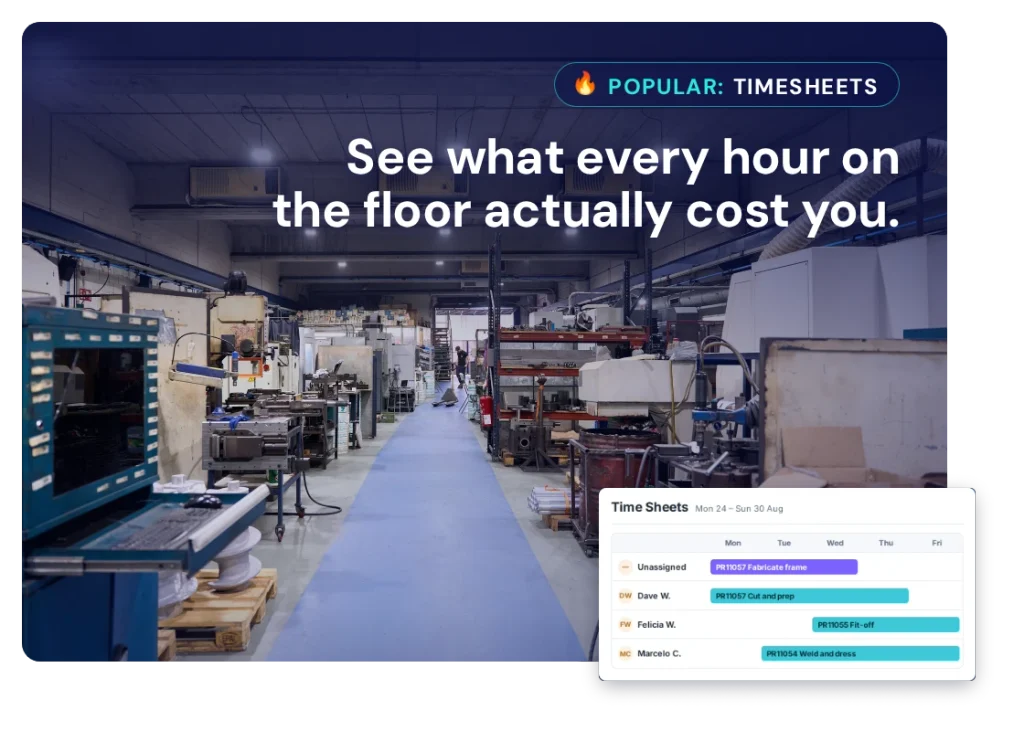
Timesheets
Get the team’s hours onto the jobs they actually worked on.
Purchasing
Keep what you buy against the job it was for.
Job Costing
See what you allowed for and what the job is actually costing.
Automations
Handle the reminders, approvals and handovers that are easy to forget when things get busy.
Reporting
Look back at jobs and see what actually happened.
Fit
Will it work for the way we do jobs?
Fair question. Every business does things a little differently. These are the questions that usually matter most.
“We do a bit of everything.”
That is normal for engineering workshops. Each job can carry the detail it needs.
“Some jobs are tiny.”
Keep them simple.
“We also do repairs.”
Repairs and build jobs can both be handled as jobs with their own hours and costs.
“We already have accounting software.”
Keep it. WorkGuru handles the shop and job side.
Where it pays off
What engineering workshops use WorkGuru to fix
Each of these is a job to be done rather than a feature. The chips show the parts of WorkGuru doing the work.
Job Visibility
See where every job is up to without walking the floor or chasing someone for an update.
Powered by:
Labour Cost Tracking
See the hours that went on each job, and what those hours cost you.
Powered by:
Workshop Scheduling
Put work in front of the right people in the right order, and move it when things change.
Powered by:
Project Purchasing
Keep supplier orders and bought-in parts against the job they belong to.
Powered by:
Inventory Control
Know what stock you are holding, what is committed to a job, and what needs ordering.
Powered by:
Integrations
Keep using the systems you already have.
You do not need to replace your accounting or ERP system just to get the jobs under control. WorkGuru handles the job side – quoting, scheduling, timesheets, purchasing and job costs – and connects with the other systems you use.
FAQs
Questions engineering workshops ask
We do a bit of everything. Is that a problem?
No, that is the normal shape of a general engineering workshop and it is a bad fit for systems that assume repeat production. WorkGuru organises around the job rather than the product, so a breakdown repair, a one-off machining job and a three-month fabrication project can all sit in the same system carrying different amounts of detail. The quick job has a customer, some hours and a couple of parts. The project has tasks, purchase orders, documents and a schedule. Neither has to pretend to be the other, and both report into the same view of what the shop is carrying.
Can we handle repair work and new build work in the same system?
Yes, and they behave differently in ways worth planning for. New build work is usually scoped up front and costed against an estimate. Repair work is frequently quoted blind, because you do not know what is wrong until it is apart. The practical approach is to open the repair job with what you know, record the strip-and-inspect hours against it, and update the scope once you can see the damage. The hours spent investigating are real cost and belong on the job, which is precisely the cost most workshops never capture.
We cannot quote properly until we pull it apart. How does that work?
Open the job anyway. Quote the inspection, record the hours against it, and extend the job once the scope is known. The alternative most workshops fall into is doing the strip-down unpriced, discovering four days of work, and then trying to have a commercial conversation from a standing start with no record of the time already spent. Having the inspection hours on the job changes that conversation, because you are showing the customer a record rather than making a claim.
Can we see which kinds of work actually make us money?
Yes, and for a general workshop this is often the most useful thing the system does. Because every job carries its labour, materials and purchases, you can compare outcomes across types of work — repairs against fabrication, one customer against another, small jobs against large. The pattern that surfaces most often is that the small urgent jobs everyone assumes are profitable are carrying setup and admin time nobody was counting, while the long dull jobs are quietly paying the bills.
Can the guys record time without it becoming a paperwork exercise?
That is the intent. A tradesperson needs to see the job, record what they spent on it and get back to work. Timesheets are recorded against the job or task rather than through a separate administrative process. Be realistic about adoption, though: time recording only produces useful numbers if it happens close to when the work happened. A workshop where everyone reconstructs their week on Friday afternoon will get Friday-afternoon-quality data, and no software fixes that.
Can we keep drawings and job paperwork with the job?
Yes. Documents attach to the project, so drawings, sketches, ITPs, photos and supplier paperwork sit with the work they belong to rather than in a shared drive that only one person understands. The practical test is whether someone who was not involved can pick up the job on Monday and find what they need. That is usually worth more than the storage itself.
Can we manage stocked consumables and job-specific purchases together?
Yes, and they are genuinely different things. Consumables you hold — welding wire, gas, discs, common fasteners — sit in inventory and get issued to jobs. Material bought for one specific job goes on a purchase order raised against that project. Keeping them separate matters because it stops your stock value drifting and stops job costs being understated by the consumables nobody attributes.
What if a job changes after we have started?
Record it on the same job. Additional hours, extra material and further purchases go onto the existing project, with the original allowance still visible behind them. In a general workshop the change is rarely a formal variation — it is the customer ringing to add something while the machine is already apart. Capturing it as it happens is the difference between invoicing what you did and invoicing what you remembered.
We already have accounting software. Where is the line?
Your accounting system owns the ledger, the tax and the statutory reporting. WorkGuru owns the job: what was quoted, who worked on it, what was bought for it and what it ended up costing. The two connect so invoices and supplier bills flow through. The distinction that matters day to day is that accounting tells you the business made money last month, and job costing tells you which jobs made it.
Is WorkGuru a maintenance management system?
Not primarily. If your core requirement is asset-centric planned maintenance with condition monitoring and compliance scheduling, a dedicated CMMS will go deeper. WorkGuru is strongest where the work is job-shaped: quoted, scheduled, costed and invoiced. Plenty of workshops do both, and the practical question is which side is the bigger problem. If it is knowing what the work cost and whether it was worth doing, this is the right tool. If it is knowing when the next service is due on 400 assets, it probably is not.
See how WorkGuru would work for your engineering business.
We will show you how WorkGuru handles the jobs, and you can decide if it fits the way you work.