
Home / Industries / Mining Services
For mining services contractors
Job Management Software for Mining Services
Keep workshop, field and project jobs tied back to the people, purchases and costs that went into them.
- Local support, based in Brisbane
- Built for mining services
- No lock-in contract
The reality
Mining service jobs change fast.
No two jobs are exactly the same, but a few problems come up again and again.
The urgent job wins.
A breakdown or site request can blow up the plan for the day.
The job is split between workshop and site.
People, parts and equipment move between both.
Customer requirements are different every time.
Different site rules, paperwork, scope and approvals.
Parts and freight are expensive.
A small mistake in purchasing or freight can hurt the job quickly.
Crews move around.
The same people can touch several jobs in a week.
The invoice needs backup.
Customers want to know what was done, who did it and what they are being charged for.
How it runs
Keep the job together from start to finish.
Same job record from the first quote through to the invoice. Nothing gets re-entered and nothing gets left in someone’s head.
01
Take the request
02
Quote or approve the work
03
Plan workshop and site labour
04
Order parts
05
Do the job
06
Record time and changes
07
Check costs
08
Invoice with the job details
Proof
What it looks like in a real workshop
We are adding stories from mining services contractors. In the meantime, see how workshops like yours run WorkGuru.
Why mining services contractors choose WorkGuru
Know what is going on with the job.
Mining service businesses deal with urgent work, workshop jobs, field crews and expensive parts. WorkGuru keeps the job story together so the hours and costs do not get split across the week.
Who is on this job today?
See where the team is allocated.
What parts and freight went onto it?
Keep the real job costs together.
What changed on site?
Keep extra work and changed scope with the job.
How many hours are we up to?
See the time building up while the job is still running.
Can we back up the invoice?
Keep the job information there when the customer asks.
The tools you will actually use
Key features mining services contractors use
Every one of these has its own page. Follow the link if you want the detail on how it works.
Quoting / Estimating
Put down what you expect the job to need before you start.
Jobs
Keep the important information about the job together.
Scheduling
See what is coming up, what is underway and what is waiting.
Timesheets
Get the team’s hours onto the jobs they actually worked on.
Purchasing
Keep what you buy against the job it was for.
Job Costing
See what you allowed for and what the job is actually costing.
Automations
Handle the reminders, approvals and handovers that are easy to forget when things get busy.
Reporting
Look back at jobs and see what actually happened.
Fit
Will it work for the way we do jobs?
Fair question. Every business does things a little differently. These are the questions that usually matter most.
“A lot of our work is urgent.”
That is normal. The job can still carry the hours, parts and costs even when the plan changes quickly.
“We work on site and in the workshop.”
Keep both on the same job where they belong.
“Every client has different paperwork.”
WorkGuru does not need every customer to run the same way.
“We already have a big ERP.”
Keep it. WorkGuru can sit around the frontline job, labour and purchasing work that the ERP does not handle well.
Where it pays off
What mining services contractors use WorkGuru to fix
Each of these is a job to be done rather than a feature. The chips show the parts of WorkGuru doing the work.
Job Visibility
See where every job is up to without walking the floor or chasing someone for an update.
Powered by:
Labour Cost Tracking
See the hours that went on each job, and what those hours cost you.
Powered by:
Job Cost Control
Watch costs against the quote while the job is still running, not after it has been invoiced.
Powered by:
Workshop Scheduling
Put work in front of the right people in the right order, and move it when things change.
Powered by:
Project Purchasing
Keep supplier orders and bought-in parts against the job they belong to.
Powered by:
Faster Invoicing
Invoice off what was recorded on the job, so nothing gets missed and nothing sits waiting.
Powered by:
Integrations
Keep using the systems you already have.
You do not need to replace your accounting or ERP system just to get the jobs under control. WorkGuru handles the job side – quoting, scheduling, timesheets, purchasing and job costs – and connects with the other systems you use.
FAQs
Questions mining services contractors ask
A lot of our work is urgent and the plan changes constantly. Does that matter?
No, provided the record keeps up with the plan. Work can be rescheduled freely without disturbing the job underneath, so hours, parts and purchases stay attached to the right job even when the sequence changes three times in a week. In mining services the risk is not that the plan moves — it always moves — but that the commercial record moves with it and nobody can reconstruct what was done under which scope.
We work on site and in the workshop. Can both go on one job?
Yes, on separate tasks. This split is worth keeping in mining services because site and workshop cost structures are not comparable: site work carries travel, accommodation, inductions, standby and frequently FIFO rosters, while workshop work does not. A business that blends them will systematically misprice site work, usually downwards, because the workshop rate feels like the real one.
Can we capture the true cost of remote and FIFO labour?
Record the associated costs against the job rather than in overhead — travel, accommodation, allowances and the non-productive time that remote rosters involve. This is the single biggest distortion in mining services pricing. A crew on a two-and-one roster is paid for time that is not on the tools, and a business that recovers that centrally will look profitable on remote work while being subsidised by its local jobs.
Can we handle shutdown windows?
Yes, as projects with their own scope, schedule and cost. Shutdowns are the commercially distinctive part of mining services: a fixed window, compressed labour, heavy subcontract content and a client for whom every hour of extension is worth more than your entire invoice. Costing them as discrete jobs is what gives you a defensible basis for pricing the next one, and a record of what the scope actually was when the client’s account of it differs from yours.
Every client has different paperwork requirements. Is that a problem?
No. The system does not require every customer to be run the same way, and compliance documentation attaches to the job it belongs to. Mining clients impose their own prequalification, inductions, permits and reporting formats, and the cost of satisfying them varies enormously between sites. Recording it against the job is how you discover that a particular client’s administrative requirements consume days per mobilisation.
Can we keep prequalification and compliance evidence with the work?
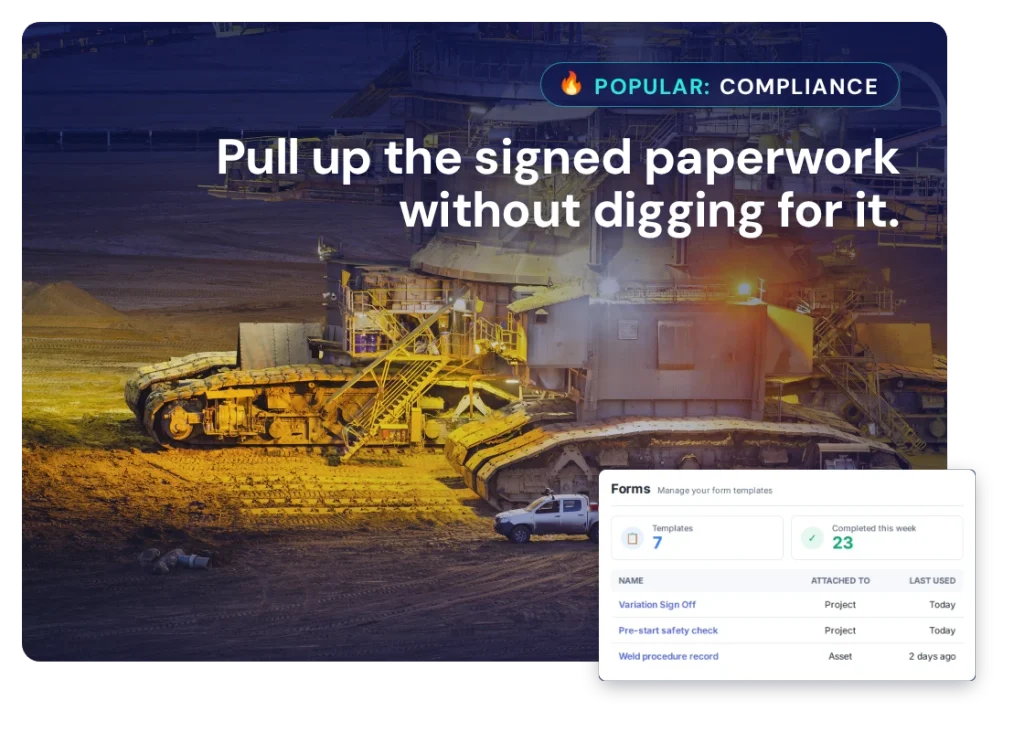
Yes, as project documents — competency records, permits, JSAs, inspection reports and sign-offs. In mining the documentation is frequently a condition of payment rather than just of access, which makes keeping it with the job a commercial matter and not an administrative one. A claim held up over missing paperwork is a cashflow problem you created yourself.
Can we manage subcontractors and hired plant?
Yes, as project purchases. Mining services carries high subcontract and hire content, and hire in particular is duration-based, which means any delay converts directly into cost. Keeping hire on the project connects the money to the job running late rather than to a monthly invoice covering four sites with no indication of which one caused it.
We already have a big ERP. Where does WorkGuru fit?
Around the frontline work the ERP handles poorly. Enterprise systems are generally strong on finance, procurement and reporting and weak on the operational job — the crew, the day, the hours, the parts, the change of scope on site. Mining services businesses commonly end up running that layer in spreadsheets alongside the ERP. This is the alternative to the spreadsheet, not to the ERP.
Can we see which sites and which clients are actually profitable?
Yes, once jobs carry travel, accommodation, labour, plant and subcontract costs. The answer in mining services is frequently counter-intuitive, because the largest client is usually the one with the most onerous terms, the longest payment periods and the most unpaid mobilisation. That does not necessarily mean walking away from them, but it should change what you agree to at the next contract.
Does WorkGuru replace our safety or compliance system?
No. If you run a dedicated safety management system — and most businesses operating on mine sites do — keep it. WorkGuru holds the documentation against the job for operational purposes and runs the commercial side: the work, the people, the costs and the result. The two are complementary, and expecting a job system to serve as a safety management system is a mistake in either direction
See how WorkGuru would work for your mining services business.
We will show you how WorkGuru handles the jobs, and you can decide if it fits the way you work.