
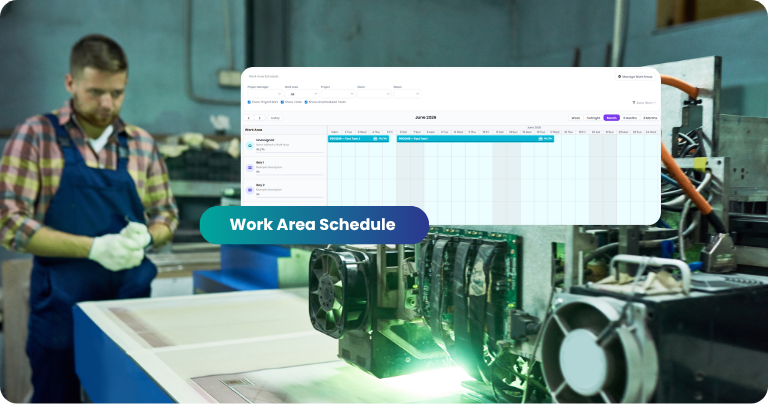
One of the biggest challenges in workshop scheduling isn’t deciding when work should happen.
It’s deciding where it should happen.
As businesses grow, scheduling becomes increasingly dependent on physical resources:
- Welding bays
- Fabrication areas
- CNC machines
- Paint booths
- Assembly stations
- Site crews
- Installation vehicles
- Storage sheds and yards
These resources often become the real bottleneck in production. You might have the labour available to complete a job, but if the paint booth is already booked or the CNC machine is occupied, work can’t proceed.
That’s why we’ve introduced Work Areas.
What Are Work Areas?
Work Areas allow you to define the physical locations, spaces and resources where work is performed within your business.
A Work Area can represent:
- A workshop bay
- A machine
- A production line
- A paint booth
- An assembly area
- A shed or warehouse section
- A service vehicle
- A site location
- Any other physical resource you need to schedule
Once configured, jobs and tasks can be assigned to Work Areas — giving your team visibility into where work is planned to occur.
Schedule Around Real-World Constraints
Most scheduling systems focus purely on people and dates. But in many fabrication, manufacturing and field service businesses, physical resources are equally important.
Consider a fabrication workshop with:
- Two welding bays
- One CNC machine
- One paint booth
Without visibility of those resources, it’s easy to overbook capacity, create bottlenecks or discover scheduling conflicts too late.
Work Areas help solve this by making resource allocation visible during the scheduling process — before conflicts become costly problems.
Improve Workshop Visibility
Production managers often need quick answers to questions like:
- Which bay is available next week?
- What work is currently scheduled on the CNC?
- Is the paint booth fully booked?
- Where will this project be built?
- Which areas are becoming bottlenecks?
Work Areas provide a clearer view of how work is distributed across your operation — so you can answer these questions at a glance.
Better Capacity Planning
As job volume increases, understanding capacity becomes increasingly important. By scheduling work against specific Work Areas, businesses can:
- Balance workloads more effectively
- Identify constraints earlier
- Reduce production bottlenecks
- Improve workshop utilisation
- Make more informed scheduling decisions
The result is a more predictable and manageable production schedule.
Flexible to Match Your Business
Every business operates differently. That’s why Work Areas are completely flexible.
Workshop-based businesses
- Individual machines
- Workshop bays
- Production departments
Field & multi-site businesses
- Vehicles
- Installation crews
- Site locations
- Warehouses & storage areas
You decide what makes sense for your operation.
Getting Started
Work Areas are available now and can be configured to reflect the way your business works. Whether you’re managing a busy fabrication workshop, coordinating field teams, or trying to improve visibility across production resources, Work Areas provide a new level of scheduling control inside WorkGuru.
If your team has ever asked, “Where is this job being done?” — Work Areas are built for you.
Frequently Asked Questions
What are Work Areas in WorkGuru?
Work Areas are configurable locations, spaces or resources used to organise and schedule work inside WorkGuru. They help businesses track where work is being performed, not just when it is scheduled.
- A workshop bay or fabrication area
- A CNC machine or paint booth
- An assembly station or warehouse section
- A service vehicle or job site
Why would I use Work Areas?
Many businesses schedule jobs based on available staff and due dates, but physical resources are often the real constraint:
- A CNC machine can only run one job at a time
- A paint booth has limited capacity
- A fabrication bay may already be occupied
- A vehicle can only attend one installation at a time
Are Work Areas the same as employees or teams?
No. Employees represent people. Work Areas represent physical locations, equipment or resources where work occurs. A job can be assigned to both a team member and a Work Area at the same time.
Can Work Areas be used for machines and equipment?
Yes. Many businesses use Work Areas to represent critical production equipment such as CNC routers, laser cutters, press brakes, paint booths, welding stations and assembly areas — providing better visibility into machine utilisation and scheduling.
Can Work Areas be used for multiple workshop locations?
Yes. Businesses operating across multiple workshops, warehouses or sites can create Work Areas for each location, helping teams understand where work is scheduled across the entire operation.
Which industries benefit from Work Areas?
- Fabrication workshops & sheet metal manufacturers
- Engineering firms & cabinet makers
- Signage businesses & manufacturing companies
- Field service businesses & construction contractors
- Any business that needs visibility into where work happens
Real-World Examples of Work Areas
Every business is different, which is why Work Areas are designed to be flexible. Below are some common ways WorkGuru customers might use Work Areas to organise and schedule work.
🏗️ Fabrication Workshop
A steel fabrication business may create Work Areas such as:
- Bay 1, Bay 2, Bay 3
- CNC Plasma Table
- Press Brake
- Paint Booth
- Dispatch Area
This allows production managers to see exactly where each stage of a job is scheduled to take place and identify potential bottlenecks before they occur.
⚙️ Sheet Metal Manufacturing
A sheet metal workshop may schedule work against:
- Laser Cutter
- Folding Area
- Welding Station
- Powder Coating Booth
- Assembly Area
This helps ensure critical equipment is not overbooked and provides visibility into machine utilisation.
🪵 Cabinet Making Business
A cabinet maker might create Work Areas for:
- CNC Router
- Cutting Area
- Assembly Bench 1 & 2
- Finishing Room
- Installation Vehicle
This makes it easier to plan workflow from production through to installation.
🖨️ Signage and Printing Company
A signage business may use Work Areas such as:
- Large Format Printer
- Laminating Station
- Fabrication Area
- Vehicle Wrap Bay
- Installation Crew Vehicle
This provides a clear picture of where work is progressing through the production process.
📍 Multiple Workshop Locations
Businesses operating across several sites can create Work Areas such as:
- Brisbane Workshop
- Gold Coast Workshop
- Sunshine Coast Workshop
- Main Warehouse
This gives managers visibility across locations and helps allocate work to the most appropriate facility.
🚛 Construction and Field Service Businesses
Work Areas don’t need to be fixed workshop locations. Some businesses use Work Areas to represent:
- Site A, Site B
- Installation Truck 1 & 2
- Mobile Service Unit
This makes it easier to coordinate field work and understand where teams are scheduled to operate.
Start Simple and Expand Over Time
Many businesses begin with just a handful of Work Areas representing their most important resources:
- CNC Machine
- Main Fabrication Bay
- Paint Booth
As scheduling requirements become more sophisticated, additional Work Areas can be added to reflect the way work flows through the business.
The goal isn’t to model every square metre of your operation.
It’s to provide visibility into the locations, equipment and resources that have the biggest impact on scheduling, capacity and productivity.